

Zoho Analytics API
Zoho Analytics API offers wide range of functions to help developers build & manage powerful reporting and analytical capabilities for their business application needs. You can add powerful business intelligence capabilities to your product/application, build add-ons to analyze data from third-party business applications (eg., Google Ad-words, Google Analytics, CRM systems etc., ) that you use and do much more. In-fact Zoho Analytics API is used by many Zoho Applications (
Easy to use programming language wrappers called “Client Libraries” are provided to conveniently use the Zoho Analytics API from within your familiar programming language like Java, C#, Python, PHP, GO and Google Applications.
Prerequisites
Users should have a valid Zoho login email address to use the API. If you do not have one, please
Sign up into Zoho Analytics and create a login.It is mandatory to use HTTPS in all API requests instead of HTTP request. HTTP is not supported
Choose your
<ZohoAnalytics_Server_URI> and use the same in API request URI.An access token is mandatory to authorize the user. Refer this
link to know how to generate an access token.
Note:
- Zoho Analytics is previously known as Zoho Reports.
- API Request URL changed from
https://reportsapi.zoho.com tohttps://analyticsapi.zoho.com .
Authentication
Zoho Analytics REST API supports
- Step 1:
Registering New Client - Step 2:
Generating Code - Step 3:
Generating Tokens - Step 4:
Refreshing Access Tokens
Registering New Client
Follow the below steps to register with Zoho's Developer console.
- Visit
DeveloperConsole and clickGET STARTED. - Choose
Client Typethat suits your application type.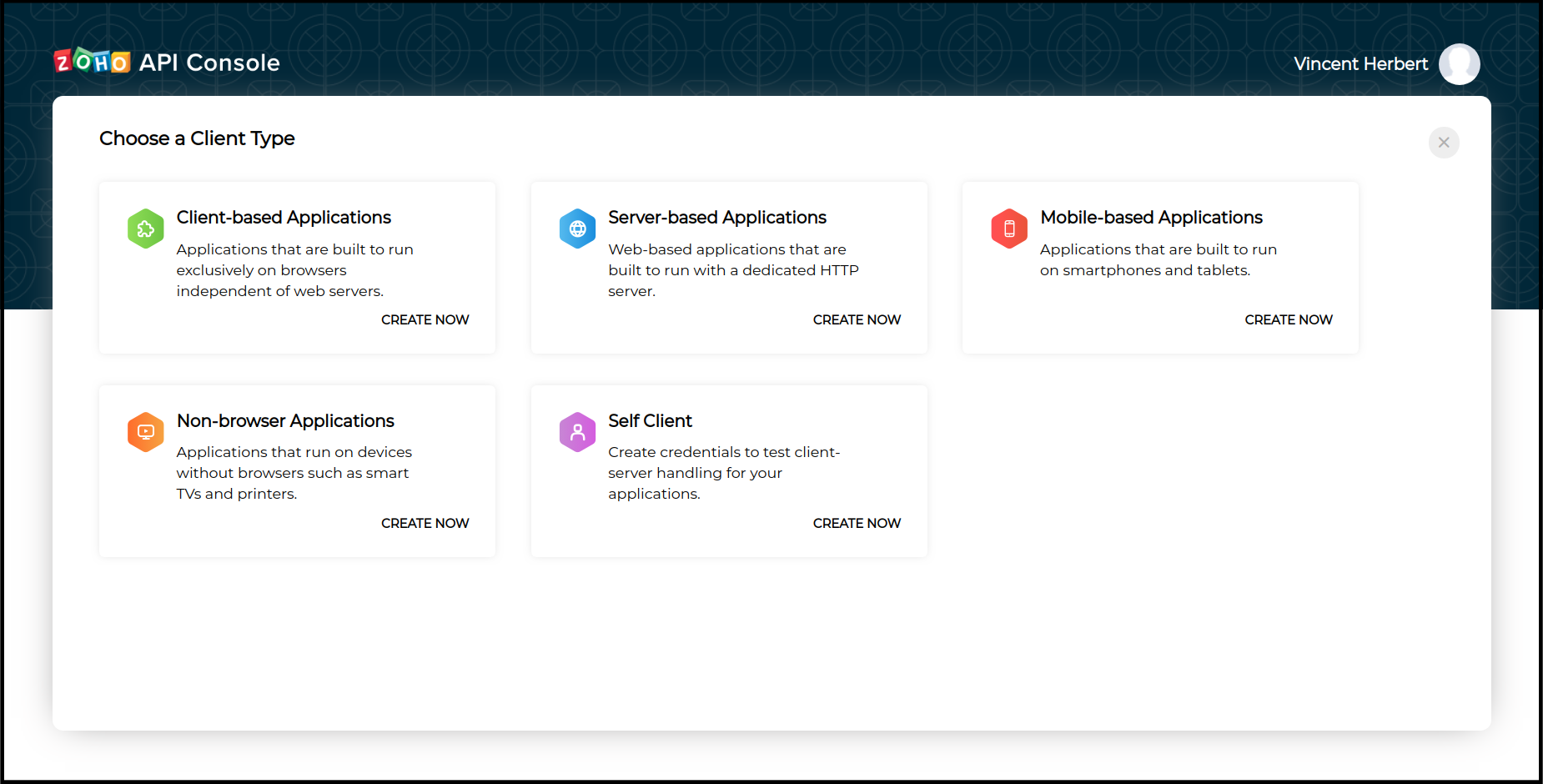
- Client-based Applications: Applications that are built to run exclusively on browsers independent of web servers.
- Server-based Applications: Web-based applications that are built to run with a dedicated HTTP server.
NOTE:Server-based applications are chosen when your application is used by multiple users and requires user intervention during authorization. - Mobile-based Applications: Applications that are built to run on smartphones and tablets.
- Non-browser Applications: Applications that run on devices without browsers such as smart TVs and printers.
- Self Client: For standalone server-side application performing a back-end job, and you do not have a domain and a redirect URL.
NOTE:Self Client type is recommended for users using ZohoAnalytics UploadTool and ZohoAnalytics Client Libraries.
- After choosing the client type, provide the required details and click 'Create'.
On successful registration, you will be provided with a set of OAuth 2.0 credentials such as <Client_ID> and <Client_Secret> that will be only known to Zoho and your application. (Do not share this credentials anywhere)
Generating Code
After generating <Client_ID> and <Client_Secret>, a grant code has to be generated. Based on the client type the code can be generated in two ways.
Self Client Method - For Self Client type.Redirect Method - For Server-based Applications.
SELF CLIENT METHOD
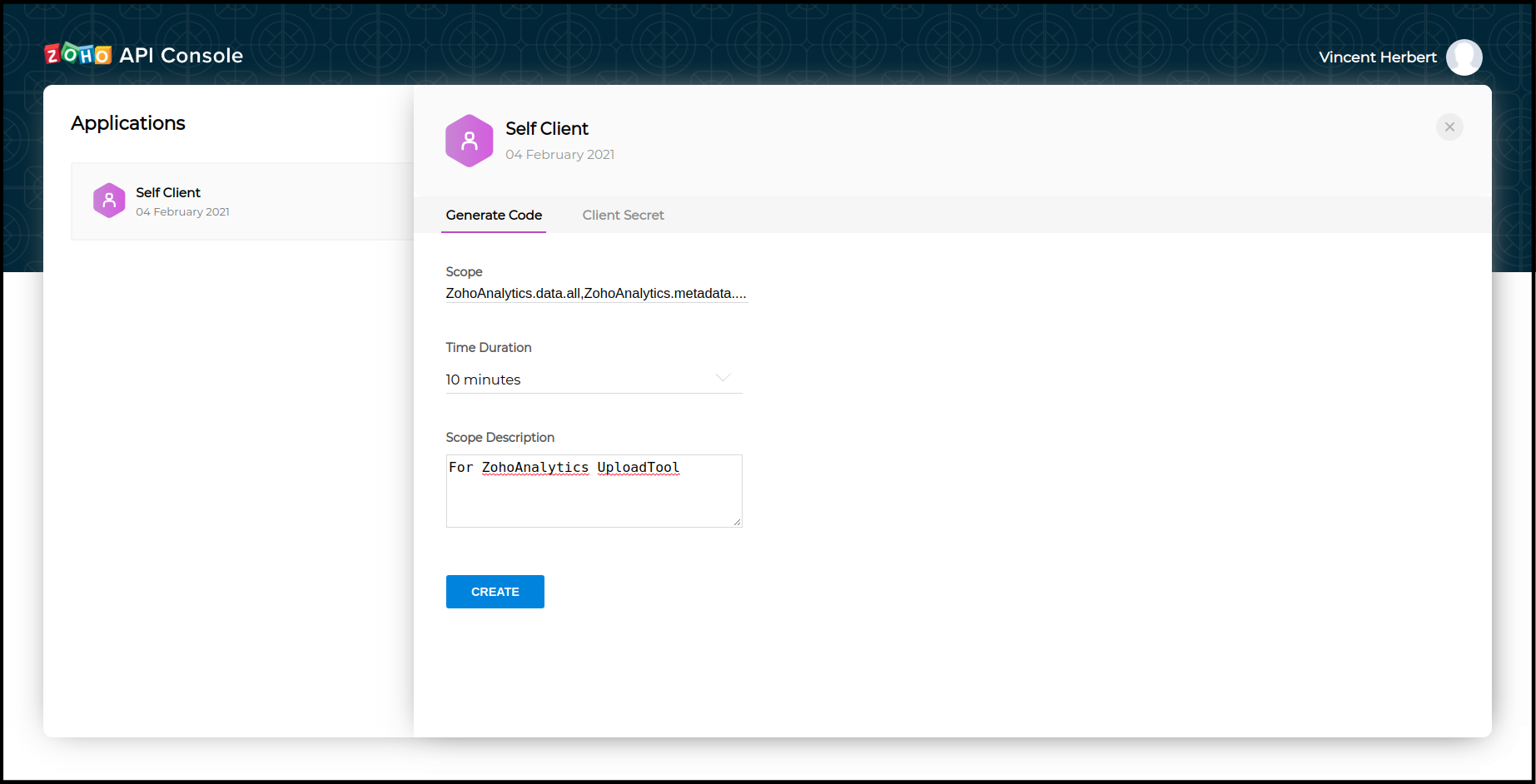
- After registration, click the
Self Clientmethod available on theApplicationslist. - Enter a valid scope. (Refer to
Scopes for more details.) - Choose Time Duration.
NOTE:Code value generated in this step will be expired after this period. Refresh Token (Step 3 ) have to be generated before the code expires. - Enter Scope Description.
- Click
CREATEto generatecode
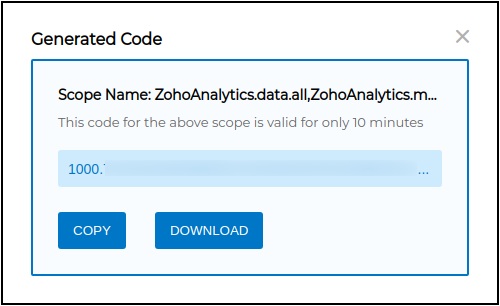
Save this code and continue to
REDIRECT METHOD
The below URL is used to generate code.

https://accounts.zoho.com/oauth/v2/auth?scope=<SCOPE>&client_id=<CLIENT_ID>&state=testing&response_type=code&redirect_uri=<REDIRECT_URI>&access_type=offline&prompt=consent
Make a request to the below URI with the given parameters.
https://<ZohoAccounts_Server_URI> /oauth/v2/auth?Parameter Description scope * Scope (scope is nothing but a permission to access specific API) for which the token to be generated. Multiple scopes can be given which has to be separated by commas.
Example:ZohoAnalytics.data.all,ZohoAnalytics.modeling.create
Refer:available scopes client_id * <client_id>obtained during Client Registration (Step 1).state An opaque string that is round-tripped in the protocol; ie., whatever value given to this will be passed back to you. response_type* code(provide this literal string as the value)redirect_uri * One of the redirect URI given in above step. This param should be same redirect url mentioned while registering the Client (Step 1). access_type The allowed values are offlineandonline.
Theonlineaccess_type gives your application only the access_token which is valid for one hour. Theofflineaccess_type will give the application an access_token as well as a refresh_token. By default it is taken asonlineprompt Consent(provide this literal string as the value)
Prompts for user consent each time your app tries to access user credentials.
If you don't specify this parameter, the user will be prompted only the first time your app requests access.Note: Fields with
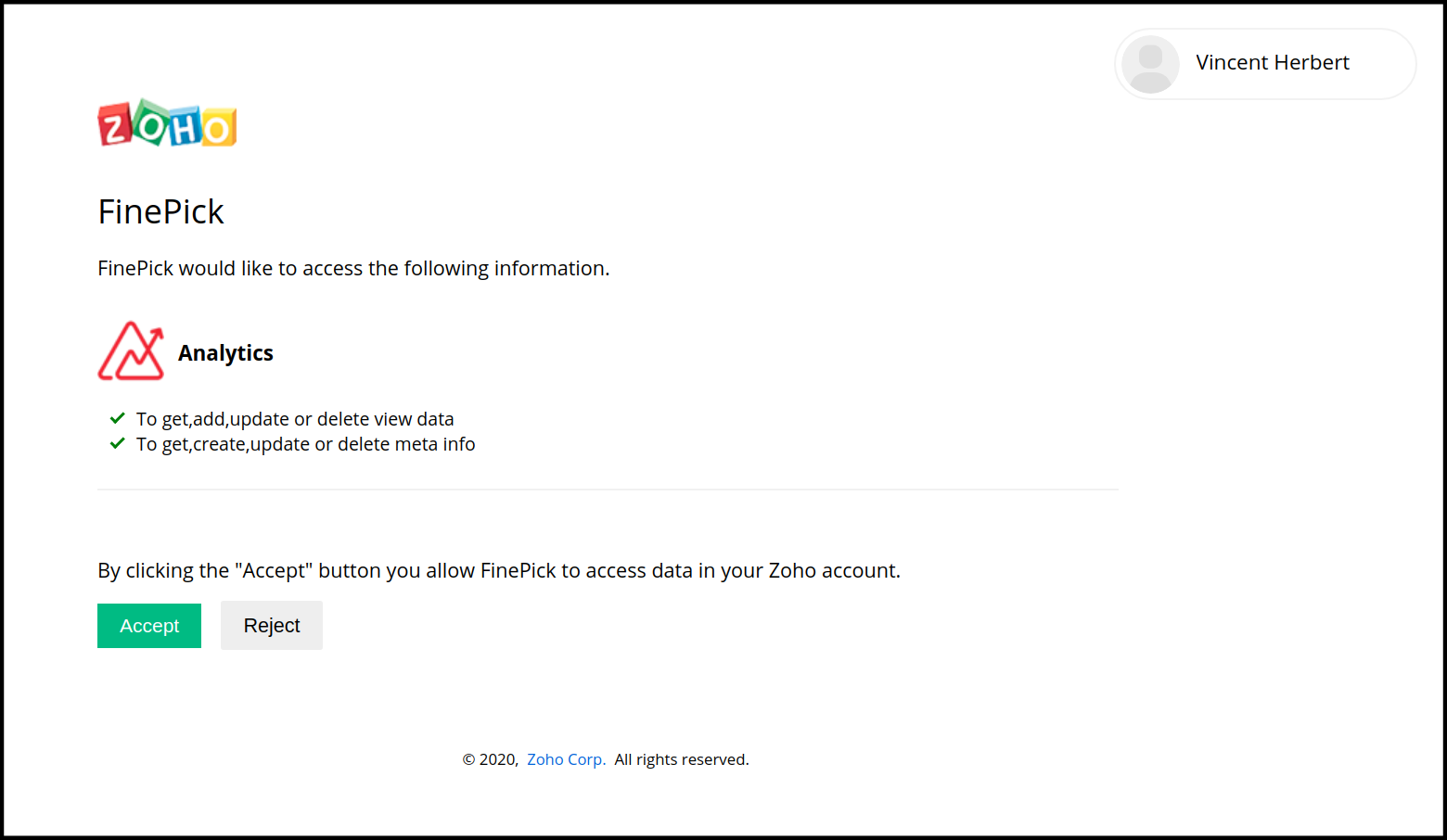
*are mandatoryOn invoking this request, If you already signed in with Zoho then an user consent page will be shown, If you doesn't have an login session with Zoho then you will be redirected to the Zoho login page, and you need to enter your Zoho credentials to login. After authentication the user consent page will be shown.
Upon clicking “Accept”, the application gets authorized. The grant code is sent as a parameter in the redirect_uri.
- A back-end script from your end needs to store the following details from the above URL.
- code={grant_token} - This is used to generate access and refresh tokens.
- location={domain} - This tells you the domain of the user from which you have to make API calls.
- accounts-server={accounts_URL} - This is your accounts URL which you have to use to
generate refresh and access tokens .
When the user clicks "Reject", the browser redirects to the redirect URI with the parameter
error=access_denied, and your application is denied access to the user's data in Zoho Analytics.

Note: This code is valid for only 60 seconds. Next Step have to be done within this time.
Generating Tokens
REFRESH TOKENRefresh token is used to obtain new access tokens. This token has an unlimited lifetime, it can be revoked manually.
ACCESS TOKENA token that is sent to the resource server to access the protected resources of the user. Each access token will be valid only for an hour, and can be used only for the set of operations that is described in the scope.
After generating code, a POST request to be made for the following URI with the params given below, to generate refresh_token and access_token.
METHOD : POST
https://
The below URL is used to generate access token and refresh token.

https://accounts.zoho.com/oauth/v2/token?code=<CODE>&client_id=<CLIENT_ID>&client_secret=<CLIENT_SECRET>&redirect_uri=<REDIRECT_URI>&grant_type=authorization_code| Parameter | Description |
|---|---|
| code* | <code> which is obtained in the above step (Step 2) |
| client_id* | <client_id> obtained during Client Registration (Step 1) |
| client_secret* | <client_secret> obtained during Client Registration (Step 1) |
| redirect_uri | This param should be same redirect url mentioned while adding Client (Step 1). This param is not required when self client application type is choosen during Client Registration (Step 1). |
| grant_type* | authorization_code (provide this literal string as value) |
| scope | Example: ZohoAnalytics.data.all,ZohoAnalytics.modeling.createRefer: |
| state | An opaque string that is round-tripped in the protocol; that is to say, value will be passed back to the user. |
Note: Fields with * are mandatory
In response, you will get both
<access_token>and<refresh_token>.
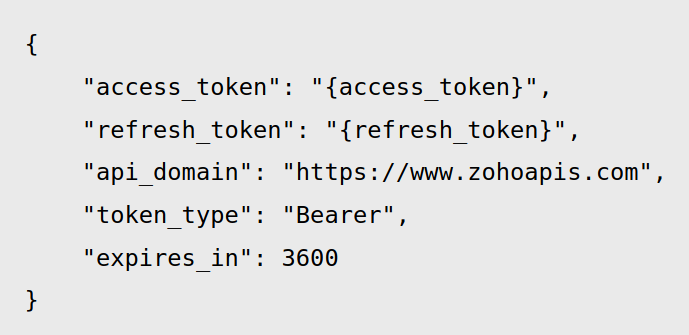
1. The <access_token> will expire after an hour.
2. The <refresh_token> is permanent and will be used to regenerate new <access_token>, if the current access token expired.
NOTE: Each time a re-consent page is accepted, a new refresh token is generated. The maximum limit is 20 refresh tokens per user. If this limit is crossed, the first refresh token is automatically deleted to accommodate the latest one. This is done irrespective of whether the first refresh token is in use or not. (You can manually delete a refresh token by
Refreshing Access Tokens
Access Tokens have limited validity. It expires in one hour. Once the access_token expires, user (or) the app will have to use the refresh token to request for a new access token. On using an expired access token, the request terminates throwing Invalid Oauthtoken.
NOTE: Using a refresh token a client can create up to ten access tokens in a span of ten minutes. If the limit is reached, the access token creation will be blocked for the rest of the ten minutes.
The following POST URI with the params given below, generates a new access token.
METHOD : POST
https://
The below URL is used to Generating Access Token From Refresh Token.

https://accounts.zoho.com/oauth/v2/token?refresh_token=<REFRESH_TOKEN>&client_id=<CLIENT_ID>&client_secret=<CLIENT_SECRET>&redirect_uri=<REDIRECT_URI>&grant_type=refresh_token| Parameter | Description |
|---|---|
| refresh_token* | <refresh_token> which is obtained in the above step (Step 3) |
| client_id* | <client_id> obtained during Client Registration (Step 1) |
| client_secret* | <client_secret> obtained during Client Registration (Step 1) |
| redirect_uri | This param should be same redirect url mentioned while registering Client (Step 1). This param is not required when self client application type is choosen during Client Registration (Step 1). |
| grant_type* | refresh_token (provide this literal string as value) |
In response, you will get a new
<access_token>.
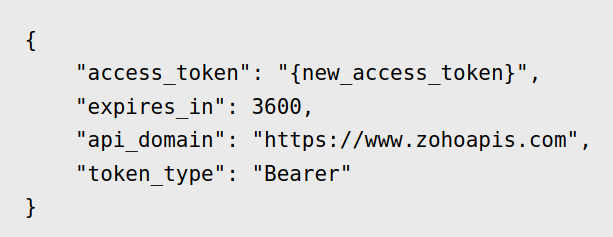
Calling an API using OAuth authentication
Access Token can be passed only in header and cannot be passed in the request param.
- Header name =
Authorization - Header value =
Zoho-oauthtoken<space><access_token> - Sample:
Authorization: Zoho-oauthtoken 1000.abcde12345fgh678.ijk9
Revoking a Refresh Token
You may choose to revoke a refresh token manually, when you no longer need access for a particular scope.
Call the following POST URL with the given params to revoke a refresh token.
METHOD : POST
https://
Request Example
The below URL is used to revoke the refresh token.

https://accounts.zoho.com/oauth/v2/token/revoke?token=<REFRESH_TOKEN>| Parameter | Description |
|---|---|
| token | <refresh_token> which is to be revoked |
SCOPE
Zoho Analytics APIs use selected scopes, which control the type of API's that the client application (or) end user can access. Tokens are usually created with specific scopes to restrict it from acceessing other API's. For example, You can generate a scope to create a view (or) to view metadata and so on. Scopes contain three parameters — service name, scope name, and operation type.
List of scopes available in Zoho Analytics :
| Scope | Description |
|---|---|
| data | To access data related APIs Availabe Scopes: ZohoAnalytics.data.read, ZohoAnalytics.data.delete, ZohoAnalytics.data.update, ZohoAnalytics.data.create, ZohoAnalytics.data.all |
| modeling | To access modeling related APIs Availabe Scopes: ZohoAnalytics.modeling.delete, ZohoAnalytics.modeling.update, ZohoAnalytics.modeling.create, ZohoAnalytics.modeling.all |
| metadata | To access metadata related APIs Availabe Scopes: ZohoAnalytics.metadata.read, ZohoAnalytics.metadata.all |
| share | To access sharing related APIs Availabe Scopes: ZohoAnalytics.share.delete, ZohoAnalytics.share.read, ZohoAnalytics.share.create, ZohoAnalytics.share.all |
| embed | To access embed related APIs Availabe Scopes: ZohoAnalytics.embed.read, ZohoAnalytics.embed.all |
| usermanagement | To access usermanagement related APIs Availabe Scopes: ZohoAnalytics.usermanagement.read, ZohoAnalytics.usermanagement.delete, ZohoAnalytics.usermanagement.update, ZohoAnalytics.usermanagement.create, ZohoAnalytics.usermanagement.all |
| fullaccess | To access all ZohoAnalytics APIs Availabe Scope: ZohoAnalytics.fullaccess.all |
API Specification
Zoho Analytics API uses HTTP as the underlying transport protocol. It is based on
- Every table/report/dashboard in a Zoho Analytics workspace can be uniquely identified using a URL.
- The operation to be performed on the table/report/dashboard can be specified using the parameters in the URL.
- The additional payload required to perform the operation should also be specified as parameters in the URL.
- Every request has a response whose format can be controlled using parameters in the request URL.
It is important to understand the API specification clearly before referring to the actual API methods.
Server URI
The following server URI are available for Zoho Analytics. Choose the server URI based on your data centre.
| Data Centre | ZohoAnalytics_Server_URI | ZohoAccounts_Server_URI | DeveloperConsole |
|---|---|---|---|
| US (United States) | analyticsapi.zoho.com | accounts.zoho.com | |
| EU (Europe) | analyticsapi.zoho.eu | accounts.zoho.eu | |
| IN (India) | analyticsapi.zoho.in | accounts.zoho.in | |
| AU (Australia) | analyticsapi.zoho.com.au | accounts.zoho.com.au | |
| CN (China) | analyticsapi.zoho.com.cn | accounts.zoho.com.cn | |
| JP (Japan) | analyticsapi.zoho.jp | accounts.zoho.jp |
Request Format
Sample Request:
Copycurl -d "ZOHO_ACTION=ADDROW&ZOHO_OUTPUT_FORMAT=XML&ZOHO_ERROR_FORMAT=XML
        &ZOHO_API_VERSION=1.0&Id=999
        &Name=Gary&Date Of Birth=12-Jun-1980&Salary=10000&Country=USA"
     -H "Authorization:Zoho-oauthtoken <access_token>"
     https://analyticsapi.zoho.com/api/EmailAddress/WorkspaceName/TableName
All API requests should be placed as HTTPS POST request. A request consists of the following components:
URI (Universal Resource Identifier. Also commonly known as URL)
Common Mandatory Parameters sent as Query String in the URL
Parameters sent via the body of the POST request.
URI
The URI points to the resource inside Zoho Analytics over which the action is to be performed.
https://<
It consists of the following parts
ZohoAnalytics_Server_URI Click here to check the available Server URIs in Zoho Analytics.OwnerEmail: This should be the Zoho Login Email Address of owner of the organization where the workspace is present. (e.g., abc@zoho.com)WorkspaceName: This should be the name of the workspace on which the API is to be executed. (e.g., EmployeeDB)ViewName: The name of the view (table or report or query table or dashboard name) over which the action is to be executed. (e.g., EmployeeDetails)
Parameters to be passed in Query String
The following snippet shows the common parameters that should be passed as query string with the URI defined above:
<URI>?ZOHO_ACTION=[IMPORT/EXPORT...]&ZOHO_OUTPUT_FORMAT=[XML/JSON/PDF/...]&ZOHO_ERROR_FORMAT=[XML/JSON]&ZOHO_API_VERSION=1.0
The control parameters such as “ZOHO_ACTION” is mandatory and have to be sent as part of the query string in the URL. Refer to Common Parameters document to know more about the possible parameters that could be passed in the Query String.
Authorization Using OAuth 2.0
Access token have to be passed in the header for authorization purpose in the format given below.
Authorization: Zoho-oauthtoken <access_token>
Parameters to be passed via the body of POST Request
Apart from the parameters passed in the Query string, additional information needed for specific actions (such as values of row in a Add Row operation etc.,) needs to be passed as POST parameters
<param>1=<value>1&<param2>=<value2>....
The parameters should be encoded in application/x-www-form-urlencoded format (This is the default format used by any simple html form).
Note: In the case of importing CSV or JSON files multipart/form-data format should be used. (This is the default format used by HTML forms that contain file type fields used for uploading files)
Response Format
Sample Response : For ADDROW
Sample response to a request adding a row to the table.
XML Format:
<?xml version="1.0"encoding="UTF-8" ?>
<responseuri="/api/EmailAddress/WorkspaceName/TableName"action="ADDROW">
    <result>
        <!-- All the columns in the row , including formula columns -->
        <row>
            <columnname="Name">Gary</column>
            <columnname="Date Of Birth">12-Jun-1980</column>
            <columnname="Basic">10000</column>
            <columnname="Country">USA</column>
        </row>
    </result>
<response>
JSON Format:
{"response":
    {"uri": "/api/EmailAddress/WorkspaceName/TableName",
        "action": "ADDROW",
        "result":
        {"column_order":["Name","Date Of Birth","Salary","Country"],
            "rows":
            ["Gary","12-Jun-1980",10000,"USA"]}}}
The response format of the API request is controlled by the ZOHO_OUTPUT_FORMAT query parameter passed in the request. Currently Zoho Analytics supports XML and JSON response formats. CSV and PDF response formats are supported only for
Note: See this
XML Format
The response will have the <response> tag as the root node. It might either contain a <result> or <error> node as it’s child, but not both. The <result> node will be present under normal circumstances, whereas <error> node will be present in case of error conditions.
Format
<?xml version="1.0" encoding="UTF-8" ?>
<response uri="/api/EmailAddress/WorkspaceName/TableName" action="<specifiedaction>">
<result>
[specific XML response based on action]
</result>
</response>
JSON Format
JSON format follows the same pattern as that of XML format.
Format
{
"response":
{
"uri": "/api/EmailAddress/WorkspaceName/TableName",
"action": "<specified action>",
"result": {[action specific properties]}
}
}
Other Formats
Other formats such as CSV, PDF can be specified only when ZOHO_ACTION is
Error handling
Sample error response : IMPORT DATA
Sample error response for import data in Table.
XML Format:
<?xml version="1.0"encoding="UTF-8"?>
<responseurl="/api/EmailAddress/WorkspaceName/TableName"action="IMPORT">
    <error>
        <code>7138</code>
        <message>
        Table "TableName" is not present in the workspace "WorkspaceName"
        </message>
    </error>
</response>
JSON Format:
{"response":
    {"url": "/api/EmailAddress/WorkspaceName/TableName",
        "action": "IMPORT",
        "error":
        {"code":7138,
            "message": "Table "TableName" is not present in the workspace "WorkspaceName""}}}
API execution could result in Error conditions. In such cases, follow the below steps to identify an error condition and handle the same:
Check the http response code. If it is 4xx or 5xx (eg., 400, 500, 401 etc.,), then it is an error.
In case of error, the error information would be sent in the response body.
The format of the error content can be specified by the parameter ZOHO_ERROR_FORMAT. The value it can be either:
XML
JSON
XML Format
<?xml version="1.0" encoding="UTF-8" ?>
<response uri="/api/EmailAddress/WorkspaceName/TableName" action="<specifiedaction>">
<error>
[error details]
</error>
</response>
JSON Format
{
"response":
{
"uri": "/api/EmailAddress/WorkspaceName/TableName",
"action": "<specified action>",
"error": {[error details]}
}
}
Applying Filter Criteria
Example
(("Department"='Finance' and"Salary" < 9000)or("Department"='Admin'
and"Salary" < 8000))
Sample
A sample delete request that deletes all the rows that match
the criteria "s2">"Department"='Finance'
is given below.
URL:
https://analyticsapi.zoho.com/api/<OwnerEmail>/<WorkspaceName>/<Name>?
ZOHO_ACTION=DELETE&ZOHO_OUTPUT_FORMAT=XML&ZOHO_ERROR_FORMAT=XML
&ZOHO_API_VERSION=1.0
Data Sent as POST parameters.
ZOHO_CRITERIA=("Department"='Finance')

ZOHO_CRITERIA is encoded for the url format. Unencoded value is provided below.
ZOHO_CRITERIA=("Department"='Finance')
Zoho Analytics API allows you to apply filter criteria while you execute the various actions. When you apply a criteria, the action will be performed only on the data that matches the filter criteria given.
You can apply criteria as part of the following API actions:
Update
Delete
Export
The filter criteria has to be passed as a parameter, named ZOHO_CRITERIA, to the action request. This should be part of the body of the POST request.
Format
The filter criteria that is passed as part of the request, should follow the same format as that of the SQL SELECT WHERE clause.
The generalized format of a simple criteria is given below:
(<columnname/SQL expression/SQL function calls> <relational operator> <value/column name/SQL expression/SQL function calls>)
On using ZOHO_CRITERIA for views which involves multiple tables having same column name, the criteria should append with tablename to avoid name clash.
<tablename>.<columnname> <relational operator> <value/column name/SQL expression/SQL function calls>
Description
The criteria follows the
| Name | Description |
|---|---|
| column name | Refers to the name of the column in table or query table on which you are applying a criteria |
| SQL Expression | You could provide any valid SQL Expression. The above expression subtract the value in the “Cost” column from value in the “Sales” column. You could use any of the Arithmetic operator supported in an Arithmetic Operators: +, -, *, / |
| SQL Function call | Oracle, MS SQL Server, MySQL, DB2, Sybase, ANSI SQL, Informix and PostgreSQL databases Eg.: year(date_column) = 2008 . Note: All supported in-built function from different databases will be documented soon. |
| relational operator | This could be any of the relational operators supported in an Supported Relational Operators: |
| value | Refers to the exact value to match. Eg.: "Department" = 'Finance' here 'Finance' is a literal value to match. |
NOTES FOR CRITERIA FORMATION:
- You can combine any number of criteria that is defined in the above specified format using logical operators like AND and OR to form complex criteria, the same way as in
SQL SELECT WHERE clause. Also use Braces ’()’ to group the criteria for ordering. - Enclose string literals (ie values) in single quotes.
Enclose tablename and columnname in double quotes.
Eg.: "table_1"."number_column">"table_2"."number_column"
Date Format should be either
yyyy-mm-ddoryyyy-mm-dd hh:mm:ssEg.: "date_column"='2007-01-31 00:00:00'
Currency symbols (or) percent symbol can’t be used in criteria
Eg.: currency_column=75.66 is valid
Eg.: percent_column=100 is valid
currency_column=75.66$ (or) percent_column=100% is not valid
Eg.: "plaintext_column"='country'
Eg.: number_column=75 is valid
Refer to the
Common Parameters in Query String of the API URL
In this section we will discuss about the mandatory and optional parameters that could be passed in the query string of every API call.
Mandatory Parameters:
ZOHO_ACTION
This parameter specifies the action to be performed by the API request. The sample values are:
ADDROW - To add a row of data into a table.IMPORT - To import data in bulk into a table in CSV/TSV/Tabular Text formatsUPDATE - To update existing rows in a table.DELETE - To delete rows in a table.EXPORT - To export table or report in different formats.DATABASEMETADATA - To fetch information about the Workspaces and the reports created within it, in your Zoho Analytics account.
Note: Value of ZOHO_ACTION parameter should be in the same case(UPPER CASE) as given in this document.
ZOHO_OUTPUT_FORMAT
This parameter specifies the output format for the response. Following are the following supported formats:
- XML
- JSON
In-case ZOHO_ACTION is
- CSV
- HTML
- IMAGE
ZOHO_ERROR_FORMAT
Specifies the output format for the response in case an error occurs when trying to process the request. Following are the supported formats:
- XML
- JSON
ZOHO_API_VERSION
The API version of Zoho Analytics based on which the application(/service) has been written. This parameter allows the Zoho Analytics to handle applications based on the older versions. The current API version is 1.0
Optional Parameters:
These parameters have to be sent in the body of the POST request.
ZOHO_DATE_FORMAT
This parameter can be used during
Example: ZOHO_DATE_FORMAT=dd-MMM-yyyy
View this
Data API
This section lists the APIs which can be used to perform data addition, bulk import, deletion and updates into your Zoho Analytics data tables. This also provides APIs to export your tables, reports & dashboards in PDF, Excel, JSON, HTML, Image and CSV formats.
Add Row
Download client libraries :
C# |GO |JAVA |PHP |PYTHON |NODEJS Sample Request:
Copycurl -d "ZOHO_ACTION=ADDROW&ZOHO_OUTPUT_FORMAT=XML&ZOHO_ERROR_FORMAT=XML
        &ZOHO_API_VERSION=1.0&Id=999
        &Name=Gary&Date Of Birth=12-Jun-1980&Salary=10000&Country=USA"
     -H "Authorization:Zoho-oauthtoken <access_token>"
     https://analyticsapi.zoho.com/api/EmailAddress/WorkspaceName/TableName
Sample Response JSON Format:
{"response":
    {"url": "/api/EmailAddress/WorkspaceName/TableName",
        "action": "ADDROW",
        "result":
        {"column_order":["Name","Date Of Birth","Salary","Country"],
            "rows":["Gary","12-Jun-1980",10000,"USA"]}}}
Sample Response XML Format:
<?xml version="1.0"encoding="UTF-8" ?>
<response url ="/api/EmailAddress/WorkspaceName/TableName"action="ADDROW">
    <result>
    <!-- All the columns in the row , including formula columns -->
        <row>
            <columnname="Name">Gary</column>
            <columnname="Date Of Birth">12-Jun-1980</column>
            <columnname="Basic">10000</column>
            <columnname="Country">USA</column>
        </row>
    </result>
</response>
This API allows you to add a single row into a specified table.
request uri
https://<
ZohoAnalytics.data.create
COMMON PARAMETERS
| Parameter | Possible Values | Description |
|---|---|---|
| ZOHO_ACTION | ADDROW | This parameter specifies the action to be performed by the API request.Note: Value of ZOHO_ACTION parameter should be in the same case(UPPER CASE) as given in this document. |
| ZOHO_OUTPUT_FORMAT | XML/JSON | This parameter specifies the output format for the response. |
| ZOHO_ERROR_FORMAT | XML/JSON | Specifies the output format for the response in case an error occurs when trying to process the request. |
| ZOHO_API_VERSION | 1.0 | The API version of Zoho Analytics based on which the application(/service) has been written. This parameter allows the Zoho Analytics to handle applications based on the older versions.The current API version is 1.0 |
Authorization
To make authenticated API request, append the access token in Authorization request header.
| Value | Description | |
|---|---|---|
| Authorization | The Access token provides a secure and temporary access to Zoho Analytics API's. Each access token will be valid only for an hour, and can be used only for the set of operations that is described in the scope. |
ACTION SPECIFIC PARAMETERS (Data for the Row)
| Parameter | Possible Values | Description |
|---|---|---|
| ZOHO_DATE_FORMAT (optional) | Format of the date. E.g. dd-MMM-YYYY | The format of date value. Specify this in-case any date field is being added and its format cannot be auto recognized by Zoho Analytics. |
The column values for the row should be passed as POST parameters in <columnname>=<value> format. (The parameters should be in application/x-www-form-urlencoded format).
<columnname> - Refers to the name of the column in the table to which the value is added.
<value> - Refers to the corresponding value to be added for this column.
Possible Error Codes In ADDROW
Delete Data
Download client libraries :
C# |GO |JAVA |PHP |PYTHON |NODEJS Sample Request:
Copycurl -d "ZOHO_ACTION=DELETE&ZOHO_OUTPUT_FORMAT=XML&ZOHO_ERROR_FORMAT=XML
         &ZOHO_API_VERSION=1.0
         &ZOHO_CRITERIA=("Department" = 'Finance')"
     -H "Authorization:Zoho-oauthtoken <access_token>"
     https://analyticsapi.zoho.com/api/EmailAddress/WorkspaceName/TableName
Sample Response JSON Format:
{"response":
    {"uri": "/api/EmailAddress/WorkspaceName/TableName",
        "action": "DELETE",
        "criteria": "\"Department\" = \'Finance\'",
        "result":
        {"message": "Deleted rows",
            "deletedrows":"4"}}}
Sample Response XML Format:
<?xml version="1.0"encoding="UTF-8" ?>
<responseuri="/api/EmailAddress/WorkspaceName/TableName"action="DELETE">
    <criteria>"Department" = 'Finance'</criteria>
    <result>
        <message>Deleted rows</message>
        <deletedrows>4</deletedrows>
    </result>
</response>
The data present in a table can be deleted using this API.
request uri
https://<
ZohoAnalytics.data.delete
COMMON PARAMETERS
| Parameter | Possible Values | Description |
|---|---|---|
| ZOHO_ACTION | DELETE | This parameter specifies the action to be performed by the API request.Note: Value of ZOHO_ACTION parameter should be in the same case(UPPER CASE) as given in this document. |
| ZOHO_OUTPUT_FORMAT | XML/JSON | This parameter specifies the output format for the response. |
| ZOHO_ERROR_FORMAT | XML/JSON | Specifies the output format for the response in case an error occurs when trying to process the request. |
| ZOHO_API_VERSION | 1.0 | The API version of Zoho Analytics based on which the application(/service) has been written. This parameter allows the Zoho Analytics to handle applications based on the older versions.The current API version is 1.0. |
Authorization
To make authenticated API request, append the access token in Authorization request header.
| Value | Description | |
|---|---|---|
| Authorization | The Access token provides a secure and temporary access to Zoho Analytics API's. Each access token will be valid only for an hour, and can be used only for the set of operations that is described in the scope. |
ACTION SPECIFIC PARAMETERS
| Parameter | Possible Values | Description |
|---|---|---|
(optional) | Criteria | If that parameter is not sent, then all the rows are deleted. If criteria is sent the rows matching the criteria alone are deleted.Please |
| ZOHO_VALID_JSON (optional) | true / false | Specific for JSON Response By default it will be false. True - Returns a valid JSON data (with JSON escaping) False - Returns a JSON data with JS escaping. |
| ZOHO_CALLBACK_FUNCTION (optional) | Name of the json callback function | Specific for JSON Response Processes JSON response elsewhere in the JavaScript code on the page |
Possible Error Codes In DELETE DATA
Update Data
Download client libraries :
C# |GO |JAVA |PHP |PYTHON |NODEJS Sample Request:
Copycurl -d "ZOHO_ACTION=UPDATE&ZOHO_OUTPUT_FORMAT=XML&ZOHO_ERROR_FORMAT=XML
         &ZOHO_API_VERSION=1.0&Name=as
         &ZOHO_CRITERIA=("Department" = 'Finance')"
     -H "Authorization:Zoho-oauthtoken <access_token>"
     https://analyticsapi.zoho.com/api/EmailAddress/WorkspaceName/TableName
Sample Response JSON Format:
{"response":
    {"uri": "/api/EmailAddress/WorkspaceName/TableName",
        "action": "UPDATE",
        "criteria": "\"Department\" = 'Finance'",
        "result":
        {"updatedColumns":["Salary","Deduction","Perks"],
            "updatedRows":"4"}}}
Sample Response XML Format:
<?xml version="1.0"encoding="UTF-8" ?>
<responseuri="/api/EmailAddress/WorkspaceName/TableName"action="UPDATE">
    <criteria>"Department" = 'Finance'</criteria>
    <result>
        <updatedColumns>
            <column>Salary</column>
            <column>Deduction</column>
            <column>Perks</column>
        </updatedColumns>
        <updatedRows>4</updatedRows>
    </result>
</response>
The data present in a table can be updated using this API.
request uri
https://<
ZohoAnalytics.data.update
COMMON PARAMETERS
| Parameter | Possible Values | Description |
|---|---|---|
| ZOHO_ACTION | UPDATE | This parameter specifies the action to be performed by the API request.Note: Value of ZOHO_ACTION parameter should be in the same case(UPPER CASE) as given in this document. |
| ZOHO_OUTPUT_FORMAT | XML/JSON | This parameter specifies the output format for the response. |
| ZOHO_ERROR_FORMAT | XML/JSON | Specifies the output format for the response in case an error occurs when trying to process the request. |
| ZOHO_API_VERSION | 1.0 | The API version of Zoho Analytics based on which the application(/service) has been written. This parameter allows the Zoho Analytics to handle applications based on the older versions.The current API version is 1.0. |
Authorization
To make authenticated API request, append the access token in Authorization request header.
| Value | Description | |
|---|---|---|
| Authorization | The Access token provides a secure and temporary access to Zoho Analytics API's. Each access token will be valid only for an hour, and can be used only for the set of operations that is described in the scope. |
ACTION SPECIFIC PARAMETERS
| Parameter | Possible Values | Description |
|---|---|---|
(optional) | Criteria | If that parameter is not sent, then all the rows are updated. If criteria is sent the rows matching the criteria alone are updated.For more details about the format for the criteria |
| ZOHO_DATE_FORMAT (optional) | Format of the date. E.g. dd-MMM-YYYY | The format of date value. Specify this in-case any date field is being updated and its format cannot be auto recognized by Zoho Analytics. |
| ZOHO_VALID_JSON | true / false | By default it will be false. True - Returns a valid JSON data (with JSON escaping) False - Returns a JSON data with JS escaping. |
Specifying the data to be updated (POST params)
Pass the columns whose values you would like to update in a <columnname>=<value> format. (The parameters should be in application/x-www-form-urlencoded format).
<columnname> - Refers to the name of the column in the table whose value is to be updated.
<value> - Refers to the corresponding value to be updated in the column
For specifying empty (null) values, the parameter should be sent with empty values. In the example above, the Deduction value is taken to be empty.
Possible Error Codes In UPDATE DATA
Import Data
Download client libraries :
C# |GO |JAVA |PHP |PYTHON |NODEJS Sample Request:
Copycurl -X POST 'https://analyticsapi.zoho.com/api/UserEmail/WorkspacName/TableName?
        ZOHO_ACTION=IMPORT&ZOHO_OUTPUT_FORMAT=XML&ZOHO_ERROR_FORMAT=XML&
        ZOHO_API_VERSION=1.0&ZOHO_IMPORT_TYPE=APPEND&
        ZOHO_AUTO_IDENTIFY=TRUE&ZOHO_ON_IMPORT_ERROR=ABORT&ZOHO_CREATE_TABLE=true'
     -H 'content-type: multipart/form-data'
     -H 'Authorization:Zoho-oauthtoken <access_token>'
     -F 'ZOHO_FILE=@/home/local/import.csv'
Sample Response JSON Format:
{" response":
    {"uri": "/api/EmailAddress/WorkspaceName/TableName",
        "action": "IMPORT",
        "result":
        {"importSummary":
            {"totalColumnCount":3,
                "selectedColumnCount":3,
                "totalRowCount":50,
                "successRowCount":48,
                "warnings":0,
                "importOperation": "created",
                "importType": "APPEND"},
            "columnDetails":
            {"Name": "Plain Text",
                "Date Of Birth": "Date",
                "Salary": "Number"},
            "importErrors": "[Line: 5 Field: 3] a1213 -WARNING: Invalid
             Number value"}}}
Sample Response XML Format:
<?xml version="1.0"encoding="UTF-8" ?>
<responseuri="/api/EmailAddress/WorkspaceName/TableName"action="IMPORT">
    <result>
        <importSummary>
            <totalColumnCount>3 </totalColumnCount>
            <selectedColumnCount>3</selectedColumnCount>
            <totalRowCount>50</totalRowCount>
            <successRowCount>48</successRowCount>
            <warnings>0</warnings>
            <importOperation>created</importOperation>
            <importType>APPEND</importType>
        </importSummary>
        <columnDetails>
            <columndatatype="Plain Text">Name </column>
            <columndatatype="Date">Date Of Birth</column>
            <columndatatype="Number">Salary</column>
        </columnDetails>
        <!-- The first 100 errors are alone sent -->
        <importErrors>
            [Line: 5 Field: 3] a1213 -WARNING: Invalid Number value
        </importErrors>
    </result>
</response>
With the Zoho Analytics API, you can add/update data in bulk. The data to be added/updated should be in CSV or JSON file formats.
request uri
https://<
ZohoAnalytics.data.update
COMMON PARAMETERS
| Parameter | Possible Values | Description |
|---|---|---|
| ZOHO_ACTION | IMPORT | This parameter specifies the action to be performed by the API request.Note: Value of ZOHO_ACTION parameter should be in the same case(UPPER CASE) as given in this document. |
| ZOHO_OUTPUT_FORMAT | XML/JSON | This parameter specifies the output format for the response. |
| ZOHO_ERROR_FORMAT | XML/JSON | Specifies the output format for the response in case an error occurs when trying to process the request. |
| ZOHO_API_VERSION | 1.0 | The API version of Zoho Analytics based on which the application(/service) has been written. This parameter allows the Zoho Analytics to handle applications based on the older versions.The current API version is 1.0. |
Authorization
To make authenticated API request, append the access token in Authorization request header.
| Value | Description | |
|---|---|---|
| Authorization | The Access token provides a secure and temporary access to Zoho Analytics API's. Each access token will be valid only for an hour, and can be used only for the set of operations that is described in the scope. |
ACTION SPECIFIC PARAMETERS
| Parameter | Possible Values | Description |
|---|---|---|
(optional) | Criteria | If that parameter is not sent, then all the rows are updated. If criteria is sent the rows matching the criteria alone are updated. |
| ZOHO_FILE or ZOHO_IMPORT_DATA (mandatory) | File or String | ZOHO_FILE - The file to be import.
ZOHO_IMPORT_DATA - The string to be import. |
| ZOHO_IMPORT_FILETYPE (optional) | CSV/JSON | Default value is CSV. Format of the file to be imported. Supported formats are: |
| ZOHO_IMPORT_TYPE (mandatory) | APPEND/TRUNCATEADD/UPDATEADD | |
| ZOHO_AUTO_IDENTIFY (mandatory) | TRUE/FALSE | Used to specify whether to auto identify the CSV format. |
| ZOHO_ON_IMPORT_ERROR (mandatory) | ABORT/SKIPROW/SETCOLUMNEMPTY | This parameter controls the action to be taken incase there is an error during import. |
| ZOHO_CREATE_TABLE (mandatory) | true/false. | Default is false. |
| ZOHO_SELECTED_COLUMNS (optional) | List of comma separated column names. E.g.,: Name, Department | Specify the columns to be imported into the Zoho Analytics table from the data being uploaded. Note: Incase of JSON files you need to specify the column names capturing the full JSON tree hierarchy eg., employee.Name, employee.Department |
| ZOHO_MATCHING_COLUMNS (mandatory only when the ZOHO_IMPORT_TYPE is UPDATEADD) | List of comma separated column names. E.g.,: Name,Department | The values in the columns to be matched will be used for comparison to check whether data row(s) being imported matches with an existing row(s) in the table. The existing rows in the table that match will be updated with values from data imported. The remaining rows are appended to the table as new rows. |
| ZOHO_SKIPTOP (optional) | <number> | Number of rows that are to be skipped from the top in the CSV file being imported. |
| ZOHO_THOUSAND_SEPARATOR (optional) | 0 / 1 / 2 / 3 | Default is 0. This parameter controls the action to be taken in case there is a thousand separator in the data. 0 - COMMA 1 - DOT 2 - SPACE 3 - SINGLE QUOTE |
| ZOHO_DECIMAL_SEPARATOR (optional) | 0 / 1 | Default is 0. This parameter controls the action to be taken in case there is a decimal separator in the data. 0 - DOT 1 - COMMA |
| ZOHO_DATE_FORMAT (optional) | Format of the date. E.g. dd-MMM-YYYY | The format of date value. Specify this in-case any date field is being imported and its format cannot be auto recognized by Zoho Analytics. |
| ZOHO_IMPORT_JSON_RETCOLNAMES (optional) | true/false. | Default value is false. This parameter is applicable only for importing JSON files. This defines how the columns names are to be constructed from the JSON file. eg., employee.Name, employee.Department |
| ZOHO_COLUMN_DATEFORMAT (optional) | JSONObject with column name as key and date format as value.E.g.,:{"columnName1":"","columnName2":""}NOTE:do encode this value and use. | Specify this in case multiple date fields are being imported having different format each. |
CSV Format Details
These parameters need to be specified if the ZOHO_AUTO_IDENTIFY is set to false.
| Parameter | Possible Values | Description |
|---|---|---|
| ZOHO_COMMENTCHAR | | Comment Character. If the character mentioned is found at the beginning of the row, the csv row will be skipped. |
| ZOHO_DELIMITER | 0 / 1 / 2 / 3 | Delimiter which separates the values in the file. 0 - if the delimiter is COMMA 1 - if the delimiter is TAB 2 - if the delimiter is SEMICOLON 3 - if the delimiter is SPACE |
| ZOHO_QUOTED | 0 / 1 / 2 | The Text Qualifier. 0 - None 1 - SINGLE QUOTE 2 - DOUBLE QUOTE |
Possible Error Codes In IMPORT DATA
Export Data
Download client libraries :
C# |GO |JAVA |PHP |PYTHON |NODEJS Sample Request:
Copycurl -d "ZOHO_ACTION=EXPORT&ZOHO_OUTPUT_FORMAT=XML&ZOHO_ERROR_FORMAT=XML
         &ZOHO_API_VERSION=1.0"
     -H "Authorization:Zoho-oauthtoken <access_token>"
     https://analyticsapi.zoho.com/api/EmailAddress/WorkspaceName/ViewName
Sample Response JSON Format:
{"response":
    {"uri": "/api/EmailAddress/WorkspaceName/TableName",
        "action": "EXPORT",
        "result":
        {"column_order":["Name","Department","Date Of Birth"],
            "rows":
            [["John","Finance","12 May 1972"],
                ["Joan","Admin","15 June 1975"]]}}}
Sample Response XML Format:
<?xml version="1.0"encoding="UTF-8" ?>
<responseuri="/api/EmailAddress/WorkspaceName/TableName"action="EXPORT">
    <result>
        <rows>
            <row>
                <columnname="Name">Gary</column>
                <columnname="Date Of Birth">12-Jun-1980</column>
                <columnname="Basic">10000</column>
                <columnname="Country">USA</column>
            </row>
            <row>
                <columnname="Name">John</column>
                <columnname="Date Of Birth">12-Jun-1981</column>
                <columnname="Basic">10000</column>
                <columnname="Country">Canada</column>
            </row>
            <row>
                <columnname="Name">Joan</column>
                <columnname="Date Of Birth">12-Jun-1982</column>
                <columnname="Basic">10000</column>
                <columnname="Country">Mexico</column>
            </row>
        </rows>
    </result>
</response>
Using this API users can export/pull data from tables or reports (pivots, charts etc.,) in different formats.
request uri
https://<
ZohoAnalytics.data.read
COMMON PARAMETERS
| Parameter | Possible Values | Description |
|---|---|---|
| ZOHO_ACTION | EXPORT | This parameter specifies the action to be performed by the API request.Note: Value of ZOHO_ACTION parameter should be in the same case(UPPER CASE) as given in this document. |
| ZOHO_OUTPUT_FORMAT | XML/JSON/CSV/PDF/HTML/IMAGE | This parameter specifies the output format for the response. |
| ZOHO_ERROR_FORMAT | XML/JSON | Specifies the output format for the response in case an error occurs when trying to process the request. |
| ZOHO_API_VERSION | 1.0 | The API version of Zoho Analytics based on which the application(/service) has been written. This parameter allows the Zoho Analytics to handle applications based on the older versions.The current API version is 1.0. |
Authorization
To make authenticated API request, append the access token in Authorization request header.
| Value | Description | |
|---|---|---|
| Authorization | The Access token provides a secure and temporary access to Zoho Analytics API's. Each access token will be valid only for an hour, and can be used only for the set of operations that is described in the scope. |
ACTION SPECIFIC PARAMETERS
| Parameter | Possible Values | Description |
|---|---|---|
(optional) | Criteria | If that parameter is not sent, then all the rows are exported. If criteria is sent the rows matching the criteria alone are exported.For more details about the format for the criteria |
(optional) | SQL Query | Literal SQL Query can be used as criteria. Export using joining tables and specific columns can be done using ZOHO_SQLQUERY. Note:Shared users are not allowed to use this parameter. |
| GENERATETOC (optional - only for dashboards) | true / false | true - To generate Table Of Contents.By default it will be false. |
| ZOHO_DASHBOARD_LAYOUT (optional - only for dashboards) | 0 or 1 | 0 - For Each Report in New Page 1 - For Layout as in Dashboard |
Additional optional parameters.
All the parameters that all defined below are optional one.
CSV Format
| Parameter | Possible Values | Description |
|---|---|---|
| ZOHO_DELIMITER | Value between 0 - 3 0 - COMMA 1 - TAB 2 - SEMICOLON 3 - SPACE | The delimiter character used for separating the fields in a row in the CSV. |
| ZOHO_RECORD_DELIMITER | Value between 0 - 2 0 - DOS 1 - UNIX 2 - MAC | The record delimiter (newline character) to use. |
| ZOHO_QUOTED | Value between 0 - 1 0 - SINGLE 1 - DOUBLE | The quote character to use for quoting the values. |
| ZOHO_INCLUDE_HEADER | true / false | true - To include the column names in the first row of the CSV exported. false - To not include the column names in the CSV exported. |
| ZOHO_SHOW_HIDDENCOLS | true / false | Controls where the columns that have been hidden in the table/report have to be exported. true - To include the hidden columns of the table/report in the data exported false - To not include the hidden columns of the table/report in the data exported. |
XML Format
| Parameter | Possible Values | Description |
|---|---|---|
| ZOHO_SHOW_HIDDENCOLS | true / false | Controls where the columns that have been hidden in the table/report have to be exported. true - To include the hidden columns of the table/report in the data exported false - To not include the hidden columns of the table/report in the data exported. |
HTML Format
| Parameter | Possible Values | Description |
|---|---|---|
| ZOHO_SHOW_HIDDENCOLS | true / false | Controls where the columns that have been hidden in the table/report have to be exported. true - To include the hidden columns of the table/report in the data exported false - To not include the hidden columns of the table/report in the data exported. |
PDF Format
| Parameter | Possible Values | Description |
|---|---|---|
| ZOHO_PAPERSIZE | Value between 0 - 5 0 - LETTER 1 - LEGAL 2 - TABLOID 3 - A3 4 - A4 5 - AUTO | The size of the paper. |
| ZOHO_SHOW_TITLE | Value between 0 - 2 0 - AT TOP 1 - AT BOTTOM 2 - NONE | Controls the title positioning. |
| ZOHO_SHOW_DESC | Value between 0 - 2 0 - AT TOP 1 - AT BOTTOM 2 - NONE | Controls the description positioning. |
| ZOHO_EXPORT_LANGUAGE | Value between 0 - 4 0 - ENGLISH 1 - CHINESE 2 - JAPANESE 3 - EUROPEAN 4 - KOREAN | PDF will be rendered using the specified language Default - 0 (ENGLISH) |
| ZOHO_PAPERSTYLE | Portrait / Landscape | |
| ZOHO_SHOW_HIDDENCOLS | true / false | Controls where the columns that have been hidden in the table/report have to be exported.true - To include the hidden columns of the table/report in the data exportedfalse - To not include the hidden columns of the table/report in the data exported. |
| ZOHO_SELECTED_COLUMNS | List of comma separated column names | Controls the column names that need to be exported. If it is not given then all the columns, in the table/report, are exported. |
| Margin Settings: | ||
| ZOHO_TOPMARGIN ZOHO_BOTTOMMARGIN ZOHO_LEFTMARGIN ZOHO_RIGHTMARGIN | Decimal values between 0 to 1 | The margin in inches for that edge. Can be decimal between 0 to 1 (like 0.5). |
| Header/Footer Settings: | ||
| ZOHO_HEAD_LEFT ZOHO_HEAD_RIGHT ZOHO_HEAD_CENTER ZOHO_FOOT_LEFT ZOHO_FOOT_RIGHT ZOHO_FOOT_CENTER | Value between 0 - 5 0 - Leave it blank 1 - Include Title 2 - Current Date/Time 3 - Include Page number in the format “Page #” 4 - Include page number in the format “Page # Of #” 5 - CUSTOM - Include custom text in footer | The header or footer value that needs to be generated for each page at that particular position. |
| Custom Header/Footer value | ||
| ZOHO_HEAD_LEFT_TEXT ZOHO_HEAD_RIGHT_TEXT ZOHO_HEAD_CENTER_TEXT ZOHO_FOOT_LEFT_TEXT ZOHO_FOOT_RIGHT_TEXT ZOHO_FOOT_CENTER_TEXT | Custom text. | If any of the header/footer setting is 5 (.ie, CUSTOM) then the corresponding custom value/text should be passed. |
IMAGE Format
| Parameter | Possible Values | Description |
|---|---|---|
| ZOHO_WIDTH | <number> | The width of the image . |
| ZOHO_HEIGHT | <number> | The height of the image |
| ZOHO_TITLE | true / false | Controls whether the title of the report is to be added to the image. true - Include the title. false - Do not include title. |
| ZOHO_DESCRIPTION | true/false | Controls whether the description of the report is to be added to the image. true - Include the description. false - Do not include description. |
| ZOHO_LEGEND | true / false | Controls whether the legend is to be included in the image generated. true - Include the legend in the image. false - Do not include the legend in the image. |
| ZOHO_IMAGE_FORMAT | png / jpg | The format of the exported image. It could be either in PNG or JPG formats. |
JSON Format
| Parameter | Possible Values | Description |
|---|---|---|
| ZOHO_VALID_JSON | true / false | By default it will be false. True - Returns a valid JSON data (with JSON escaping) False - Returns a JSON data with JS escaping. |
| ZOHO_SHOW_HIDDENCOLS | true / false | Controls where the columns that have been hidden in the table/report have to be exported. true - To include the hidden columns of the table/report in the data exported false - To not include the hidden columns of the table/report in the data exported. |
| ZOHO_CALLBACK_FUNCTION | Name of the json callback function | Processes JSON response elsewhere in the JavaScript code on the page |
| KEY_VALUE_FORMAT | true / false | By default it will be false. True - Returns JSON data as ColumnName - Value pair. {(This JSONArray alone can directly feed to the Import API). False - Returns JSON data in traditional way. { |
Export Using SQL:
Zoho Analytics has implemented the Zoho CloudSQL technology as an extension to its HTTP Web API. Using the
Refer to the documentation on
Possible Error Codes In EXPORT DATA
Error codes in Data API
Sample error XML format:
<responseuri="/api/EmailAddress/WorkspaceName"action="ADDROW">
    <error>
        <code>7103</code>
        <message>
        Workspace not found! Please check whether the workspace exists
        </message>
    </error>
</response>
Sample error JSON format:
{"response":
    {"uri": "\/api\/email\/WorkspaceName",
        "action": "ADDROW",
        "error":
        {"code":7103,
        "message": "Workspace not found! Please check whether the workspace exists"}}}
This section lists all possible error response codes that could be sent from the Zoho Analytics server on failure of Data APIs. You can use this for appropriate error handling.
Error Codes
| Error-Code | Reason | Solution |
|---|---|---|
| 7103 | The Workspace Name mentioned in the API URL does not exist. | Check the workspace name in the request URL and provide a valid workspace name. |
| 7138 | The view name specified in the API request URL does not exist. | Check the view name in the request URL and provide a valid view name. |
| 7235 | Not even a single column name provided in source file matches with the column data in table. | Check whether the column name in source data matches with column names present in analytics table.NOTE:Also check whether the parameter ZOHO_IMPORT_FILETYPE is provided with proper value. |
| 7507 | Value entered in the mentioned column does not follow the specified data-type. | Check the value of that column and provide value in the specified data-type. |
| 7511 | Mentioned Column is a mandatory column. | Should specify the value for that mandatory column. |
| 8002 | Specified criteria is invalid. | Provide valid criteria. |
| 8004 | The column mentioned in the criteria is not present in the table. | Check the column name and provide valid name. |
| 8016 | You need to have at-least one column for INSERT or UPDATE action. | You should provide at-least one column with value. |
| 8504 | The required parameter is not proper or has not been sent. | Send the parameter with valid data. |
| 8506 | The mentioned parameter has been sent more than the required count. | Check and remove that extra parameter mentioned in the response. |
| 8516 | Invalid value passed in the mentioned parameter. | Provide the valid data to the mentioned parameter. |
| 8533 | The user email address provided in the URL is an improper format. | Provide a valid email address. |
In case of any error other than the above said, mail the API request URL parameters and error response details to
Modeling API
This section lists all the modeling APIs. Modeling APIs can be used to add, delete & rename columns in a Zoho Analytics table. It also offers APIs to copy objects (workspaces, reports and formulas) from one workspace to another present in the same account or across different accounts.
Create Workspace
Download client libraries :
C# |GO |JAVA |PHP |PYTHON |NODEJS Sample Request:
Copycurl -d "ZOHO_ACTION=CREATEBLANKDB&ZOHO_OUTPUT_FORMAT=XML&ZOHO_ERROR_FORMAT=XML
    &ZOHO_API_VERSION=1.0&ZOHO_DATABASE_NAME=Workspace_Name
    &ZOHO_DATABASE_DESC=Workspace_Description"
    -H "Authorization:Zoho-oauthtoken <access_token>"
    https://analyticsapi.zoho.com/api/EmailAddress
Sample Response XML Format:
<responseuri="/api/EmailAddress/WorkspaceName"action="CREATEBLANKDB">
    <result>
        <message>
        Successfully Workspace'Workspace_Name' Created
        </message>
        <dbid>
        99999999999999
        </dbid>
    </result>
</response>
Sample Response JSON Format:
{"response":
    {"uri": "\/api\/email/WorkspaceName",
        "action": "CREATEBLANKDB",
        "result":
        {"message": "Successfully Workspace'Workspace_Name' Created",
            "dbid": "99999999999999"}}}
Create Workspace API allows the user to create a blank workspace on the Zoho Analytics account.
request uri
https://<
ZohoAnalytics.modeling.create
COMMON PARAMETERS
| Parameter Name | Possible Values | Description |
|---|---|---|
| ZOHO_ACTION | CREATEBLANKDB | This parameter specifies the action to be performed by the API request. |
| ZOHO_OUTPUT_FORMAT | XML/JSON | This parameter specifies the output format for the response. |
| ZOHO_ERROR_FORMAT | XML/JSON | Specifies the output format for the response in case an error occurs when trying to process the request. |
| ZOHO_API_VERSION | 1.0 | The API version of Zoho Analytics based on which the application(/service) has been written. This parameter allows the Zoho Analytics to handle applications based on the older versions.The current API version is 1.0. |
Authorization
To make authenticated API request, append the access token in Authorization request header.
| Value | Description | |
|---|---|---|
| Authorization | The Access token provides a secure and temporary access to Zoho Analytics API's. Each access token will be valid only for an hour, and can be used only for the set of operations that is described in the scope. |
ACTION SPECIFIC PARAMETERS
| Parameter Name | Possible Values | Description |
|---|---|---|
| ZOHO_DATABASE_NAME (mandatory) | <workspace_name> | The Name of the Zoho Analytics Online Reporting workspace which can be taken from workspace URL. |
| ZOHO_DATABASE_DESC (optional) | <workspace_description> | The Description of the workspace(can be null). |
Possible Error Codes In Create Workspace
Copy Workspace
Download client libraries :
C# |GO |JAVA |PHP |PYTHON |NODEJS Sample Request:
Copycurl -d "ZOHO_ACTION=COPYDATABASE&ZOHO_OUTPUT_FORMAT=XML&ZOHO_ERROR_FORMAT=XML
         &ZOHO_API_VERSION=1.0
         &ZOHO_DATABASE_NAME=New Workspace Name&ZOHO_COPY_DB_KEY=
         ************"
     -H "Authorization:Zoho-oauthtoken <access_token>"
     https://analyticsapi.zoho.com/api/EmailAddress/WorkspaceName
Sample Response XML Format:
<responseuri="/api/EmailAddress/WorkspaceName"action="COPYDATABASE">
    <result>
        <message>
        Successfully Workspace Copied
        </message>
        <dbid>
        99999999999999
        </dbid>
    </result>
</response>
Sample Response JSON Format:
{"response":
    {"uri": "\/api\/email/WorkspaceName",
        "action": "COPYDATABASE",
        "result":
        {"message": "Successfully Workspace Copied",
            "dbid": "99999999999999"}}}
The Copy Workspace API is used to copy the workspace from one Zoho Analytics Account to another Zoho Analytics Account.
request uri
https://<
ZohoAnalytics.modeling.create
COMMON PARAMETERS
| Parameter Name | Possible Values | Description |
|---|---|---|
| ZOHO_ACTION | COPYDATABASE | This parameter specifies the action to be performed by the API request. |
| ZOHO_OUTPUT_FORMAT | XML/JSON | This parameter specifies the output format for the response. |
| ZOHO_ERROR_FORMAT | XML/JSON | Specifies the output format for the response in case an error occurs when trying to process the request. |
| ZOHO_API_VERSION | 1.0 | The API version of Zoho Analytics based on which the application(/service) has been written. This parameter allows the Zoho Analytics to handle applications based on the older versions.The current API version is 1.0. |
Authorization
To make authenticated API request, append the access token in Authorization request header.
| Value | Description | |
|---|---|---|
| Authorization | The Access token provides a secure and temporary access to Zoho Analytics API's. Each access token will be valid only for an hour, and can be used only for the set of operations that is described in the scope. |
ACTION SPECIFIC PARAMETERS
| Parameter Name | Possible Values | Description |
|---|---|---|
| ZOHO_DATABASE_NAME (mandatory) | <Workspace_name> | This parameter holds the name of the destination workspace |
| ZOHO_DATABASE_DESC (optional) | <Workspace_description> | This parameter holds the description of the destination workspace |
| ZOHO_COPY_WITHDATA (optional) | true/false | true - The data present in all tables of source workspace will be copied into destination workspace.false - The data present in all tables of source workspace will not be copied into destination workspace |
| COPY_WITH_IMPORT_SOURCE (optional) | true/false | By default it will be false.true - Import sources present in the source workspace will be copied into destination workspace.false - Import sources present in the source workspace will not be copied into destination workspace |
| ZOHO_COPY_DB_KEY (mandatory) | <Workspace_key> | The secret key used for allowing the user to copy the Workspace / Reports. The source workspace Admin has to create the Copy Workspace Secret Key. Note: You need to provide the appropriate values in the above URL to generate the corresponding Copy Workspace Key for your setup. |
Possible Error Codes In COPY WORKSPACE
Delete Workspace
Download client libraries :
C# |GO |JAVA |PHP |PYTHON |NODEJS Sample Request:
Copycurl -d "ZOHO_ACTION=DELETEDATABASE&ZOHO_OUTPUT_FORMAT=XML&ZOHO_ERROR_FORMAT=XML
         &ZOHO_API_VERSION=1.0
         &ZOHO_DATABASE_NAME=Workspace Name"
     -H "Authorization:Zoho-oauthtoken <access_token>"
     https://analyticsapi.zoho.com/api/EmailAddress
Sample Response XML Format:
<responseuri="/api/EmailAddress"action="DELETEDATABASE">
    <result>
        <message>
        Workspace deleted successfully
        </message>
    </result>
</response>
Sample Response JSON Format:
{"response":
    {"uri": "\/api\/email",
        "action": "DELETEDATABASE",
        "result":
        {"message": "Workspace deleted successfully"}}}
The delete workspace API is used to delete the workspace from your Zoho Analytics Account. This API will delete the workspace present in the user account who is invoking this API, and not the workspace from other accounts. Please note that if a workspace is deleted using this API, the same workspace cannot be restored back.
request uri
https://<
ZohoAnalytics.modeling.delete
COMMON PARAMETERS
| Parameter Name | Possible Values | Description |
|---|---|---|
| ZOHO_ACTION | DELETEDATABASE | This parameter specifies the action to be performed by the API request. |
| ZOHO_OUTPUT_FORMAT | XML/JSON | This parameter specifies the output format for the response. |
| ZOHO_ERROR_FORMAT | XML/JSON | Specifies the output format for the response in case an error occurs when trying to process the request. |
| ZOHO_API_VERSION | 1.0 | The API version of Zoho Analytics based on which the application(/service) has been written. This parameter allows the Zoho Analytics to handle applications based on the older versions.The current API version is 1.0. |
Authorization
To make authenticated API request, append the access token in Authorization request header.
| Value | Description | |
|---|---|---|
| Authorization | The Access token provides a secure and temporary access to Zoho Analytics API's. Each access token will be valid only for an hour, and can be used only for the set of operations that is described in the scope. |
ACTION SPECIFIC PARAMETERS
| Parameter Name | Possible Values | Description |
|---|---|---|
| ZOHO_DATABASE_NAME (mandatory) | Workspace name | This parameter holds the name of the workspace to be deleted |
Possible Error Codes In DELETE WORKSPACE
Enable Domain Workspace (Only For White Label Customers)
Download client libraries :
C# |GO |JAVA |PHP |PYTHON |NODEJS Sample Request:
Copycurl -d "ZOHO_ACTION=ENABLEDOMAINDB&ZOHO_OUTPUT_FORMAT=XML&ZOHO_ERROR_FORMAT=XML
         &ZOHO_API_VERSION=1.0
         &DBNAME=Workspace Name&DOMAINNAME=Domain Name"
     -H "Authorization:Zoho-oauthtoken <access_token>"
     https://analyticsapi.zoho.com/api/EmailAddress
Sample Response XML Format:
<responseuri="/api/EmailAddress"action="ENABLEDOMAINDB">
    <result>
        <status>Success</status>
        <message>Domain Feature has been enabled</message>
    </result>
</response>
Sample Response JSON Format:
{"response":
    {"uri": "\/api\/email",
        "action": "ENABLEDOMAINDB",
        "result":
        {"status":"Success",
            "message":"Domain Feature has been enabled"}}}
The Enable Workspace API is used to enable the workspace from your Zoho Analytics Account to White label account (custom domain).
request uri
https://<
ZohoAnalytics.modeling.update
COMMON PARAMETERS
| Parameter Name | Possible Values | Description |
|---|---|---|
| ZOHO_ACTION | ENABLEDOMAINDB | This parameter specifies the action to be performed by the API request. |
| ZOHO_OUTPUT_FORMAT | XML/JSON | This parameter specifies the output format for the response. |
| ZOHO_ERROR_FORMAT | XML/JSON | Specifies the output format for the response in case an error occurs when trying to process the request. |
| ZOHO_API_VERSION | 1.0 | The API version of Zoho Analytics based on which the application(/service) has been written. This parameter allows the Zoho Analytics to handle applications based on the older versions.The current API version is 1.0. |
Authorization
To make authenticated API request, append the access token in Authorization request header.
| Value | Description | |
|---|---|---|
| Authorization | The Access token provides a secure and temporary access to Zoho Analytics API's. Each access token will be valid only for an hour, and can be used only for the set of operations that is described in the scope. |
ACTION SPECIFIC PARAMETERS
| Parameter Name | Possible Values | Description |
|---|---|---|
| DBNAME (mandatory) | Workspace name | This parameter holds the name of the workspace to be enabled. |
| DOMAINNAME (mandatory) | Domain name | This parameter holds the domain address. |
Possible Error Codes In ENABLE DOMAIN WORKSPACE
Disable Domain Workspace (Only For White Label Customers)
Download client libraries :
C# |GO |JAVA |PHP |PYTHON |NODEJS Sample Request:
Copycurl -d "ZOHO_ACTION=DISABLEDOMAINDB&ZOHO_OUTPUT_FORMAT=XML&ZOHO_ERROR_FORMAT=XML
         &ZOHO_API_VERSION=1.0
         &DBNAME=Workspace Name&DOMAINNAME=Domain Name"
     -H "Authorization:Zoho-oauthtoken <access_token>"
     https://analyticsapi.zoho.com/api/EmailAddress
Sample Response XML Format:
<responseuri="/api/EmailAddress"action="DISABLEDOMAINDB">
    <result>
        <status>Success</status>
        <message>Domain Feature has been disabled</message>
    </result>
</response>
Sample Response JSON Format:
{"response":
    {"uri": "\/api\/email",
        "action": "DISABLEDOMAINDB",
        "result":
        {"status":"Success",
            "message":"Domain Feature has been disabled"}}}
The Disable Workspace API is used to disable the workspace from your Zoho Analytics Account to White label account (custom domain).
request uri
https://<
ZohoAnalytics.modeling.update
COMMON PARAMETERS
| Parameter Name | Possible Values | Description |
|---|---|---|
| ZOHO_ACTION | DISABLEDOMAINDB | This parameter specifies the action to be performed by the API request. |
| ZOHO_OUTPUT_FORMAT | XML/JSON | This parameter specifies the output format for the response. |
| ZOHO_ERROR_FORMAT | XML/JSON | Specifies the output format for the response in case an error occurs when trying to process the request. |
| ZOHO_API_VERSION | 1.0 | The API version of Zoho Analytics based on which the application(/service) has been written. This parameter allows the Zoho Analytics to handle applications based on the older versions.The current API version is 1.0. |
Authorization
To make authenticated API request, append the access token in Authorization request header.
| Value | Description | |
|---|---|---|
| Authorization | The Access token provides a secure and temporary access to Zoho Analytics API's. Each access token will be valid only for an hour, and can be used only for the set of operations that is described in the scope. |
ACTION SPECIFIC PARAMETERS
| Parameter Name | Possible Values | Description |
|---|---|---|
| DBNAME (mandatory) | Workspace name | This parameter holds the name of the workspace to be disabled. |
| DOMAINNAME (mandatory) | Domain name | This parameter holds the domain address. |
Possible Error Codes In DISABLE DOMAIN WORKSPACE
Create Table
Download client libraries :
C# |GO |JAVA |PHP |PYTHON |NODEJS Sample Request:
Copycurl -d "ZOHO_ACTION=CREATETABLE&ZOHO_OUTPUT_FORMAT=XML&ZOHO_ERROR_FORMAT=XML&
         ZOHO_API_VERSION=1.0&
         ZOHO_TABLE_DESIGN="Table Design in JSON""
     -H "Authorization:Zoho-oauthtoken <access_token>"
     https://analyticsapi.zoho.com/api/EmailAddress/WorkspaceName
Sample Response XML Format:
<?xml version="1.0"encoding="UTF-8" ?>
<responseuri="/api/EmailAddress/WorkspaceName"action="CREATETABLE">
    <result>
        <message>Table created successfully!</message>
    </result>
</response>
Sample Response JSON Format:
{"response":
    {"uri":"\/api\/email\/WorkspaceName",
        "action":"CREATETABLE",
        "result":
        {"message":"Table created successfully!"}}}
The Create table API is used to Create a table in the specified workspace.
request uri
https://<
ZohoAnalytics.modeling.create
TABLE DESIGN
{
  "TABLENAME": "Table Name",
  "TABLEDESCRIPTION":"Table Description",
  "FOLDERNAME": "Target Folder",
  "COLUMNS":
  [
    {
      "COLUMNNAME":"Column Name 1",
      "DATATYPE": "Column DataType",
      "DEFAULT":"Default Value",
      "MANDATORY" :  "Yes/No",
      "DESCRIPTION" : "Column Description"
    },
    {
      "COLUMNNAME":"Column Name 2",
      "DATATYPE": "Column DataType",
      "DEFAULT":"null",
      "MANDATORY" :  "Yes/No",
      "DESCRIPTION" : "Column Description"
    }
  ]
}
COMMON PARAMETERS
| Parameter Name | Possible Values | Description |
|---|---|---|
| ZOHO_ACTION | CREATETABLE | This parameter specifies the action to be performed by the API request. |
| ZOHO_OUTPUT_FORMAT | XML/JSON | This parameter specifies the output format for the response. |
| ZOHO_ERROR_FORMAT | XML/JSON | Specifies the output format for the response in case an error occurs when trying to process the request. |
| ZOHO_API_VERSION | 1.0 | The API version of Zoho Analytics based on which the application(/service) has been written. This parameter allows the Zoho Analytics to handle applications based on the older versions.The current API version is 1.0. |
Authorization
To make authenticated API request, append the access token in Authorization request header.
| Value | Description | |
|---|---|---|
| Authorization | The Access token provides a secure and temporary access to Zoho Analytics API's. Each access token will be valid only for an hour, and can be used only for the set of operations that is described in the scope. |
ACTION SPECIFIC PARAMETERS
| Parameter Name | Possible Values | Description |
|---|---|---|
| ZOHO_TABLE_DESIGN (mandatory) | Design content in JSON format | Table structure in JSON format (includes table name, description, folder name, column and lookup details). |
Add Column
Download client libraries :
C# |GO |JAVA |PHP |PYTHON |NODEJS Sample Request:
Copycurl -d "ZOHO_ACTION=ADDCOLUMN&ZOHO_OUTPUT_FORMAT=XML&ZOHO_ERROR_FORMAT=XML
         &ZOHO_API_VERSION=1.0
         &ZOHO_COLUMNNAME=Column Name&ZOHO_DATATYPE=Column Data Type"
     -H "Authorization:Zoho-oauthtoken <access_token>"
     https://analyticsapi.zoho.com/api/EmailAddress/WorkspaceName/TableName
Sample Response XML Format:
<responseuri="/api/EmailAddress/WorkspaceName/TableName"action="ADDCOLUMN">
    <result>
        Column created successfully
    </result>
</response>
Sample Response JSON Format:
{"response":
    {"uri":"\/api\/email\/WorkspaceName\/TableName",
        "action":"ADDCOLUMN",
        "result": {"message":"Column created successfully"}}}
The Add Column API is used to add a column into Zoho Analytics Table. The account Administrator and the Workspace Admin alone can use this API to add a column in the Zoho Analytics table.
request uri
https://<
ZohoAnalytics.modeling.create
Note: In case of Workspace owner adding a column, they need to specify the login E-mail ID of the account Administrator only.
COMMON PARAMETERS
| Parameter Name | Possible Values | Description |
|---|---|---|
| ZOHO_ACTION | ADDCOLUMN | This parameter specifies the action to be performed by the API request. |
| ZOHO_OUTPUT_FORMAT | XML/JSON | This parameter specifies the output format for the response. |
| ZOHO_ERROR_FORMAT | XML/JSON | Specifies the output format for the response in case an error occurs when trying to process the request. |
| ZOHO_API_VERSION | 1.0 | The API version of Zoho Analytics based on which the application(/service) has been written. This parameter allows the Zoho Analytics to handle applications based on the older versions.The current API version is 1.0. |
Authorization
To make authenticated API request, append the access token in Authorization request header.
| Value | Description | |
|---|---|---|
| Authorization | The Access token provides a secure and temporary access to Zoho Analytics API's. Each access token will be valid only for an hour, and can be used only for the set of operations that is described in the scope. |
ACTION SPECIFIC PARAMETERS
| Parameter Name | Possible Values | Description |
|---|---|---|
| ZOHO_COLUMNNAME (mandatory) | <columnname> | The name of the column to be added into Zoho Analytics Table. Example:ZOHO_COLUMNNAME=Region . Note: The column name should be url encoded if the column name contain space or any special characters. |
| ZOHO_DATATYPE (mandatory) | Supported data types are: | The datatype of the column to be added into Zoho Analytics Table. |
Possible Error Codes In ADD COLUMN
Add Lookup
Download client libraries :
C# |GO |JAVA |PHP |PYTHON |NODEJS Sample Request:
Copycurl -d "ZOHO_ACTION=ADDLOOKUP&ZOHO_OUTPUT_FORMAT=XML&ZOHO_ERROR_FORMAT=XML&
         ZOHO_API_VERSION=1.0&
         ZOHO_COLUMNNAME=Column Name&ZOHO_REFERREDTABLE=Ref Table Name&
         ZOHO_REFERREDCOLUMN="Ref Column Name&ZOHO_IFERRORONCONVERSION=ABORT"
     -H "Authorization:Zoho-oauthtoken <access_token>"
     https://analyticsapi.zoho.com/api/EmailAddress/WorkspaceName/TableName
Sample Response XML Format:
<?xml version="1.0"encoding="UTF-8" ?>
<responseuri="/api/EmailAddress/WorkspaceName/TableName"action="ADDLOOKUP">
    <result>SUCCESS</result>
</response>
Sample Response JSON Format:
{"response":
    {"uri":"\/api\/email\/WorkspaceName\/TableName",
        "action":"ADDLOOKUP",
        "result":"SUCCESS"}}
The Add Lookup API is used to Adds the lookup in the specified child table.
request uri
https://<
ZohoAnalytics.modeling.update
COMMON PARAMETERS
| Parameter Name | Possible Values | Description |
|---|---|---|
| ZOHO_ACTION | ADDLOOKUP | This parameter specifies the action to be performed by the API request. |
| ZOHO_OUTPUT_FORMAT | XML/JSON | This parameter specifies the output format for the response. |
| ZOHO_ERROR_FORMAT | XML/JSON | Specifies the output format for the response in case an error occurs when trying to process the request. |
| ZOHO_API_VERSION | 1.0 | The API version of Zoho Analytics based on which the application(/service) has been written. This parameter allows the Zoho Analytics to handle applications based on the older versions.The current API version is 1.0. |
Authorization
To make authenticated API request, append the access token in Authorization request header.
| Value | Description | |
|---|---|---|
| Authorization | The Access token provides a secure and temporary access to Zoho Analytics API's. Each access token will be valid only for an hour, and can be used only for the set of operations that is described in the scope. |
ACTION SPECIFIC PARAMETERS
| Parameter Name | Possible Values | Description |
|---|---|---|
| ZOHO_COLUMNNAME (mandatory) | <columnname> | The name of the column to be added into Zoho Analytics Table. Example:ZOHO_COLUMNNAME=Region . Note: The column name should be url encoded if the column name contain space or any special characters. |
| ZOHO_REFERREDTABLE (mandatory) | Table name | The name of the referred table. |
| ZOHO_REFERREDCOLUMN (mandatory) | Column name | The name of the column in the referred table. |
| ZOHO_IFERRORONCONVERSION (mandatory) | ABORT/EMPTY | If error on conversion. |
Possible Error Codes In ADD LOOKUP
Remove Lookup
Download client libraries :
C# |GO |JAVA |PHP |PYTHON |NODEJS Sample Request:
Copycurl -d "ZOHO_ACTION=REMOVELOOKUP&ZOHO_OUTPUT_FORMAT=XML&ZOHO_ERROR_FORMAT=JSON&
         ZOHO_API_VERSION=1.0&
         ZOHO_COLUMNNAME=Column Name"
     -H "Authorization:Zoho-oauthtoken <access_token>"
     https://analyticsapi.zoho.com/api/EmailAddress/WorkspaceName/TableName
Sample Response XML Format:
<?xml version="1.0"encoding="UTF-8" ?>
<responseuri="/api/EmailAddress/WorkspaceName/TableName"action="REMOVELOOKUP">
    <result>SUCCESS</result>
</response>
Sample Response JSON Format:
{"response":
    {"uri":"\/api\/email\/WorkspaceName\/TableName",
        "action":"REMOVELOOKUP",
        "result":"SUCCESS"}}
The Remove Lookup API is used to Removes the lookup for the specified column in the given table.
request uri
https://<
ZohoAnalytics.modeling.update
COMMON PARAMETERS
| Parameter Name | Possible Values | Description |
|---|---|---|
| ZOHO_ACTION | REMOVELOOKUP | This parameter specifies the action to be performed by the API request. |
| ZOHO_OUTPUT_FORMAT | XML/JSON | This parameter specifies the output format for the response. |
| ZOHO_ERROR_FORMAT | XML/JSON | Specifies the output format for the response in case an error occurs when trying to process the request. |
| ZOHO_API_VERSION | 1.0 | The API version of Zoho Analytics based on which the application(/service) has been written. This parameter allows the Zoho Analytics to handle applications based on the older versions.The current API version is 1.0. |
Authorization
To make authenticated API request, append the access token in Authorization request header.
| Value | Description | |
|---|---|---|
| Authorization | The Access token provides a secure and temporary access to Zoho Analytics API's. Each access token will be valid only for an hour, and can be used only for the set of operations that is described in the scope. |
ACTION SPECIFIC PARAMETERS
| Parameter Name | Possible Values | Description |
|---|---|---|
| ZOHO_COLUMNNAME (mandatory) | <columnname> | The name of the column to be added into Zoho Analytics Table. Example:ZOHO_COLUMNNAME=Region . Note: The column name should be url encoded if the column name contain space or any special characters. |
Possible Error Codes In REMOVE LOOKUP
Delete Column
Download client libraries :
C# |GO |JAVA |PHP |PYTHON |NODEJS Sample Request:
Copycurl -d "ZOHO_ACTION=DELETECOLUMN&ZOHO_OUTPUT_FORMAT=XML&ZOHO_ERROR_FORMAT=XML
         &ZOHO_API_VERSION=1.0
         &ZOHO_COLUMNNAME=Column Name"
     -H "Authorization:Zoho-oauthtoken <access_token>"
     https://analyticsapi.zoho.com/api/EmailAddress/WorkspaceName/TableName
Sample Response XML Format:
<responseuri="/api/EmailAddress/WorkspaceName/TableName"action="DELETECOLUMN">
    <result>
        Column deleted successfully
    </result>
</response>
Sample Response JSON Format:
{"response":
    {"uri":"\/api\/email\/WorkspaceName\/TableName",
        "action":"DELETECOLUMN",
        "result": {"message":"Column deleted successfully"}}}
The Delete Column API is used to delete a column in Zoho Analytics Table. The account Administrator and the Workspace Admin alone can use this API to delete a column in a Zoho Analytics table.
request uri
https://<
ZohoAnalytics.modeling.delete
Note: In case of Workspace admin deleting a column, they need to specify the login E-mail ID of the account Administrator only.
COMMON PARAMETERS
| Parameter Name | Possible Values | Description |
|---|---|---|
| ZOHO_ACTION | DELETECOLUMN | This parameter specifies the action to be performed by the API request. |
| ZOHO_OUTPUT_FORMAT | XML/JSON | This parameter specifies the output format for the response. |
| ZOHO_ERROR_FORMAT | XML/JSON | Specifies the output format for the response in case an error occurs when trying to process the request. |
| ZOHO_API_VERSION | 1.0 | The API version of Zoho Analytics based on which the application(/service) has been written. This parameter allows the Zoho Analytics to handle applications based on the older versions.The current API version is 1.0. |
Authorization
To make authenticated API request, append the access token in Authorization request header.
| Value | Description | |
|---|---|---|
| Authorization | The Access token provides a secure and temporary access to Zoho Analytics API's. Each access token will be valid only for an hour, and can be used only for the set of operations that is described in the scope. |
CTION SPECIFIC PARAMETERS
| Parameter Name | Possible Values | Description |
|---|---|---|
| ZOHO_COLUMNNAME (mandatory) | <columnname> | The name of the column to be deleted in Zoho Analytics Table. Example:ZOHO_COLUMNNAME=Region |
Possible Error Codes In DELETE COLUMN
Rename Column
Download client libraries :
C# |GO |JAVA |PHP |PYTHON |NODEJS Sample Request:
Copycurl -d "ZOHO_ACTION=RENAMECOLUMN&ZOHO_OUTPUT_FORMAT=XML&ZOHO_ERROR_FORMAT=XML
         &ZOHO_API_VERSION=1.0
         &OLDCOLUMNNAME=Old Column Name&NEWCOLUMNNAME=New Column Name"
     -H "Authorization:Zoho-oauthtoken <access_token>"
     https://analyticsapi.zoho.com/api/EmailAddress/WorkspaceName/TableName
Sample Response XML Format:
<responseuri="/api/EmailAddress/WorkspaceName/TableName"action="RENAMECOLUMN">
    <result>
        Column renamed successfully
    </result>
</response>
Sample Response JSON Format:
{"response":
    {"uri":"\/api\/email\/WorkspaceName\/TableName",
        "action":"RENAMECOLUMN",
        "result":
        {"message":"Column renamed successfully"}}}
The Rename Column API is used to rename the column in Zoho Analytics Table. The account Administrator and the Workspace Admin alone can use this API to rename a column in the Zoho Analytics table.
request uri
https://<
ZohoAnalytics.modeling.update
Note: In case of Workspace Admin renaming a column, they need to specify the login E-mail ID of the account Administrator only.
COMMON PARAMETERS
| Parameter Name | Possible Values | Description |
|---|---|---|
| ZOHO_ACTION | RENAMECOLUMN | This parameter specifies the action to be performed by the API request. |
| ZOHO_OUTPUT_FORMAT | XML/JSON | This parameter specifies the output format for the response. |
| ZOHO_ERROR_FORMAT | XML/JSON | Specifies the output format for the response in case an error occurs when trying to process the request. |
| ZOHO_API_VERSION | 1.0 | The API version of Zoho Analytics based on which the application(/service) has been written. This parameter allows the Zoho Analytics to handle applications based on the older versions.The current API version is 1.0. |
Authorization
To make authenticated API request, append the access token in Authorization request header.
| Value | Description | |
|---|---|---|
| Authorization | The Access token provides a secure and temporary access to Zoho Analytics API's. Each access token will be valid only for an hour, and can be used only for the set of operations that is described in the scope. |
ACTION SPECIFIC PARAMETERS
| Parameter Name | Possible Values | Description |
|---|---|---|
| OLDCOLUMNNAME (mandatory) | <oldcolumnname> | The name of the column to be renamed in Zoho Analytics Table. Example: OLDCOLUMNNAME=Region |
| NEWCOLUMNNAME (mandatory) | <newcolumnname> | The new name you wanted to give for the column.Example: NEWCOLUMNNAME=SalesRegion |
Possible Error Codes In RENAME COLUMN
Hide Column
Download client libraries :
C# |GO |JAVA |PHP |PYTHON |NODEJS Sample Request:
Copycurl -d "ZOHO_ACTION=HIDECOLUMN&ZOHO_OUTPUT_FORMAT=XML&ZOHO_ERROR_FORMAT=XML
         &ZOHO_API_VERSION=1.0
         &ZOHO_COLUMNNAME=Column1&ZOHO_COLUMNNAME=Column2"
     -H "Authorization:Zoho-oauthtoken <access_token>"
     https://analyticsapi.zoho.com/api/EmailAddress/WorkspaceName/TableName
Sample Response XML Format:
<?xml version="1.0"encoding="UTF-8" ?>
<responseuri="/api/EmailAddress/WorkspaceName/TableName"action="HIDECOLUMN">
    <result>
        <columncolumnName="Column1"status="Success"message="column hidden successfully"> </column>
    </result>
</response>
Sample Response JSON Format:
{"response": {"uri": "/api/EmailAddress/WorkspaceName/TableName",
    "action": "HIDECOLUMN",
    "result": [{"columnName": "Column1",
        "status": "Success",
        "message": "column hidden successfully"}]}}
The Hide Column API is used to hide the column in Zoho Analytics Table. The account Administrator and the Workspace Admin alone can use this API to hide a column in the Zoho Analytics table.
request uri
https://<
ZohoAnalytics.modeling.update
Note: In case of Workspace Admin hiding a column, they need to specify the login E-mail ID of the account Administrator only.
COMMON PARAMETERS
| Parameter Name | Possible Values | Description |
|---|---|---|
| ZOHO_ACTION | HIDECOLUMN | This parameter specifies the action to be performed by the API request. |
| ZOHO_OUTPUT_FORMAT | XML/JSON | This parameter specifies the output format for the response. |
| ZOHO_ERROR_FORMAT | XML/JSON | Specifies the output format for the response in case an error occurs when trying to process the request. |
| ZOHO_API_VERSION | 1.0 | The API version of Zoho Analytics based on which the application(/service) has been written. This parameter allows the Zoho Analytics to handle applications based on the older versions.The current API version is 1.0. |
Authorization
To make authenticated API request, append the access token in Authorization request header.
| Value | Description | |
|---|---|---|
| Authorization | The Access token provides a secure and temporary access to Zoho Analytics API's. Each access token will be valid only for an hour, and can be used only for the set of operations that is described in the scope. |
ACTION SPECIFIC PARAMETERS
| Parameter Name | Possible Values | Description |
|---|---|---|
| ZOHO_COLUMNNAME (mandatory) | <columnname> | The name of the column to be hidden in Zoho Analytics Table. Example: ZOHO_COLUMNNAME=Region. Note:More than one param is allowed. |
Possible Error Codes In HIDE COLUMN
Show Column
Download client libraries :
C# |GO |JAVA |PHP |PYTHON |NODEJS Sample Request:
Copycurl -d "ZOHO_ACTION=SHOWCOLUMN&ZOHO_OUTPUT_FORMAT=XML&ZOHO_ERROR_FORMAT=XML
         &ZOHO_API_VERSION=1.0
         &ZOHO_COLUMNNAME=Column1&ZOHO_COLUMNNAME=Column2"
     -H "Authorization:Zoho-oauthtoken <access_token>"
     https://analyticsapi.zoho.com/api/EmailAddress/WorkspaceName/TableName
Sample Response XML Format:
<?xml version="1.0"encoding="UTF-8" ?>
<responseuri="/api/EmailAddress/WorkspaceName/TableName"action="SHOWCOLUMN">
    <result>
        <columncolumnName="Column1"status="Success"message="column shown successfully"> </column>
    </result>
</response>
Sample Response JSON Format:
{"response": {"uri": "/api/EmailAddress/WorkspaceName/TableName",
    "action": "SHOWCOLUMN",
    "result": [{"columnName": "Column1",
        "status": "Success",
        "message": "column shown successfully"}]}}
The Show Column API is used to show the column in Zoho Analytics Table. The account Administrator and the Workspace Admin alone can use this API to show the column in the Zoho Analytics table.
request uri
https://<
ZohoAnalytics.modeling.update
Note: In case of Workspace Admin showing a column, they need to specify the login E-mail ID of the account Administrator only.
COMMON PARAMETERS
| Parameter Name | Possible Values | Description |
|---|---|---|
| ZOHO_ACTION | SHOWCOLUMN | This parameter specifies the action to be performed by the API request. |
| ZOHO_OUTPUT_FORMAT | XML/JSON | This parameter specifies the output format for the response. |
| ZOHO_ERROR_FORMAT | XML/JSON | Specifies the output format for the response in case an error occurs when trying to process the request. |
| ZOHO_API_VERSION | 1.0 | The API version of Zoho Analytics based on which the application(/service) has been written. This parameter allows the Zoho Analytics to handle applications based on the older versions.The current API version is 1.0. |
Authorization
To make authenticated API request, append the access token in Authorization request header.
| Value | Description | |
|---|---|---|
| Authorization | The Access token provides a secure and temporary access to Zoho Analytics API's. Each access token will be valid only for an hour, and can be used only for the set of operations that is described in the scope. |
ACTION SPECIFIC PARAMETERS
| Parameter Name | Possible Values | Description |
|---|---|---|
| ZOHO_COLUMNNAME (mandatory) | <columnname> | The name of the column to be shown in Zoho Analytics Table. Example: ZOHO_COLUMNNAME=Region. Note:More than one param is allowed. |
Possible Error Codes In SHOW COLUMN
Possible Error Codes In CREATE TABLE
Autogenerate Reports
Download client libraries :
C# |GO |JAVA |PHP |PYTHON |NODEJS Sample Request:
Copycurl -d "ZOHO_ACTION=AUTOGENREPORTS&ZOHO_OUTPUT_FORMAT=XML&ZOHO_ERROR_FORMAT=XML
         &ZOHO_API_VERSION=1.0
         &ZOHO_SOURCE=TABLE"
     -H "Authorization:Zoho-oauthtoken <access_token>"
     https://analyticsapi.zoho.com/api/EmailAddress/WorkspaceName/TableName
Sample Response XML Format:
<?xml version="1.0"encoding="UTF-8" ?>
<responseuri="/api/EmailAddress/WorkspaceName/TableName"action="AUTOGENREPORTS">
    <result>
        <status>success</status>
        <message>Reports generated successfully</message>
    </result>
</response>
Sample Response JSON Format:
{"response": {"uri": "/api/EmailAddress/WorkspaceName/TableName",
    "action": "AUTOGENREPORTS",
    "result": {"status": "success",
      "message": "Reports generated successfully"}}}
The Autogenerate reports API is used to generate reports in Zoho Analytics Table. The account Administrator and the Workspace Admin alone can use this API to generate the reports.
request uri
https://<
ZohoAnalytics.modeling.create
COMMON PARAMETERS
| Parameter Name | Possible Values | Description |
|---|---|---|
| ZOHO_ACTION | AUTOGENREPORTS | This parameter specifies the action to be performed by the API request. |
| ZOHO_OUTPUT_FORMAT | XML/JSON | This parameter specifies the output format for the response. |
| ZOHO_ERROR_FORMAT | XML/JSON | Specifies the output format for the response in case an error occurs when trying to process the request. |
| ZOHO_API_VERSION | 1.0 | The API version of Zoho Analytics based on which the application(/service) has been written. This parameter allows the Zoho Analytics to handle applications based on the older versions.The current API version is 1.0. |
Authorization
To make authenticated API request, append the access token in Authorization request header.
| Value | Description | |
|---|---|---|
| Authorization | The Access token provides a secure and temporary access to Zoho Analytics API's. Each access token will be valid only for an hour, and can be used only for the set of operations that is described in the scope. |
ACTION SPECIFIC PARAMETERS
| Parameter Name | Possible Values | Description |
|---|---|---|
| ZOHO_SOURCE (mandatory) | TABLE/COLUMN | TABLE - Reports generate for the particular table. COLUMN - Reports generate for the particular column. |
| ZOHO_CREATEAGAIN (optional) | true/false | True - It will generate duplicate reports if reports generated before. False - It will throw error message if reports generated before. |
| ZOHO_COLUMN_NAME (mandatory when SOURCE is COLUMN) | columnname | Column name which one wants to generate reports. |
Possible Error Codes In AUTOGENERATE REPORTS
Save As
Download client libraries :
C# |GO |JAVA |PHP |PYTHON |NODEJS Sample Request:
Copycurl -d "ZOHO_ACTION=SAVEAS&ZOHO_OUTPUT_FORMAT=XML&ZOHO_ERROR_FORMAT=XML
    &ZOHO_API_VERSION=1.0&ZOHO_VIEWTOCOPY=Existing_View_Name
    &ZOHO_NEW_VIEWNAME=New_View_Name"
    -H "Authorization:Zoho-oauthtoken <access_token>"
    https://analyticsapi.zoho.com/api/EmailAddress/WorkspaceName
Sample Response XML Format:
<responseuri="/api/EmailAddress/WorkspaceName"action="SAVEAS">
    <result>
        <message>Table copied successfully</message>
    </result>
</response>
Sample Response JSON Format:
{"response":
    {"uri":"\/api\/email\/WorkspaceName",
        "action":"SAVEAS",
        "result":
        {"message":"Table copied successfully"}}}
The Save As API is used to copy a view within the workspace which is present in the Zoho Analytics Account.
request uri
https://<
ZohoAnalytics.modeling.create
COMMON PARAMETERS
| Parameter Name | Possible Values | Description |
|---|---|---|
| ZOHO_ACTION | SAVEAS | This parameter specifies the action to be performed by the API request. |
| ZOHO_OUTPUT_FORMAT | XML/JSON | This parameter specifies the output format for the response. |
| ZOHO_ERROR_FORMAT | XML/JSON | Specifies the output format for the response in case an error occurs when trying to process the request. |
| ZOHO_API_VERSION | 1.0 | The API version of Zoho Analytics based on which the application(/service) has been written. This parameter allows the Zoho Analytics to handle applications based on the older versions.The current API version is 1.0. |
Authorization
To make authenticated API request, append the access token in Authorization request header.
| Value | Description | |
|---|---|---|
| Authorization | The Access token provides a secure and temporary access to Zoho Analytics API's. Each access token will be valid only for an hour, and can be used only for the set of operations that is described in the scope. |
ACTION SPECIFIC PARAMETERS
| Parameter Name | Possible Values | Description |
|---|---|---|
| ZOHO_VIEWTOCOPY (mandatory) | <existing_view_name> | This parameter holds the name of the view which has to be copied. |
| ZOHO_NEW_VIEWNAME (mandatory) | <new_view_name> | This parameter holds the name of the view which has to be created. |
| ZOHO_FOLDERNAME (optional) | <folder_name> | The name of folder where the created view to be placed. |
| ZOHO_DESCRIPTION (optional) | <description> | Description to the new view. |
| ZOHO_COPYDATA (optional) | true/false | true - The data present in view will be copied.false - Only the structure of view wil be copied. |
| ZOHO_COPYLOOKUP (optional) | true/false | true - The lookup details present in view will be copied.false - The lookup details won't get copied. |
| ZOHO_HUGEDATACOPY (optional) | true/false | true - Use when a table have more than two hundred thousand rows.false - Use when a table have less than two hundred thousand rows. |
Possible Error Codes In Save As
Create Similar Views
Download client libraries :
C# |GO |JAVA |PHP |PYTHON |NODEJS Sample Request:
Copycurl -d "ZOHO_ACTION=CREATESIMILARVIEWS&ZOHO_OUTPUT_FORMAT=XML&ZOHO_ERROR_FORMAT=XML
         &ZOHO_API_VERSION=1.0
         &ZOHO_REFVIEW=Reference Table Name&ZOHO_FOLDERNAME=Folder Name&ISCOPYCUSTOMFORMULA=false
         &ISCOPYAGGFORMULA=false"
     -H "Authorization:Zoho-oauthtoken <access_token>"
     https://analyticsapi.zoho.com/api/EmailAddress/WorkspaceName/TableName
Sample Response XML Format:
<responseuri="/api/EmailAddress/WorkspaceName/TableName"action="CREATESIMILARVIEWS">
    <result>
        <status>success</status>
        <message>Reports created successfully</message>
    </result>
</response>
Sample Response JSON Format:
{"response":
    {"uri": "\/api\/email\/WorkspaceName\/TableName",
        "action": "CREATESIMILARVIEWS",
        "result":
        {"status":"Success",
            "message":"Reports created successfully"}}}
The create similar views API is used to generate the reports from your Zoho Analytics table.The views are created based on the reference table views.
request uri
https://<
ZohoAnalytics.modeling.create
COMMON PARAMETERS
| Parameter Name | Possible Values | Description |
|---|---|---|
| ZOHO_ACTION | CREATESIMILARVIEWS | This parameter specifies the action to be performed by the API request. |
| ZOHO_OUTPUT_FORMAT | XML/JSON | This parameter specifies the output format for the response. |
| ZOHO_ERROR_FORMAT | XML/JSON | Specifies the output format for the response in case an error occurs when trying to process the request. |
| ZOHO_API_VERSION | 1.0 | The API version of Zoho Analytics based on which the application(/service) has been written. This parameter allows the Zoho Analytics to handle applications based on the older versions.The current API version is 1.0. |
Authorization
To make authenticated API request, append the access token in Authorization request header.
| Value | Description | |
|---|---|---|
| Authorization | The Access token provides a secure and temporary access to Zoho Analytics API's. Each access token will be valid only for an hour, and can be used only for the set of operations that is described in the scope. |
ACTION SPECIFIC PARAMETERS
| Parameter Name | Possible Values | Description |
|---|---|---|
| ZOHO_REFVIEW (mandatory) | Reference view name | This parameter holds the name of the reference view name. |
| ZOHO_FOLDERNAME (mandatory) | Destination folder name | This parameter holds the folder name where the views to be saved. |
| ISCOPYCUSTOMFORMULA (mandatory) | True / False | True - Custom formulas are copied in the new views also. False - Custom formulas are not handled in new views. |
| ISCOPYAGGFORMULA (mandatory) | True / False | True - Aggregate formulas are copied in the new views also. False - Aggregate formulas are not handled in new views. |
Possible Error Codes In CREATE SIMILAR VIEWS
Delete View
Download client libraries :
C# |GO |JAVA |PHP |PYTHON |NODEJS Sample Request:
Copycurl -d "ZOHO_ACTION=DELETEVIEW&ZOHO_OUTPUT_FORMAT=XML&ZOHO_ERROR_FORMAT=XML&
    ZOHO_API_VERSION=1.0&ZOHO_VIEW=View_Name"
    -H "Authorization:Zoho-oauthtoken <access_token>"
    https://analyticsapi.zoho.com/api/EmailAddress/WorkspaceName
Sample Response XML Format:
<responseuri="/api/EmailAddress/WorkspaceName"action="DELETEVIEW">
<result>
    <message>View Deleted successfully!</message>
</result>
</response>
Sample Response JSON Format:
{"response":
    {"uri":"\/api\/email\/WorkspaceName",
        "action":"DELETEVIEW",
        "result":
        {"message":"View Deleted successfully!"}}}
The Delete View API is used to Remove the view which is present in the particular workspace on Zoho Analytics Account.
request uri
https://<
ZohoAnalytics.modeling.delete
COMMON PARAMETERS
| Parameter Name | Possible Values | Description |
|---|---|---|
| ZOHO_ACTION | DELETEVIEW | This parameter specifies the action to be performed by the API request. |
| ZOHO_OUTPUT_FORMAT | XML/JSON | This parameter specifies the output format for the response. |
| ZOHO_ERROR_FORMAT | XML/JSON | Specifies the output format for the response in case an error occurs when trying to process the request. |
| ZOHO_API_VERSION | 1.0 | The API version of Zoho Analytics based on which the application(/service) has been written. This parameter allows the Zoho Analytics to handle applications based on the older versions.The current API version is 1.0. |
Authorization
To make authenticated API request, append the access token in Authorization request header.
| Value | Description | |
|---|---|---|
| Authorization | The Access token provides a secure and temporary access to Zoho Analytics API's. Each access token will be valid only for an hour, and can be used only for the set of operations that is described in the scope. |
ACTION SPECIFIC PARAMETERS
| Parameter Name | Possible Values | Description |
|---|---|---|
| ZOHO_VIEW (optional) | ViewName | Name of the view to be deleted. |
| ZOHO_DELETE_DEPEND_VIEWS (optional) | true/false | (In case of deleting a table which has dependent views, this parameter is mandatory and set to be 'true') true - The views(except dashboards) which created based on the particular view as parent will also get deleted. false - The dependent views don't get deleted. |
Possible Error Codes In Delete View
Rename View
Download client libraries :
C# |GO |JAVA |PHP |PYTHON |NODEJS Sample Request:
Copycurl -d "ZOHO_ACTION=RENAMEVIEW&ZOHO_OUTPUT_FORMAT=XML&ZOHO_ERROR_FORMAT=XML&
         ZOHO_API_VERSION=1.0&
         ZOHO_VIEWNAME=Old Name&ZOHO_NEW_VIEWNAME=New Name&ZOHO_NEW_VIEWDESC=Description"
     -H "Authorization:Zoho-oauthtoken <access_token>"
          https://analyticsapi.zoho.com/api/EmailAddress/WorkspaceName
Sample Response XML Format:
<?xml version="1.0"encoding="UTF-8" ?>
<responseuri="/api/EmailAddress/WorkspaceName"action="RENAMEVIEW">
    <result>
        <message>View renamed successfully!</message>
    </result>
</response>
Sample Response JSON Format:
{"response":
    {"uri":"\/api\/email\/WorkspaceName",
        "action":"RENAMEVIEW",
        "result":
        {"message":"View renamed successfully!"}}}
The Rename view API is used to Rename the specified view with the new name and description.
request uri
https://<
ZohoAnalytics.modeling.update
COMMON PARAMETERS
| Parameter Name | Possible Values | Description |
|---|---|---|
| ZOHO_ACTION | RENAMEVIEW | This parameter specifies the action to be performed by the API request. |
| ZOHO_OUTPUT_FORMAT | XML/JSON | This parameter specifies the output format for the response. |
| ZOHO_ERROR_FORMAT | XML/JSON | Specifies the output format for the response in case an error occurs when trying to process the request. |
| ZOHO_API_VERSION | 1.0 | The API version of Zoho Analytics based on which the application(/service) has been written. This parameter allows the Zoho Analytics to handle applications based on the older versions.The current API version is 1.0. |
Authorization
To make authenticated API request, append the access token in Authorization request header.
| Value | Description | |
|---|---|---|
| Authorization | The Access token provides a secure and temporary access to Zoho Analytics API's. Each access token will be valid only for an hour, and can be used only for the set of operations that is described in the scope. |
ACTION SPECIFIC PARAMETERS
| Parameter Name | Possible Values | Description |
|---|---|---|
| ZOHO_VIEWNAME (mandatory) | View name | Current name of the view |
| ZOHO_NEW_VIEWNAME (mandatory) | New view name | New name for the view |
| ZOHO_NEW_VIEWDESC (optional) | View description | New description for the view |
Possible Error Codes In RENAME VIEW
Copy Reports
Download client libraries :
C# |GO |JAVA |PHP |PYTHON |NODEJS Sample Request:
Copycurl -d "ZOHO_ACTION=COPYREPORTS&ZOHO_OUTPUT_FORMAT=XML&ZOHO_ERROR_FORMAT=XML&
         ZOHO_API_VERSION=1.0&
         ZOHO_VIEWTOCOPY=View1,View2&ZOHO_DATABASE_NAME=Destination Workspace name&
         ZOHO_COPY_DB_KEY=************"
     -H "Authorization:Zoho-oauthtoken <access_token>"
     https://analyticsapi.zoho.com/api/<SourceEmail>/<SourceWorkspaceName>
Sample Response XML Format:
<responseuri="/api/EmailAddress/WorkspaceName"
action="COPYREPORTS">
    <result>
        <message>
        Successfully View(s) Copied
        </message>
    </result>
</response>
Sample Response JSON Format:
{"response":
    {"uri":"\/api\/email\/WorkspaceName",
        "action":"COPYREPORTS",
        "result":
        {"message": "Successfully View(s) Copied"}}}
The source workspace administrator should generate and provide the Copy Workspace Key, the secret key used to authorize the destination workspace administrator. Copying the reports using this API will copy the report along with the relationships involved and the formula columns associated with the source report. It is necessary that the parent tables of the view in the source workspace should exists with the same name in the destination workspace.
request uri
https://<
ZohoAnalytics.modeling.create
COMMON PARAMETERS
| Parameter Name | Possible Values | Description |
|---|---|---|
| ZOHO_ACTION | COPYREPORTS | This parameter specifies the action to be performed by the API request. |
| ZOHO_OUTPUT_FORMAT | XML/JSON | This parameter specifies the output format for the response. |
| ZOHO_ERROR_FORMAT | XML/JSON | Specifies the output format for the response in case an error occurs when trying to process the request. |
| ZOHO_API_VERSION | 1.0 | The API version of Zoho Analytics based on which the application(/service) has been written. This parameter allows the Zoho Analytics to handle applications based on the older versions.The current API version is 1.0. |
Authorization
To make authenticated API request, append the access token in Authorization request header.
| Value | Description | |
|---|---|---|
| Authorization | The Access token provides a secure and temporary access to Zoho Analytics API's. Each access token will be valid only for an hour, and can be used only for the set of operations that is described in the scope. |
ACTION SPECIFIC PARAMETERS
| Parameter Name | Possible Values | Description |
|---|---|---|
| ZOHO_VIEWTOCOPY (mandatory) | view names | This parameter holds the list of view names. In case of more than one views, the view names should be separated by comma ( , ). Example:ZOHO_VIEWTOCOPY=View1,View2,View3,… |
| ZOHO_DATABASE_NAME (mandatory) | Workspace name | This parameter holds the name of the workspace (destination workspace) where the reports (specified in ZOHO_VIEWSTOCOPY parameter) has to be copied |
| ZOHO_COPY_DB_KEY (mandatory) | Workspace key | The secret key used for allowing the user to copy the Workspace / Reports. The source Workspace Admin has to create the Copy Workspace Secret Key. |
| ZOHO_COPY_WITHDATA (optional) | true/false | Default value is false.true - The data present in source view will be copied to the created view.false - The data present in source table will not be copied to the created view. |
Possible Error Codes In COPY REPORTS
Copy Formula
Download client libraries :
C# |GO |JAVA |PHP |PYTHON |NODEJS Sample Request:
Copycurl -d "ZOHO_ACTION=COPYFORMULA&ZOHO_OUTPUT_FORMAT=XML&ZOHO_ERROR_FORMAT=XML&
         ZOHO_API_VERSION=1.0&
         ZOHO_FORMULATOCOPY=Formula1&ZOHO_DATABASE_NAME=Destination Workspace Name&
         ZOHO_COPY_DB_KEY=*************"
     -H "Authorization:Zoho-oauthtoken <access_token>"
     https://analyticsapi.zoho.com/api/EmailAddress/WorkspaceName/TableName
Sample Response XML Format:
<responseuri="/api/EmailAddress/WorkspaceName/TableName"action="COPYFORMULA">
    <result>
        <message>
        Successfully formula(s) Copied
        </message>
    </result>
</response>
Sample Response JSON Format:
{"response":
         {"uri":"\/api\/email\/Workspace name\/TableName",
            "action":"COPYFORMULA",
            "result":
        {"message": "Successfully Formula(s) Copied"}}}
The Copy Formula API is used to copy one or more formula columns from one table to another within the same Workspace or across Workspaces and even across one user account to another. The source workspace administrator should generate and provide the Copy Workspace Key, the secret key used to authorize the destination workspace administrator. It is necessary that the table and column name in the destination Workspace should be the same as that of the table and column names in the source Workspace on which the formula is dependent. Both Custom Formula and Aggregate Formula can be copied using this API.
request uri
https://<
ZohoAnalytics.modeling.create
COMMON PARAMETERS
| Parameter Name | Possible Values | Description |
|---|---|---|
| ZOHO_ACTION | COPYFORMULA | This parameter specifies the action to be performed by the API request. |
| ZOHO_OUTPUT_FORMAT | XML/JSON | This parameter specifies the output format for the response. |
| ZOHO_ERROR_FORMAT | XML/JSON | Specifies the output format for the response in case an error occurs when trying to process the request. |
| ZOHO_API_VERSION | 1.0 | The API version of Zoho Analytics based on which the application(/service) has been written. This parameter allows the Zoho Analytics to handle applications based on the older versions.The current API version is 1.0. |
Authorization
To make authenticated API request, append the access token in Authorization request header.
| Value | Description | |
|---|---|---|
| Authorization | The Access token provides a secure and temporary access to Zoho Analytics API's. Each access token will be valid only for an hour, and can be used only for the set of operations that is described in the scope. |
ACTION SPECIFIC PARAMETERS
| Parameter Name | Possible Values | Description |
|---|---|---|
| ZOHO_FORMULATOCOPY | Formula name | This parameter holds the FORMULA NAME to be copied from the source Workspace into another table in the destination Workspace. In case more than one formulas are to be copied, the formula names should be separated by comma ( , ). Example: ZOHO_FORMULATOCOPY=MyFormula1,MyFormula2,MyFormulaN |
| ZOHO_DATABASE_NAME | Workspace name | This parameter holds the name of the Workspace (destination Workspace) where the destination table is present. The specified formula are copied to the table which has same name (SourceEmployeeDetails) as specified in the API URL |
| ZOHO_COPY_DB_KEY | Workspace key | The secret key used for allowing the user to copy the Workspace / Reports. The source Workspace admin has to create the Copy Workspace Secret Key. Note: You need to provide the appropriate values in the above URL to generate the corresponding Copy Workspace Key for your setup |
Possible Error Codes In COPY FORMULA
Error codes in Modeling API
Sample error XML format:
<responseuri="/api/EmailAddress/WorkspaceName"action="COPYDATABASE">
    <error>
        <code>7103</code>
        <message>
        Workspace not found! Please check whether the Workspace exists
        </message>
    </error>
</response>
Sample error JSON format:
{"response":
    {"uri": "\/api\/email\/WorkspaceName",
        "action": "COPYDATABASE",
        "error":
        {"code":7103,
        "message": "Workspace not found! Please check whether
                               the Workspace exists"}}}
This section lists all possible error response codes that could be sent from the Zoho Analytics server on failure of Modeling APIs. You can use this for appropriate error handling.
Error Codes
| Error-Code | Reason | Solution |
|---|---|---|
| 7101 | Workspace with the same name exists already. | Provide an alternate name. |
| 7103 | The Workspace Name mentioned in the API URL does not exist. | Check the Workspace name in the request URL and provide a valid Workspace name. |
| 7105 | View name specified in the Workspace does not exist. | Provide a valid view name. |
| 7107 | The column is not present in the specified Zoho Analytics Table. | Provide the correct name of the column to be deleted in the ZOHO_COLUMNNAME parameter. |
| 7111 | A Table with the name already exists in this Workspace. | Provide an alternate name. |
| 7128 | The column with the same name is already exists in the Zoho Analytics Table. | Provide the different name for the ZOHO_COLUMNNAME parameter. |
| 7138 | The view name specified in the API request URL does not exist. | Check the view name in the request URL and provide a valid view name. |
| 7144 | Mentioned Folder is not present in this Workspace. | Check if the mentioned folder is available. |
| 7159 | The column to be deleted is used in Reports, Formula Columns, Query Tables, etc. | The column with dependent views cannot be deleted. Please delete the dependent views and formula columns associated with this column before calling this delete column API. |
| 7161 | The Zoho Analytics Table specified in this API is a system table (created for Service Integration). | Adding columns into System Table is not allowed. You could only add columns in a non-system table using this API. |
| 7165 | The Workspace specified is a system Workspace (dedicated Workspace created for other Zoho Service integrations) which cannot be deleted. | The system Workspace cannot be deleted. |
| 7277 | The specified view holds dependent views. | Set ZOHO_DELETE_DEPEND_VIEWS as true. |
| 8023 | You do not have required permission to perform this operation. | Kindly contact our support team. |
| 8024 | Copy Workspace operation not allowed. | Check the Workspace key provided in the url. |
| 8025 | Invalid Custom Domain. | Provide a valid domain name. |
| 8504 | The required parameter is not proper or has not been sent. | Send the parameter with valid data. |
| 8506 | The mentioned parameter has been sent more than the required count. | Check and remove that extra parameter mentioned in the response. |
| 8516 | Invalid value passed in the mentioned parameter. | Provide the valid data to the mentioned parameter. |
| 8533 | The user email address provided in the URL is an improper format. | Provide a valid email address. |
| 8534 | Invalid JSON Format. | Provide a valid JSON data. |
| 15000 | A table which is needed to copy the specified report is missing in the destination Workspace. | Check the destination Workspace and create the missing tables. |
| 15001 | A column which is needed to copy the specified report is missing in the destination Workspace. | Check the destination Workspace and create the column before copying the report. |
| 15002 | A formula column which is needed to copy the specified report is missing in the destination Workspace. | Check the destination Workspace and create the formula column before copying the report. |
| 15005 | The report name specified already exists in the destination Workspace. | Check whether the report with the same name exists in the destination Workspace. Try renaming the source report or the report in destination Workspace and invoke the API again. |
| 15007 | Insufficient privileges to copy the report. | Check whether the Copy Workspace Key is valid. |
| 15009 | The formula column name specified already exists in the destination Workspace. | Check whether the formula column is already copied, otherwise, try renaming the formula column in the source table or in the destination Workspace and invoke the API again. |
| 15010 | The Formula Column name specified in the API request is not present in the Source Table. | Check the formula column name(s) specified in the ZOHO_FORMULATOCOPY parameter is correct. |
| 15012 | The reports specified in the API request is not present in the Source Workspace. | Check the reports specified in the ZOHO_VIEWTOCOPY parameter are correct and are available. |
| 15018 | The table to be copied have more than two hundred thousand rows. | Set ZOHO_HUGEDATACOPY as true. |
In case of any error other than the above said, mail the API request URL parameters and error response details to
Metadata API
This section lists all the metadata APIs. Metadata API’s can be used to fetch information about the reporting Workspaces,tables, reports and dashboards created in Zoho Analytics.
Workspace Metadata
Download client libraries :
C# |GO |JAVA |PHP |PYTHON |NODEJS Sample Request:
Copycurl -d "ZOHO_ACTION=DATABASEMETADATA&ZOHO_OUTPUT_FORMAT=XML&ZOHO_ERROR_FORMAT=
         XML&ZOHO_API_VERSION=1.0
         &ZOHO_METADATA=ZOHO_CATALOG_LIST"
     -H "Authorization:Zoho-oauthtoken <access_token>"
     https://analyticsapi.zoho.com/api/EmailAddress
Sample Response XML Format:
<responseURI="/api/EmailAddress"ACTION="ZOHO_CATALOG_LIST">
    <ZCATALOGS>
        <ZCATALOG IS_DEFAULT="1"TABLE_CAT="SalesDB"></ZCATALOG>
        <ZCATALOG IS_DEFAULT="0"TABLE_CAT="Super Store Sales"></ZCATALOG>
        <ZCATALOG IS_DEFAULT="0"TABLE_CAT="Project Manager"></ZCATALOG>
    </ZCATALOGS>
</response>
Sample Response JSON Format:
{"response":
    {"uri": "\/api\/email",
        "action": "ZOHO_CATALOG_LIST",
        "result":
        [{"isDefault": true,
            "tableCat": "SalesDB"},
        {"isDefault": false,
            "tableCat": "Super Store Sales"},
        {"isDefault": false,
            "tableCat": "Project Manager"}]}}
Sample Responses for Catalog Information
XML Format:
<responseURI="/api/EmailAddress/WorkspaceName"ACTION="ZOHO_CATALOG_INFO">
    <ZCATALOGTABLE_CAT="SalesDB">
    <ZVIEWREMARKS="\N"TABLE_NAME="SalesTable"TABLE_TYPE="TABLE">
    <ZCOLUMNS>
        <ZCOLUMNCOLUMN_NAME="REGION"PKCOLUMN_NAME="\N"NULLABLE="true"COLUMN_SIZE="100"PKTABLE_NAME="\N"DATA_TYPE="12"REMARKS="\N"TYPE_NAME="Plain Text"DECIMAL_DIGITS="-1"ORDINAL_POSITION="1"></ZCOLUMN>
        <ZCOLUMNCOLUMN_NAME="Order Date"PKCOLUMN_NAME="\N"NULLABLE="true"COLUMN_SIZE="19"PKTABLE_NAME="\N"DATA_TYPE="93"REMARKS="\N"TYPE_NAME="Date"DECIMAL_DIGITS="-1"ORDINAL_POSITION="6"></ZCOLUMN>
    </ZCOLUMNS>
    </ZVIEW>
    <ZVIEWREMARKS="\N"TABLE_NAME="Region"TABLE_TYPE="REPORT"></ZVIEW>
    <ZVIEWREMARKS="\N"TABLE_NAME="SalesTabular"TABLE_TYPE="REPORT">
    <ZVIEWREMARKS="\N"TABLE_NAME="SalesQuery"TABLE_TYPE="VIEW">
    <ZCOLUMNS>
        <ZCOLUMNCOLUMN_NAME="Market Type"PKCOLUMN_NAME="\N"NULLABLE="false"COLUMN_SIZE="100"PKTABLE_NAME="\N"DATA_TYPE="12"REMARKS="\N"TYPE_NAME="Plain Text"DECIMAL_DIGITS="-1"ORDINAL_POSITION="1"></ZCOLUMN>
        <ZCOLUMNCOLUMN_NAME="Order Date"PKCOLUMN_NAME="\N"NULLABLE="false"COLUMN_SIZE="19"PKTABLE_NAME="\N"DATA_TYPE="93"REMARKS="\N"TYPE_NAME="Date"DECIMAL_DIGITS="-1"ORDINAL_POSITION="2"></ZCOLUMN>
    </ZCOLUMNS>
    </ZVIEW>
    <ZVIEWREMARKS="\N"TABLE_NAME="SalesPivot"TABLE_TYPE="REPORT"></ZVIEW>
    <ZVIEWREMARKS="\N"TABLE_NAME="SalesSummary"TABLE_TYPE="REPORT"></ZVIEW>
</response>
JSON Format:
{"response":
    {"uri": "\/api\/email\/WorkspaceName",
        "action": "ZOHO_CATALOG_INFO",
        "result":
        {"views":
            [{"remarks": null,
                "tableName": "SalesTable",
                "tableType": "TABLE",
                "columns":
                [{"columnName": "REGION",
                    "pkcolumnName": null,
                    "nullable": true,
                    "columnSize": 100,
                    "pktableName": null,
                    "dataType": "12",
                    "remarks": null,
                    "typeName": "Plain Text",
                    "decimalDigits": -1,
                    "ordinalPosition": 1
                },
                {"columnName": "Order Date",
                    "pkcolumnName": null,
                    "nullable": true,
                    "columnSize": 19,
                    "pktableName": null,
                    "dataType": "93",
                    "remarks": null,
                    "typeName": "Date",
                    "decimalDigits": -1,
                    "ordinalPosition": 6
                }]},
            {"remarks": "Region wise chart for the year 2009",
                "tableName": "Region",
                "tableType": "REPORT",
                "columns":
                []},
            {"remarks": null,
                "tableName": "SalesTabular",
                "tableType": "REPORT",
                "columns":
                []},
            {"remarks": null,
                "tableName": "SalesQuery",
                "tableType": "VIEW",
                "columns":
                [{"columnName": "Market Type",
                    "pkcolumnName": null,
                    "nullable": false,
                    "columnSize": 100,
                    "pktableName": null,
                    "dataType": "12",
                    "remarks": null,
                    "typeName": "Plain Text",
                    "decimalDigits": -1,
                    "ordinalPosition": 1
                },
                {"columnName": "Order Date",
                    "pkcolumnName": null,
                    "nullable": false,
                    "columnSize": 19,
                    "pktableName": null,
                    "dataType": "93",
                    "remarks": null,
                    "typeName": "Date",
                    "decimalDigits": -1,
                    "ordinalPosition": 2
                }]},
            {"remarks": null,
                "tableName": "SalesPivot",
                "tableType": "REPORT",
                "columns":
                []},
            {"remarks": null,
                "tableName": "SalesSummary",
                "tableType": "REPORT",
                "columns":
                []}],
            "tableCat": "SalesDB"}}}
Sample Responses for Datatype Information
XML Format:
<responseURI="/api/EmailAddress"ACTION="ZOHO_DATATYPES">
<ZDATATYPES>
<ZDATATYPELITERAL_PREFIX="'"MAXSIZE="19"MAXIMUM_SCALE="\N"NULLABLE="1"TYPE_NAME="Positive Number"DATA_TYPE="-5"MINIMUM_SCALE="\N"SQL_DATA_TYPE="-5"FIXED_PREC_SCALE="false"LOCAL_TYPE_NAME="\N"AUTO_INCREMENT="false"SQL_DATETIME_SUB="0"PRECISION="-1"UNSIGNED_ATTRIBUTE="true"ID="5">
</ZDATATYPE>
<ZDATATYPELITERAL_PREFIX="'"MAXSIZE="1"MAXIMUM_SCALE="\N"NULLABLE="1"TYPE_NAME="Yes/No Decision"DATA_TYPE="-7"MINIMUM_SCALE="\N"SQL_DATA_TYPE="-7"FIXED_PREC_SCALE="false"LOCAL_TYPE_NAME="\N"AUTO_INCREMENT="false"SQL_DATETIME_SUB="0"PRECISION="-1"UNSIGNED_ATTRIBUTE="false"ID="10">
</ZDATATYPE>
</ZDATATYPES>
</response>
JSON Format
{"response":
    {"uri": "\/api\/email",
        "action": "ZOHO_DATATYPES",
        "result":
        [{"literalPrefix": "\'",
            "maxsize": 19,
            "maximumScale": null,
            "nullable": true,
            "dataType": -5,
            "minimumScale": null,
            "sqlDataType": -5,
            "fixedPrecScale": false,
            "localTypeName": null,
            "autoIncrement": false,
            "searchable": false,
            "literalSuffix": "\'",
            "caseSensitive": true,
            "numPrecRadix": "10",
            "typeName": "Positive Number",
            "createParams": "500",
            "sqlDatetimeSub": "0",
            "precision": -1,
            "unsignedAttribute": true,
            "id": "5"},
        {"literalPrefix": "\'",
            "maxsize": 1,
            "maximumScale": null,
            "nullable": true,
            "dataType": -7,
            "minimumScale": null,
            "sqlDataType": -7,
            "fixedPrecScale": false,
            "localTypeName": null,
            "autoIncrement": false,
            "searchable": false,
            "literalSuffix": "\'",
            "caseSensitive": true,
            "numPrecRadix": "10",
            "typeName": "Yes\/No Decision",
            "createParams": "500",
            "sqlDatetimeSub": "0",
            "precision": -1,
            "unsignedAttribute": false,
            "id": "10"}]}}
Sample Responses for Table Types
XML Format:
<responseURI="/api/EmailAddress"ACTION="ZOHO_TABLETYPES">
    <ZVIEWTYPES >
        <ZVIEWTYPETYPE="TABLE"></ZVIEWTYPE>
        <ZVIEWTYPETYPE="VIEW"></ZVIEWTYPE>
        <ZVIEWTYPETYPE="REPORT"></ZVIEWTYPE>
    </ZVIEWTYPES>
</response>
JSON Format
{"response":
    {"uri": "\/api\/email",
        "action": "ZOHO_TABLETYPES",
        "result":
        ["TABLE",
            "VIEW",
            "REPORT"]}}
Using the Workspace Metadata API, you can get the following meta information.
- List of Reporting Workspaces in your account
- List of Views and View Information in your Reporting Workspace
- Different views available in Zoho Analytics
- Datatypes available in Zoho Analytics
request uri
https://<
ZohoAnalytics.metadata.read
COMMON PARAMETERS
| Parameter Name | Possible Values | Description |
|---|---|---|
| ZOHO_ACTION | DATABASEMETADATA | This parameter specifies the action to be performed by the API request. |
| ZOHO_METADATA | The supported values are: | specifies the information to be fetched. |
| ZOHO_OUTPUT_FORMAT | XML/JSON | This parameter specifies the output format for the response. |
| ZOHO_ERROR_FORMAT | XML/JSON | Specifies the output format for the response in case an error occurs when trying to process the request. |
| ZOHO_API_VERSION | 1.0 | The API version of Zoho Analytics based on which the application(/service) has been written. This parameter allows the Zoho Analytics to handle applications based on the older versions.The current API version is 1.0. |
Authorization
To make authenticated API request, append the access token in Authorization request header.
| Value | Description | |
|---|---|---|
| Authorization | The Access token provides a secure and temporary access to Zoho Analytics API's. Each access token will be valid only for an hour, and can be used only for the set of operations that is described in the scope. |
1.Getting Workspace (Catalog) List
To list the Zoho Analytics Workspaces for the specified user
request uri
https://<
COMMON PARAMETERS
| Parameter Name | Possible Values | Description |
|---|---|---|
| ZOHO_ACTION | DATABASEMETADATA | This parameter specifies the action to be performed by the API request. |
| ZOHO_METADATA | ZOHO_CATALOG_LIST | To list the Zoho Analytics workspaces for the specified user |
| ZOHO_OUTPUT_FORMAT | XML/JSON | This parameter specifies the output format for the response. |
| ZOHO_ERROR_FORMAT | XML/JSON | Specifies the output format for the response in case an error occurs when trying to process the request. |
| ZOHO_API_VERSION | 1.0 | The API version of Zoho Analytics based on which the application(/service) has been written. This parameter allows the Zoho Analytics to handle applications based on the older versions.The current API version is 1.0. |
Authorization
To make authenticated API request, append the access token in Authorization request header.
| Value | Description | |
|---|---|---|
| Authorization | The Access token provides a secure and temporary access to Zoho Analytics API's. Each access token will be valid only for an hour, and can be used only for the set of operations that is described in the scope. |
2.Getting Tables and Reports in a workspace (Catalog Information)
To fetch information about the tables & reports (view) present in the given reporting workspace in Zoho Analytics.
request uri
https://<
COMMON PARAMETERS
| Parameter Name | Possible Values | Description |
|---|---|---|
| ZOHO_ACTION | DATABASEMETADATA | This parameter specifies the action to be performed by the API request. |
| ZOHO_METADATA | ZOHO_CATALOG_INFO | To fetch information about the tables & reports (view) present in the given reporting workspace in Zoho Analytics. |
| ZOHO_OUTPUT_FORMAT | XML/JSON | This parameter specifies the output format for the response. |
| ZOHO_ERROR_FORMAT | XML/JSON | Specifies the output format for the response in case an error occurs when trying to process the request. |
| ZOHO_API_VERSION | 1.0 | The API version of Zoho Analytics based on which the application(/service) has been written. This parameter allows the Zoho Analytics to handle applications based on the older versions.The current API version is 1.0. |
Authorization
To make authenticated API request, append the access token in Authorization request header.
| Value | Description | |
|---|---|---|
| Authorization | The Access token provides a secure and temporary access to Zoho Analytics API's. Each access token will be valid only for an hour, and can be used only for the set of operations that is described in the scope. |
3.Getting Datatype Information
The following table lists the common DATA TYPE numbers and its corresponding TYPE NAMES.
| Data Type Number | Type Name |
|---|---|
| 12 | Plain Text / Multi Line Text / Email / URL |
| -7 | Yes / No Decision |
| 8 | Percent / Currency / Decimal Number |
| -5 | Number / Auto Number / Positive Number |
| 93 | Date |
request uri
https://<
COMMON PARAMETERS
| Parameter Name | Possible Values | Description |
|---|---|---|
| ZOHO_ACTION | DATABASEMETADATA | This parameter specifies the action to be performed by the API request. |
| ZOHO_METADATA | ZOHO_DATATYPES | To get the list of datatypes supported by Zoho Analytics |
| ZOHO_OUTPUT_FORMAT | XML/JSON | This parameter specifies the output format for the response. |
| ZOHO_ERROR_FORMAT | XML/JSON | Specifies the output format for the response in case an error occurs when trying to process the request. |
| ZOHO_API_VERSION | 1.0 | The API version of Zoho Analytics based on which the application(/service) has been written. This parameter allows the Zoho Analytics to handle applications based on the older versions.The current API version is 1.0. |
Authorization
To make authenticated API request, append the access token in Authorization request header.
| Value | Description | |
|---|---|---|
| Authorization | The Access token provides a secure and temporary access to Zoho Analytics API's. Each access token will be valid only for an hour, and can be used only for the set of operations that is described in the scope. |
4.Getting Table Types
The following table lists the common TABLETYPES.
| Actual View | TABLETYPE Value |
|---|---|
| Tables | TABLE |
| Query Tables | VIEW |
| Charts / Pivots / Tabular Views / Summary Views / Dashboards | REPORT |
request uri
https://<
COMMON PARAMETERS
| Parameter Name | Possible Values | Description |
|---|---|---|
| ZOHO_ACTION | DATABASEMETADATA | This parameter specifies the action to be performed by the API request. |
| ZOHO_METADATA | ZOHO_TABLETYPES | Various view types available in Zoho Analytics |
| ZOHO_OUTPUT_FORMAT | XML/JSON | This parameter specifies the output format for the response. |
| ZOHO_ERROR_FORMAT | XML/JSON | Specifies the output format for the response in case an error occurs when trying to process the request. |
| ZOHO_API_VERSION | 1.0 | The API version of Zoho Analytics based on which the application(/service) has been written. This parameter allows the Zoho Analytics to handle applications based on the older versions.The current API version is 1.0. |
Authorization
To make authenticated API request, append the access token in Authorization request header.
| Value | Description | |
|---|---|---|
| Authorization | The Access token provides a secure and temporary access to Zoho Analytics API's. Each access token will be valid only for an hour, and can be used only for the set of operations that is described in the scope. |
Response Attributes
In this section, we have described the detailed explanation of the attribute / property we used in DATABASEMETADATA APIs.
| Attribute/Property | Description |
|---|---|
| IS_DEFAULT/isDefault | Indicates whether a Zoho Analytics workspace is set as the default. Can be used to set default workspace for third party tools that loads Zoho Analytics Workspaces using JDBC Driver. |
| TABLE_CAT/tableCat | Zoho Analytics workspace name (ex: SalesDB) |
| COLUMN_NAME/columnName | Name of the column in table type views (ex: Region) |
| LITERAL_PREFIX | Prefix character used when literal values found (ex: '45’) |
| NULLABLE | Will be true if the column can contain null value, false otherwise. |
| MAXSIZE | Maximum size of the column (ex: 20) |
| TYPE_NAME | Zoho Analytics name for the data type (ex: Positive Number) |
Note:\N in XML response refer to the NULL value
Getting Metadata Using JDBC Driver
In case you are using a Java application then Zoho Analytics offers a JDBC Driver and which can be used to fetch all the Zoho Analytics metadata information. Refer to the page
Possible Error Codes In WORKSPACE METADATA
My Workspace List
Download client libraries :
C# |GO |JAVA |PHP |PYTHON |NODEJS Sample Request:
Copycurl -d "ZOHO_ACTION=MYWORKSPACELIST&ZOHO_OUTPUT_FORMAT=JSON&ZOHO_ERROR_FORMAT=JSON
         &ZOHO_API_VERSION=1.0"
     -H "Authorization:Zoho-oauthtoken <access_token>"
     https://analyticsapi.zoho.com/api/EmailAddress
Sample Response JSON Format:
{"response": {"uri": "/api/EmailAddress",
    "action": "MYWORKSPACELIST",
    "result": [{"workspaceId": "888888888888888",
        "workspaceName": "v1",
        "workspaceDesc": "test",
        "orgId": "121212121",
        "createdTime": "1573041408109",
        "createdBy": "email",
        "isDefault": false},
      {"workspaceId": "999999999999999",
        "workspaceName": "v2",
        "workspaceDesc": "test",
        "orgId": "121212121",
        "createdTime": "1570770871266",
        "createdBy": "email",
        "isDefault": false}]}}
This API returns the list of all owned workspaces present in the ZohoAnalytics account identified by the URI.
request uri
https://<
ZohoAnalytics.metadata.read
COMMON PARAMETERS
| Parameter Name | Possible Values | Description |
|---|---|---|
| ZOHO_ACTION | MYWORKSPACELIST | This parameter specifies the action to be performed by the API request. |
| ZOHO_OUTPUT_FORMAT | JSON | This parameter specifies the output format for the response. |
| ZOHO_ERROR_FORMAT | XML/JSON | Specifies the output format for the response in case an error occurs when trying to process the request. |
| ZOHO_API_VERSION | 1.0 | The API version of Zoho Analytics based on which the application(/service) has been written. This parameter allows the Zoho Analytics to handle applications based on the older versions.The current API version is 1.0 |
Authorization
To make authenticated API request, append the access token in Authorization request header.
| Value | Description | |
|---|---|---|
| Authorization | The Access token provides a secure and temporary access to Zoho Analytics API's. Each access token will be valid only for an hour, and can be used only for the set of operations that is described in the scope. |
ACTION SPECIFIC PARAMETERS
| Parameter | Possible Values | Description |
|---|---|---|
| ZOHO_VALID_JSON (optional) | true / false | By default it will be false. True - Returns a valid JSON data (with JSON escaping) False - Returns a JSON data with JS escaping. |
Possible Error Codes In MY WORKSPACE LIST
Shared Workspace List
Download client libraries :
C# |GO |JAVA |PHP |PYTHON |NODEJS Sample Request:
curl -d "ZOHO_ACTION=SHAREDWORKSPACELIST&ZOHO_OUTPUT_FORMAT=JSON&ZOHO_ERROR_FORMAT=JSON
&ZOHO_API_VERSION=1.0"
-H "Authorization:Zoho-oauthtoken <access_token>"
https://analyticsapi.zoho.com/api/EmailAddress
Sample Response JSON Format:
{"response": {"uri": "/api/EmailAddress",
    "action": "SHAREDWORKSPACELIST",
    "result": [{"workspaceId": "888888888888888",
        "workspaceName": "v1",
        "workspaceDesc": "test",
        "orgId": "121212121",
        "createdTime": "1573041408109",
        "createdBy": "email",
        "isDefault": false},
      {"workspaceId": "999999999999999",
        "workspaceName": "v2",
        "workspaceDesc": "test",
        "orgId": "121212121",
        "createdTime": "1570770871266",
        "createdBy": "email",
        "isDefault": false}]}}
This API returns the list of all shared workspaces present in the ZohoAnalytics account identified by the URI.
request uri
https://<
ZohoAnalytics.metadata.read
COMMON PARAMETERS
| Parameter Name | Possible Values | Description |
|---|---|---|
| ZOHO_ACTION | SHAREDWORKSPACELIST | This parameter specifies the action to be performed by the API request. |
| ZOHO_OUTPUT_FORMAT | JSON | This parameter specifies the output format for the response. |
| ZOHO_ERROR_FORMAT | XML/JSON | Specifies the output format for the response in case an error occurs when trying to process the request. |
| ZOHO_API_VERSION | 1.0 | The API version of Zoho Analytics based on which the application(/service) has been written. This parameter allows the Zoho Analytics to handle applications based on the older versions.The current API version is 1.0 |
Authorization
To make authenticated API request, append the access token in Authorization request header.
| Value | Description | |
|---|---|---|
| Authorization | The Access token provides a secure and temporary access to Zoho Analytics API's. Each access token will be valid only for an hour, and can be used only for the set of operations that is described in the scope. |
ACTION SPECIFIC PARAMETERS
| Parameter | Possible Values | Description |
|---|---|---|
| ZOHO_VALID_JSON (optional) | true / false | By default it will be false. True - Returns a valid JSON data (with JSON escaping) False - Returns a JSON data with JS escaping. |
Possible Error Codes In SHARED WORKSPACE LIST
Folder List
Download client libraries :
C# |GO |JAVA |PHP |PYTHON |NODEJS Sample Request:
Copycurl -d "ZOHO_ACTION=FOLDERLIST&ZOHO_OUTPUT_FORMAT=JSON&ZOHO_ERROR_FORMAT=JSON
         &ZOHO_API_VERSION=1.0"
     -H "Authorization:Zoho-oauthtoken <access_token>"
     https://analyticsapi.zoho.com/api/EmailAddress/WorkspaceList
Sample Response JSON Format:
{"response":

    {"uri": "\/api\/email\/test",

        "action": "FOLDERLIST",

        "result": [{"folderId": "99999999999999",
            "folderName": "Tables & Reports",
            "folderDesc": "Sample Folder",
            "folderIndex": 1,
            "isDefault": true,
            "parentFolderId": "-1"}, {"folderId": "88888888888888",
            "folderName": "Test Folder",
            "folderDesc": "",
            "folderIndex": 2,
            "isDefault": false,
            "parentFolderId": "-1"}]}}
This API returns the list of all accessible folders present in the workspace identified by the URI.
request uri
https://<
ZohoAnalytics.metadata.read
COMMON PARAMETERS
| Parameter Name | Possible Values | Description |
|---|---|---|
| ZOHO_ACTION | FOLDERLIST | This parameter specifies the action to be performed by the API request. |
| ZOHO_OUTPUT_FORMAT | JSON | This parameter specifies the output format for the response. |
| ZOHO_ERROR_FORMAT | XML/JSON | Specifies the output format for the response in case an error occurs when trying to process the request. |
| ZOHO_API_VERSION | 1.0 | The API version of Zoho Analytics based on which the application(/service) has been written. This parameter allows the Zoho Analytics to handle applications based on the older versions.The current API version is 1.0 |
Authorization
To make authenticated API request, append the access token in Authorization request header.
| Value | Description | |
|---|---|---|
| Authorization | The Access token provides a secure and temporary access to Zoho Analytics API's. Each access token will be valid only for an hour, and can be used only for the set of operations that is described in the scope. |
ACTION SPECIFIC PARAMETERS
| Parameter | Possible Values | Description |
|---|---|---|
| ZOHO_VALID_JSON (optional) | true / false | By default it will be false. True - Returns a valid JSON data (with JSON escaping) False - Returns a JSON data with JS escaping. |
Possible Error Codes In FOLDER LIST
View List
Download client libraries :
C# |GO |JAVA |PHP |PYTHON |NODEJS Sample Request:
Copycurl -d "ZOHO_ACTION=VIEWLIST&ZOHO_OUTPUT_FORMAT=JSON&ZOHO_ERROR_FORMAT=JSON
         &ZOHO_API_VERSION=1.0"
     -H "Authorization:Zoho-oauthtoken <access_token>"
     https://analyticsapi.zoho.com/api/EmailAddress/WorkspaceName
Sample Response JSON Format:
{"response":

    {"uri": "\/api\/email\/test",

        "action": "VIEWLIST",

        "result": [{"viewId": "99999999999999",
            "viewName": "xyz",
            "viewDesc": "",
            "viewType": "Table",
            "parentViewId": "null",
            "folderId": "7777777777777",
            "createdTime": "1567063663794",
            "createdBy": "email",
            "lastModifiedTime": "1569509324895",
            "lastModifiedBy": "email",
            "isFavourite": false}, {"viewId": "8888888888888",
            "viewName": "charts",
            "viewDesc": "",
            "viewType": "AnalysisView",
            "parentViewId": "99999999999999",
            "folderId": "7777777777777",
            "createdTime": "1560838602827",
            "createdBy": "email",
            "lastModifiedTime": "1567780128258",
            "lastModifiedBy": "email",
            "isFavourite": false}]}}
This API returns the list of all accessible views present in the workspace identified by the URI.
request uri
https://<
ZohoAnalytics.metadata.read
COMMON PARAMETERS
| Parameter Name | Possible Values | Description |
|---|---|---|
| ZOHO_ACTION | VIEWLIST | This parameter specifies the action to be performed by the API request. |
| ZOHO_OUTPUT_FORMAT | JSON | This parameter specifies the output format for the response. |
| ZOHO_ERROR_FORMAT | XML/JSON | Specifies the output format for the response in case an error occurs when trying to process the request. |
| ZOHO_API_VERSION | 1.0 | The API version of Zoho Analytics based on which the application(/service) has been written. This parameter allows the Zoho Analytics to handle applications based on the older versions.The current API version is 1.0 |
Authorization
To make authenticated API request, append the access token in Authorization request header.
| Value | Description | |
|---|---|---|
| Authorization | The Access token provides a secure and temporary access to Zoho Analytics API's. Each access token will be valid only for an hour, and can be used only for the set of operations that is described in the scope. |
ACTION SPECIFIC PARAMETERS
| Parameter | Possible Values | Description |
|---|---|---|
| ZOHO_VALID_JSON (optional) | true / false | By default it will be false. True - Returns a valid JSON data (with JSON escaping) False - Returns a JSON data with JS escaping. |
Possible Error Codes In VIEW LIST
View Metadata
Download client libraries :
C# |GO |JAVA |PHP |PYTHON |NODEJS Sample Request:
Copycurl -d "ZOHO_ACTION=VIEWMETADATA&ZOHO_OUTPUT_FORMAT=JSON
         &ZOHO_API_VERSION=1.0&ZOHO_ERROR_FORMAT=JSON"
     -H "Authorization:Zoho-oauthtoken <access_token>"
     https://analyticsapi.zoho.com/api/EmailAddress/WorkspaceName/ViewName
Sample Response For Table View Type:
{"response": {"uri": "/api/EmailAddress/WorkspaceName/ViewName",
        "action": "VIEWMETADATA",
        "result": {"viewInfo": {"viewId": "22222222222222",
                "viewName": "Table Name",
                "viewDesc": "View Desc",
                "viewType": "Table",
                "workspaceId": "9999999999999",
                "columnList": [{"columnId": "555555555555555",
                        "columnName": "Date",
                        "dataTypeId": 93,
                        "dataTypeName": "Date",
                        "columnIndex": 1,
                        "columnDesc": "",
                        "columnMaxSize": 19,
                        "isNullable": true,
                        "defaultValue": "",
                        "pkTableName": "",
                        "pkColumnName": "",
                        "formulaDisplayName": "",
                        "dateFormat": "dd MMMM, yyyy"},
                    {"columnId": "666666666666666",
                        "columnName": "Region",
                        "dataTypeId": 12,
                        "dataTypeName": "Plain Text",
                        "columnIndex": 2,
                        "columnDesc": "",
                        "columnMaxSize": 100,
                        "isNullable": true,
                        "defaultValue": "",
                        "pkTableName": "",
                        "pkColumnName": "",
                        "formulaDisplayName": ""}]}}}}
Sample Response For All Other View Types:
{"response": {"uri": "/api/EmailAddress/WorkspaceName/ViewName",
        "action": "VIEWMETADATA",
        "result": {"viewInfo": {"viewId": "11111111111111",
                "viewName": "View Name",
                "viewDesc": "View Desc",
                "viewType": "Dashboard",
                "workspaceId": "9999999999999",
                "involvedViews": [{"viewId": "22222222222222",
                        "viewName": "View1",
                        "viewType": "Chart View"},
                    {"viewId": "33333333333333",
                        "viewName": "View2",
                        "viewType": "Query Table"}]}}}}
This API returns metadata of the given view identified by the URI.
request uri
https://<
ZohoAnalytics.metadata.read
COMMON PARAMETERS
| Parameter Name | Possible Values | Description |
|---|---|---|
| ZOHO_ACTION | VIEWMETADATA | This parameter specifies the action to be performed by the API request. |
| ZOHO_OUTPUT_FORMAT | JSON | This parameter specifies the output format for the response. |
| ZOHO_ERROR_FORMAT | JSON | Specifies the output format for the response in case an error occurs when trying to process the request. |
| ZOHO_API_VERSION | 1.0 | The API version of Zoho Analytics based on which the application(/service) has been written. This parameter allows the Zoho Analytics to handle applications based on the older versions.The current API version is 1.0. |
Authorization
To make authenticated API request, append the access token in Authorization request header.
| Value | Description | |
|---|---|---|
| Authorization | The Access token provides a secure and temporary access to Zoho Analytics API's. Each access token will be valid only for an hour, and can be used only for the set of operations that is described in the scope. |
Possible Error Codes In View Metadata
Get Workspace Name
Download client libraries :
C# |GO |JAVA |PHP |PYTHON |NODEJS Sample Request:
Copycurl -d "ZOHO_ACTION=GETDATABASENAME&ZOHO_OUTPUT_FORMAT=XML&ZOHO_ERROR_FORMAT=
         XML&ZOHO_API_VERSION=1.0&
         DBID=999999999999999"
     -H "Authorization:Zoho-oauthtoken <access_token>"
     https://analyticsapi.zoho.com/api/EmailAddress
Sample Response XML Format:
<responseuri="/api/EmailAddress"action="GETDATABASENAME">
    <dbname>Employee</dbname>
</response>
Sample Response JSON Format:
{"response":
    {"uri": "\/api\/email",
        "action": "GETDATABASENAME",
        "result":
        {"dbname": "Employee"}}}
This API returns the name of a workspace in Zoho Analytics given its Workspace ID as input. Workspace ID’s are unique identifiers that is associated with each reporting workspace created in Zoho Analytics.
request uri
https://<
ZohoAnalytics.metadata.read
COMMON PARAMETERS
| Parameter Name | Possible Values | Description |
|---|---|---|
| ZOHO_ACTION | GETDATABASENAME | This parameter specifies the action to be performed by the API request. |
| ZOHO_OUTPUT_FORMAT | XML/JSON | This parameter specifies the output format for the response. |
| ZOHO_ERROR_FORMAT | XML/JSON | Specifies the output format for the response in case an error occurs when trying to process the request. |
| ZOHO_API_VERSION | 1.0 | The API version of Zoho Analytics based on which the application(/service) has been written. This parameter allows the Zoho Analytics to handle applications based on the older versions.The current API version is 1.0. |
Authorization
To make authenticated API request, append the access token in Authorization request header.
| Value | Description | |
|---|---|---|
| Authorization | The Access token provides a secure and temporary access to Zoho Analytics API's. Each access token will be valid only for an hour, and can be used only for the set of operations that is described in the scope. |
ACTION SPECIFIC PARAMETERS
| Parameter Name | Possible Values | Description |
|---|---|---|
| DBID (mandatory) | A Long number like 9999999999999 | The DBID of the Zoho Analytics Online Reporting workspace which can be taken from workspace URL |
Possible Error Codes In GET WORKSPACE NAME
Get Workspace ID
Download client libraries :
C# |GO |JAVA |PHP |PYTHON |NODEJS Sample Request:
Copycurl -d "ZOHO_ACTION=GETDATABASEID&ZOHO_OUTPUT_FORMAT=XML&ZOHO_ERROR_FORMAT=XML
         &ZOHO_API_VERSION=1.0
         &ZOHO_DATABASE_NAME=Workspace_Name"
     -H "Authorization:Zoho-oauthtoken <access_token>"
     https://analyticsapi.zoho.com/api/EmailAddress
Sample Response XML Format:
<responseuri="/api/EmailAddress"action="GETDATABASEID">
<result>
<dbid>99999999999999</dbid>
</result>
</response>
Sample Response JSON Format:
{"response":
    {"uri":"\/api\/email",
        "action":"GETDATABASEID",
        "result":
        {    "dbid":"99999999999999"}}}
This API returns the ID of a workspace in Zoho Analytics given its Workspace Name as input.
request uri
https://<
ZohoAnalytics.metadata.read
COMMON PARAMETERS
| Parameter Name | Possible Values | Description |
|---|---|---|
| ZOHO_ACTION | GETDATABASEID | This parameter specifies the action to be performed by the API request. |
| ZOHO_OUTPUT_FORMAT | XML/JSON | This parameter specifies the output format for the response. |
| ZOHO_ERROR_FORMAT | XML/JSON | Specifies the output format for the response in case an error occurs when trying to process the request. |
| ZOHO_API_VERSION | 1.0 | The API version of Zoho Analytics based on which the application(/service) has been written. This parameter allows the Zoho Analytics to handle applications based on the older versions.The current API version is 1.0 |
Authorization
To make authenticated API request, append the access token in Authorization request header.
| Value | Description | |
|---|---|---|
| Authorization | The Access token provides a secure and temporary access to Zoho Analytics API's. Each access token will be valid only for an hour, and can be used only for the set of operations that is described in the scope. |
ACTION SPECIFIC PARAMETERS
| Parameter Name | Possible Values | Description |
|---|---|---|
| ZOHO_DATABASE_NAME (mandatory) | <workspacename> | The Name of the Zoho Analytics Online Reporting workspace which can be taken from workspace URL. |
Possible Error Codes In GET WORKSPACE ID
Is Workspace Exist
Download client libraries :
C# |GO |JAVA |PHP |PYTHON |NODEJS Sample Request:
Copycurl -d "ZOHO_ACTION=ISDBEXIST&ZOHO_OUTPUT_FORMAT=XML&ZOHO_ERROR_FORMAT=XML
         &ZOHO_API_VERSION=1.0&ZOHO_DB_NAME=Workspace Name"
     -H "Authorization:Zoho-oauthtoken <access_token>"
     https://analyticsapi.zoho.com/api/EmailAddress
Sample Response XML Format:
<?xml version="1.0"encoding="UTF-8" ?>
<responseuri="/api/EmailAddress"action="ISDBEXIST">
    <result>
        <isdbexist>true</isdbexist>
    </result>
</response>
Sample Response JSON Format:
{"response": {"uri": "/api/EmailAddress",
    "action": "ISDBEXIST",
    "result": {"isdbexist": "true"}}}
The Is Workspace Exist API is used to check whether the Workspace is exists or not in Zoho Analytics Account. The account Administrator and the Workspace Admin alone can use this API to get check Workspace in the Zoho Analytics account.
request uri
https://<
ZohoAnalytics.metadata.read
COMMON PARAMETERS
| Parameter Name | Possible Values | Description |
|---|---|---|
| ZOHO_ACTION | ISDBEXIST | This parameter specifies the action to be performed by the API request. |
| ZOHO_OUTPUT_FORMAT | XML/JSON | This parameter specifies the output format for the response. |
| ZOHO_ERROR_FORMAT | XML/JSON | Specifies the output format for the response in case an error occurs when trying to process the request. |
| ZOHO_API_VERSION | 1.0 | The API version of Zoho Analytics based on which the application(/service) has been written. This parameter allows the Zoho Analytics to handle applications based on the older versions.The current API version is 1.0. |
Authorization
To make authenticated API request, append the access token in Authorization request header.
| Value | Description | |
|---|---|---|
| Authorization | The Access token provides a secure and temporary access to Zoho Analytics API's. Each access token will be valid only for an hour, and can be used only for the set of operations that is described in the scope. |
ACTION SPECIFIC PARAMETERS
| Parameter Name | Possible Values | Description |
|---|---|---|
| ZOHO_DB_NAME (mandatory) | <Workspacename> | This parameter holds the name of the Workspace |
Possible Error Codes In IS WORKSPACE EXIST
Get Workspace Key
Download client libraries :
C# |GO |JAVA |PHP |PYTHON |NODEJS Sample Request:
Copycurl -d "ZOHO_ACTION=GETCOPYDBKEY&ZOHO_OUTPUT_FORMAT=XML&ZOHO_ERROR_FORMAT=XML
         &ZOHO_API_VERSION=1.0"
     -H "Authorization:Zoho-oauthtoken <access_token>"
     https://analyticsapi.zoho.com/api/EmailAddress/WorkspaceName
Sample Response XML Format:
<?xml version="1.0"encoding="UTF-8" ?>
<responseuri="/api/EmailAddress/WorkspaceName"action="GETCOPYDBKEY">
    <result>
        <copydbkey>************</copydbkey>
    </result>
</response>
Sample Response JSON Format:
{"response": {"uri": "/api/EmailAddress/WorkspaceName",
    "action": "GETCOPYDBKEY",
    "result": {"copydbkey": "************"}}}
The Get Workspace Key API is used to get the particular workspace key.
request uri
https://<
ZohoAnalytics.metadata.read
COMMON PARAMETERS
| Parameter Name | Possible Values | Description |
|---|---|---|
| ZOHO_ACTION | GETCOPYDBKEY | This parameter specifies the action to be performed by the API request. |
| ZOHO_OUTPUT_FORMAT | XML/JSON | This parameter specifies the output format for the response. |
| ZOHO_ERROR_FORMAT | XML/JSON | Specifies the output format for the response in case an error occurs when trying to process the request. |
| ZOHO_API_VERSION | 1.0 | The API version of Zoho Analytics based on which the application(/service) has been written. This parameter allows the Zoho Analytics to handle applications based on the older versions.The current API version is 1.0. |
Authorization
To make authenticated API request, append the access token in Authorization request header.
| Value | Description | |
|---|---|---|
| Authorization | The Access token provides a secure and temporary access to Zoho Analytics API's. Each access token will be valid only for an hour, and can be used only for the set of operations that is described in the scope. |
Possible Error Codes In COPY WORKSPACE KEY
Get View Name
Download client libraries :
C# |GO |JAVA |PHP |PYTHON |NODEJS Sample Request:
Copycurl -d "ZOHO_ACTION=GETVIEWNAME&ZOHO_OUTPUT_FORMAT=XML&ZOHO_ERROR_FORMAT=XML
         &ZOHO_API_VERSION=1.0
         &OBJID=************"
     -H "Authorization:Zoho-oauthtoken <access_token>"
     https://analyticsapi.zoho.com/api/EmailAddress
Sample Response XML Format:
<responseuri="/api/EmailAddress"action="GETVIEWNAME">
    <viewname>Employee Details</viewname>
</response>
Sample Response JSON Format:
{"response":
    {"uri": "\/api\/email",
        "action": "GETVIEWNAME",
        "result":
        {"viewname": "Employee Details"}}}
This API returns the name of a view in Zoho Analytics given its View ID as input. View ID’s are unique identifiers that is associated with each view (tables, reports and dashboards) that is created in Zoho Analytics.
request uri
https://<
ZohoAnalytics.metadata.read
COMMON PARAMETERS
| Parameter Name | Possible Values | Description |
|---|---|---|
| ZOHO_ACTION | GETVIEWNAME | This parameter specifies the action to be performed by the API request. |
| ZOHO_OUTPUT_FORMAT | XML/JSON | This parameter specifies the output format for the response. |
| ZOHO_ERROR_FORMAT | XML/JSON | Specifies the output format for the response in case an error occurs when trying to process the request. |
| ZOHO_API_VERSION | 1.0 | The API version of Zoho Analytics based on which the application(/service) has been written. This parameter allows the Zoho Analytics to handle applications based on the older versions.The current API version is 1.0. |
Authorization
To make authenticated API request, append the access token in Authorization request header.
| Value | Description | |
|---|---|---|
| Authorization | The Access token provides a secure and temporary access to Zoho Analytics API's. Each access token will be valid only for an hour, and can be used only for the set of operations that is described in the scope. |
ACTION SPECIFIC PARAMETERS
| Parameter Name | Possible Values | Description |
|---|---|---|
| OBJID (mandatory) | A Long number like 9999999999999 | The ID of the view which can be taken from the corresponding view URL. |
Possible Error Codes In GET VIEW NAME
Is View Exist
Download client libraries :
C# |GO |JAVA |PHP |PYTHON |NODEJS Sample Request:
Copycurl -d "ZOHO_ACTION=ISVIEWEXIST&ZOHO_OUTPUT_FORMAT=XML&ZOHO_ERROR_FORMAT=XML&
    ZOHO_API_VERSION=1.0&ZOHO_VIEW_NAME=View Name"
    -H "Authorization:Zoho-oauthtoken <access_token>"
    https://analyticsapi.zoho.com/api/EmailAddress/WorkspaceName
Sample Response XML Format:
<responseuri="/api/EmailAddress/WorkspaceName"action="ISVIEWEXIST">
<result>
<isviewexist>true</isviewexist>
</result>
</response>
Sample Response JSON Format:
{"response": {"uri": "\/api\/email\/WorkspaceName",
        "action": "ISVIEWEXIST",
        "result": {"isviewexist": "true"}}}
The Is View Exist API is used to check whether the View is exists or not in the paticular workspace of Zoho Analytics Account.
request uri
https://<
ZohoAnalytics.metadata.read
COMMON PARAMETERS
| Parameter Name | Possible Values | Description |
|---|---|---|
| ZOHO_ACTION | ISVIEWEXIST | This parameter specifies the action to be performed by the API request. |
| ZOHO_OUTPUT_FORMAT | XML/JSON | This parameter specifies the output format for the response. |
| ZOHO_ERROR_FORMAT | XML/JSON | Specifies the output format for the response in case an error occurs when trying to process the request. |
| ZOHO_API_VERSION | 1.0 | The API version of Zoho Analytics based on which the application(/service) has been written. This parameter allows the Zoho Analytics to handle applications based on the older versions.The current API version is 1.0. |
Authorization
To make authenticated API request, append the access token in Authorization request header.
| Value | Description | |
|---|---|---|
| Authorization | The Access token provides a secure and temporary access to Zoho Analytics API's. Each access token will be valid only for an hour, and can be used only for the set of operations that is described in the scope. |
ACTION SPECIFIC PARAMETERS
| Parameter Name | Possible Values | Description |
|---|---|---|
| ZOHO_VIEW_NAME (mandatory) | <viewname> | This parameter holds the name of the View. |
Possible Error Codes In Is View Exist
Is Column Exist
Download client libraries :
C# |GO |JAVA |PHP |PYTHON |NODEJS Sample Request:
Copycurl -d "ZOHO_ACTION=ISCOLUMNEXIST&ZOHO_OUTPUT_FORMAT=XML&ZOHO_ERROR_FORMAT=XML&
    ZOHO_API_VERSION=1.0&ZOHO_COLUMN_NAME=Column_Name"
    -H "Authorization:Zoho-oauthtoken <access_token>"
    https://analyticsapi.zoho.com/api/EmailAddress/WorkspaceName/TableName
Sample Response XML Format:
<responseuri="/api/EmailAddress/WorkspaceName/TableName"action="ISCOLUMNEXIST">
<result>
<iscolumnexist>true</iscolumnexist>
</result>
</response>
Sample Response JSON Format:
{"response": {"uri": "\/api\/email\/WorkspaceName\/TableName",
        "action": "ISCOLUMNEXIST",
        "result": {"iscolumnexist": "true"}}}
The Is Column Exist API is used to check whether the Column exists or not in the paticular table of workspace on Zoho Analytics Account.
request uri
https://<
ZohoAnalytics.metadata.read
COMMON PARAMETERS
| Parameter Name | Possible Values | Description |
|---|---|---|
| ZOHO_ACTION | ISCOLUMNEXIST | This parameter specifies the action to be performed by the API request. |
| ZOHO_OUTPUT_FORMAT | XML/JSON | This parameter specifies the output format for the response. |
| ZOHO_ERROR_FORMAT | XML/JSON | Specifies the output format for the response in case an error occurs when trying to process the request. |
| ZOHO_API_VERSION | 1.0 | The API version of Zoho Analytics based on which the application(/service) has been written. This parameter allows the Zoho Analytics to handle applications based on the older versions.The current API version is 1.0. |
Authorization
To make authenticated API request, append the access token in Authorization request header.
| Value | Description | |
|---|---|---|
| Authorization | The Access token provides a secure and temporary access to Zoho Analytics API's. Each access token will be valid only for an hour, and can be used only for the set of operations that is described in the scope. |
ACTION SPECIFIC PARAMETERS
| Parameter Name | Possible Values | Description |
|---|---|---|
| ZOHO_COLUMN_NAME (mandatory) | <columnname> | This parameter holds the name of the Column. |
Possible Error Codes In Is Column Exist
Get Info
Download client libraries :
C# |GO |JAVA |PHP |PYTHON |NODEJS Sample Request:
Copycurl -d "ZOHO_ACTION=GETINFO&ZOHO_OUTPUT_FORMAT=XML&ZOHO_ERROR_FORMAT=XML
         &ZOHO_API_VERSION=1.0"
     -H "Authorization:Zoho-oauthtoken <access_token>"
     https://analyticsapi.zoho.com/api/EmailAddress/WorkspaceName/ViewName
Sample Response XML Format:
<responseuri="/api/EmailAddress/WorkspaceName/TableName"action="GETINFO">
    <objid>99999999999999</objid>
    <dbid>88888888888888</dbid>
</response>
Sample Response JSON Format:
{"response":
    {"uri": "\/api\/email\/WorkspaceName\/TableName",
        "action": "GETINFO",
        "result":
        {"objid": "99999999999999",
            "dbid": "88888888888888"}}}
This API returns the Workspace ID (DBID) and View ID (OBJID) of the corresponding Workspace and View Name provided as input for the API.
request uri
https://<
ZohoAnalytics.metadata.read
COMMON PARAMETERS
| Parameter Name | Possible Values | Description |
|---|---|---|
| ZOHO_ACTION | GETINFO | This parameter specifies the action to be performed by the API request. |
| ZOHO_OUTPUT_FORMAT | XML/JSON | This parameter specifies the output format for the response. |
| ZOHO_ERROR_FORMAT | XML/JSON | Specifies the output format for the response in case an error occurs when trying to process the request. |
| ZOHO_API_VERSION | 1.0 | The API version of Zoho Analytics based on which the application(/service) has been written. This parameter allows the Zoho Analytics to handle applications based on the older versions.The current API version is 1.0. |
Authorization
To make authenticated API request, append the access token in Authorization request header.
| Value | Description | |
|---|---|---|
| Authorization | The Access token provides a secure and temporary access to Zoho Analytics API's. Each access token will be valid only for an hour, and can be used only for the set of operations that is described in the scope. |
Possible Error Codes In GET INFO
Get View Info
Download client libraries :
C# |GO |JAVA |PHP |PYTHON |NODEJS Sample Request:
Copycurl -d "ZOHO_ACTION=GETVIEWINFO&ZOHO_OUTPUT_FORMAT=XML&ZOHO_ERROR_FORMAT=XML
    &ZOHO_API_VERSION=1.0
    &ZOHO_VIEW_ID=9999999999999999"
    -H "Authorization:Zoho-oauthtoken <access_token>"
    https://analyticsapi.zoho.com/api/EmailAddress/WorkspaceName
Sample Response XML Format:
<responseuri="/api/EmailAddress/WorkspaceName"action="GETVIEWINFO">
<result>
<dbid>888888888888888</dbid>
<viewname>Employee Details</viewname>
<viewdesc>Description</viewdesc>
<viewtype>0</viewtype>
</result>
</response>
Sample Response JSON Format:
{"response":
    {"uri":"\/api\/email\/WorkspaceName",
        "action":"GETVIEWINFO",
        "result":
        {"dbId":"888888888888888",
            "viewName":"Employee Details",
            "viewDesc":"Description",
            "viewType":"0"}}}
This API returns the basic information of a view in Zoho Analytics given its View ID as input. View ID’s are unique identifiers that is associated with each view (tables, reports and dashboards) that is created in Zoho Analytics.
request uri
https://<
ZohoAnalytics.metadata.read
COMMON PARAMETERS
| Parameter Name | Possible Values | Description |
|---|---|---|
| ZOHO_ACTION | GETVIEWINFO | This parameter specifies the action to be performed by the API request. |
| ZOHO_OUTPUT_FORMAT | XML/JSON | This parameter specifies the output format for the response. |
| ZOHO_ERROR_FORMAT | XML/JSON | Specifies the output format for the response in case an error occurs when trying to process the request. |
| ZOHO_API_VERSION | 1.0 | The API version of Zoho Analytics based on which the application(/service) has been written. This parameter allows the Zoho Analytics to handle applications based on the older versions.The current API version is 1.0 |
Authorization
To make authenticated API request, append the access token in Authorization request header.
| Value | Description | |
|---|---|---|
| Authorization | The Access token provides a secure and temporary access to Zoho Analytics API's. Each access token will be valid only for an hour, and can be used only for the set of operations that is described in the scope. |
ACTION SPECIFIC PARAMETERS
| Parameter Name | Possible Values | Description |
|---|---|---|
| ZOHO_VIEW_ID (mandatory) | A Long number like 9999999999999 | The ID of the view which can be taken from the corresponding view URL. |
Possible Error Codes In Get View Info
Recent Items
Download client libraries :
C# |GO |JAVA |PHP |PYTHON |NODEJS Sample Request:
Copycurl -d "ZOHO_ACTION=RECENTITEMS&ZOHO_OUTPUT_FORMAT=XML&ZOHO_ERROR_FORMAT=XML
    &ZOHO_API_VERSION=1.0"
    -H "Authorization:Zoho-oauthtoken <access_token>"
    https://analyticsapi.zoho.com/api/EmailAddress
Sample Response XML Format:
<responseuri="/api/EmailAddress"action="RECENTITEMS">
<result>
<recentviews>
<viewid="9999999999999999999"type="0"name="Sales data"dbid="7777777777777777777"dbname="Sales"modtime="1551706430418"> </view>
<viewid="8888888888888888888"type="2"name="Sales Info"dbid="7777777777777777777"dbname="Sales"modtime="1551700629399"> </view>
</recentviews>
</result>
</response>
Sample Response JSON Format:
{"response": {"uri": "\/api\/email",
        "action": "RECENTITEMS",
        "result": {"recentviews": [{"id": "9999999999999999999",
                "type": 0,
                "name": "Sales data",
                "dbId": "7777777777777777777",
                "dbName": "Sales",
                "modTime": 1551706430418
            }, {"id": "8888888888888888888",
                "type": 2,
                "name": "Sales Info",
                "dbId": "7777777777777777777",
                "dbName": "Sales",
                "modTime": 1551700629399
            }]}}}
Recent Items API is used to get the details on recently accessed views on the Zoho Analytics account.
request uri
https://<
ZohoAnalytics.metadata.read
COMMON PARAMETERS
| Parameter Name | Possible Values | Description |
|---|---|---|
| ZOHO_ACTION | RECENTITEMS | This parameter specifies the action to be performed by the API request. |
| ZOHO_OUTPUT_FORMAT | XML/JSON | This parameter specifies the output format for the response. |
| ZOHO_ERROR_FORMAT | XML/JSON | Specifies the output format for the response in case an error occurs when trying to process the request. |
| ZOHO_API_VERSION | 1.0 | The API version of Zoho Analytics based on which the application(/service) has been written. This parameter allows the Zoho Analytics to handle applications based on the older versions.The current API version is 1.0. |
Authorization
To make authenticated API request, append the access token in Authorization request header.
| Value | Description | |
|---|---|---|
| Authorization | The Access token provides a secure and temporary access to Zoho Analytics API's. Each access token will be valid only for an hour, and can be used only for the set of operations that is described in the scope. |
Possible Error Codes In Recent Items
Get Dashboards
Download client libraries :
C# |GO |JAVA |PHP |PYTHON |NODEJS Sample Request:
Copycurl -d "ZOHO_ACTION=GETDASHBOARDS&ZOHO_OUTPUT_FORMAT=XML&ZOHO_ERROR_FORMAT=XML
    &ZOHO_API_VERSION=1.0"
    -H "Authorization:Zoho-oauthtoken <access_token>"
    https://analyticsapi.zoho.com/api/<OwnerEmail>
Sample Response XML Format:
<responseuri="/api/EmailAddress"action="GETDASHBOARDS">
<result>
<dashboards>
<dashboardid="7777777777777777777"name="Employee Dashboards"desc="Description"dbid="6666666666666666666"dbname="Employee"ownerzuid="111111111"createdTime="1533642808216"modifiedTime="1541249119000"> </dashboard>
<dashboardid="8888888888888888888"name="Sales Analysis Dashboards"desc="A complete analysis on Sales"dbid="9999999999999999999"dbname="Sales"ownerzuid="111111111"createdTime="1548914487999"modifiedTime="1548914487999"> </dashboard>
</dashboards>
</result>
</response>
Sample Response JSON Format:
{"response": {"uri": "\/api\/email",
        "action": "GETDASHBOARDS",
        "result": {"dashboards": [{"id": "7777777777777777777",
                "name": "Employee Dashboards",
                "desc": "Description",
                "dbId": "6666666666666666666",
                "dbName": "Employee",
                "ownerZuid": 111111111,
                "createdTime": 1533642808216,
                "modifiedTime": 1541249119000
            }, {"id": "8888888888888888888",
                "name": "Sales Analysis Dashboards",
                "desc": "A complete analysis on Sales",
                "dbId": "9999999999999999999",
                "dbName": "Sales",
                "ownerZuid": 111111111,
                "createdTime": 1548914487999,
                "modifiedTime": 1548914487999
            }]}}}
Get Dashboards API is used to fetch all the owned/shared dashboards present in the Zoho Analytics account.
request uri
https://<
ZohoAnalytics.metadata.read
COMMON PARAMETERS
| Parameter Name | Possible Values | Description |
|---|---|---|
| ZOHO_ACTION | GETDASHBOARDS | This parameter specifies the action to be performed by the API request. |
| ZOHO_OUTPUT_FORMAT | XML/JSON | This parameter specifies the output format for the response. |
| ZOHO_ERROR_FORMAT | XML/JSON | Specifies the output format for the response in case an error occurs when trying to process the request. |
| ZOHO_API_VERSION | 1.0 | The API version of Zoho Analytics based on which the application(/service) has been written. This parameter allows the Zoho Analytics to handle applications based on the older versions.The current API version is 1.0. |
Authorization
To make authenticated API request, append the access token in Authorization request header.
| Value | Description | |
|---|---|---|
| Authorization | The Access token provides a secure and temporary access to Zoho Analytics API's. Each access token will be valid only for an hour, and can be used only for the set of operations that is described in the scope. |
ACTION SPECIFIC PARAMETERS
| Parameter Name | Possible Values | Description |
|---|---|---|
| LIST_TYPE (optional) | OWNED/SHARED/ALL | By default it will be ALL.OWNED - Gets the list of dashboards created by you on your ZohoAnalytics account.SHARED - Gets the list of dashboards shared to your ZohoAnalytics account.ALL - Gets the list of both owned and shared dashboards present in your ZohoAnalytics account. |
JSON Format
| Parameter | Possible Values | Description |
|---|---|---|
| ZOHO_VALID_JSON (optional) | true / false | By default it will be false. True - Returns a valid JSON data (with JSON escaping) False - Returns a JSON data with JS escaping. |
Possible Error Codes In Get Dashboards
Error codes in Metadata API
sample error XML Format:
<responseuri="/api/EmailAddress/WorkspaceName"action="DATABASEMETADATA">
    <error>
        <code>7103</code>
        <message>
        Workspace not found! Please check whether the Workspace exists
        </message>
    </error>
</response>
sample error JSON Format:
{"response":
    {"uri": "\/api\/email\/WorkspaceName",
        "action": "DATABASEMETADATA",
        "error":
        {"code":7103,
        "message": "Workspace not found! Please check whether
                               the Workspace exists"}}}
This section lists all possible error response codes that could be sent from the Zoho Analytics server on failure of Metadata APIs. You can use this for appropriate error handling.
Error Codes
| Error-Code | Reason | Solution |
|---|---|---|
| 7102 | The Workspace name specified in the API request URL is empty. | Check the API Request URL and provide a valid Workspace Name. |
| 7103 | The Workspace Name mentioned in the API URL does not exist. | Check the Workspace name in the request URL and provide a valid Workspace name. |
| 7104 | The view name specified in the API request URL does not exist. | Check the view name in the request URL and provide a valid view name. |
| 7106 | View id not present in the Workspace. | Provide a valid OBJID. |
| 7138 | View Name not present in the Workspace. | Check whether the viewname provided is present in the workspace or not. |
| 8504 | The required parameter is not proper or has not been sent. | Send the parameter with valid data. |
| 8506 | The mentioned parameter has been sent more than the required count. | Check and remove that extra parameter mentioned in the response. |
| 8516 | Invalid value passed in the mentioned parameter. | Provide the valid data to the mentioned parameter. |
| 8533 | The user email address provided in the URL is an improper format. | Provide a valid email address. |
| 18011 | Cannot connect to specified Endpoint. Please check the specified Endpoint is correct and try again. | Provid a valid endpoint value for the attribute HOSTNAME. |
| 18040 | Login failed for specified user. Please check the username and password. | Check whether the username and password provided are valid for connecting the cloud service. |
| 18041 | Provided database does not exist. Please check the details provided. | Check whether the provided database exist in the cloud service. |
| 18042 | Cannot connect to the specified S3 Output Location. | Check whether the provided S3 Output Location is valid. |
| 18043 | Cannot connect to the specified region. | Check whether the provide AWS region of the Athena Database is valid. |
| 18044 | Provided Project Id does not exist or you are not authorized to access this project in Google BigQuery. | Check whether the provide Project Id is valid for connecting Google BigQuery service. |
| 18056 | Cloud connections not available for this table. | Provide a view name which has an existing cloud connection. |
| 18060 | Provided workspace do not have a live connection setup. | Specify a workspace with live connect setup. |
In case of any error other than the above said, mail the API request URL parameters and error response details to
Sharing and Collaboration API
This section provides APIs for sharing & collaboration. You can share views (reports & dashboards) created in Zoho Analytics with fine grained permission control to users through APIs. You can also manage sharing as well as remove sharing through APIs.
Share View(s)
Download client libraries :
C# |GO |JAVA |PHP |PYTHON |NODEJS Sample Request:
curl -d "ZOHO_ACTION=SHARE&ZOHO_OUTPUT_FORMAT=XML&ZOHO_ERROR_FORMAT=XML&
ZOHO_API_VERSION=1.0&
ZOHO_VIEWS=viewname1,viewname2&ZOHO_EMAILS=abc@zoho.com&ZOHO_READ=true"
-H "Authorization:Zoho-oauthtoken <access_token>"
https://analyticsapi.zoho.com/api/EmailAddress/WorkspaceName
Sample Response XML Format:
<?xml version="1.0"encoding="UTF-8" ?>
<responseuri="/api/EmailAddress/WorkspaceName"action="SHARE">
    <result>success</result>
</response>
Sample Response JSON Format:
{"response":
    {"uri": "/api/EmailAddress/WorkspaceName",
        "action": "SHARE",
        "result": "success"}}
With the Zoho Analytics Share API, you can share the views (tables/reports/dashboards) created in Zoho Analytics with users. The Share API also allows you to the revoke sharing permission granted. It is recommended that you go through the documentation - Sharing and Collaboration, before using the API for better understanding.
Note: Sharing permissions can be updated by calling 'Share’ again (over riding the existing share permissions).
request uri
https://<
ZohoAnalytics.share.create
COMMON PARAMETERS
| Parameter | Possible Values | Description |
|---|---|---|
| ZOHO_ACTION | SHARE | This parameter specifies the action to be performed by the API request.Note: Value of ZOHO_ACTION parameter should be in the same case(UPPER CASE) as given in this document. |
| ZOHO_OUTPUT_FORMAT | XML/JSON | This parameter specifies the output format for the response. |
| ZOHO_ERROR_FORMAT | XML/JSON | Specifies the output format for the response in case an error occurs when trying to process the request. |
| ZOHO_API_VERSION | 1.0 | The API version of Zoho Analytics based on which the application(/service) has been written. This parameter allows the Zoho Analytics to handle applications based on the older versions.The current API version is 1.0 |
Authorization
To make authenticated API request, append the access token in Authorization request header.
| Value | Description | |
|---|---|---|
| Authorization | The Access token provides a secure and temporary access to Zoho Analytics API's. Each access token will be valid only for an hour, and can be used only for the set of operations that is described in the scope. |
Note:It is recommended to use Zoho Analytics Login Email Address in the API URL instead of Zoho Username.
ACTION SPECIFIC PARAMETERS
| Parameter | Possible Values | Description | Remarks |
|---|---|---|---|
| ZOHO_VIEWS (mandatory) | Table1,View1,View2,My View | List of views which are to be shared. Multiple views can be shared by providing them separated by comma.Note: ZOHO_VIEWS is encoded in URL encoding format. Value without encoding is given below:ZOHO_VIEWS=Table1,View1,View2,My View | Mandatory Parameter |
| ZOHO_EMAILS (mandatory) | user1@finepick.com, user2@finepick.com | User email addresses as comma separated values to whom the views need to be shared.Note: ZOHO_EMAILS is encoded in URL encoding format. Value without encoding is given below: ZOHO_EMAILS=user1@finepick.com,user2@finepick.com | Mandatory Parameter |
| ZOHO_DOMAINNAME (Only For White Label Customers) | Domain name | It’s used to share views to the whitelabel domain. | Optional |
POST parameters for fine-grained permissions (At least one parameter is required from the below)
| Parameter | Allowed Values | Default value | Description |
|---|---|---|---|
| ZOHO_READ | true or false | false | Read Access to the view |
| ZOHO_EXPORT | true or false | false | Export permission for a view |
| ZOHO_VUD | true or false | false | Permission to view underlying data in a Chart / Pivot / Summary view |
| ZOHO_DRILLDOWN | true or false | false | Permission to drill down in a Chart |
| ZOHO_ADDROW | true or false | false | Permission to add a row in the table |
| ZOHO_UPDATEROW | true or false | false | Permission to update a row in the table |
| ZOHO_DELETEROW | true or false | false | Permission to delete a row in the table |
| ZOHO_DELETEALLROWS | true or false | false | Permission to delete all rows in the table |
| ZOHO_IMPORT_APPEND | true or false | false | Permission to import data into the table using APPEND option |
| ZOHO_IMPORT_ADDORUPDATE | true or false | false | Permission to import data into the table using ADD or UPDATE option i.e new rows will be appended and existing rows will be updated based on the matching columns provided in IMPORT action |
| ZOHO_IMPORT_DELETEALLADD | true or false | false | Permission to import data into the table using the option: deleting all the existing records and adding the new records |
| ZOHO_SHARE | true or false | false | Permission to share the table / view to others |
Other Parameters
| Parameter | Allowed Values | Default Value | Description | Remarks |
|---|---|---|---|---|
| ZOHO_CRITERIA | Filter Criteria should be specified in the format as given in the example below. It is similar to a WHERE clause in SQL languages. | ZOHO_CRITERIA: This parameter allows you to apply a filter criteria while sharing a view to users. The specified criteria will be applied on the reports shared, there by filtering the data viewed, when the report is accessed by the shared user. Refer the below link to use ZOHO_CRITERIA: | ||
| ZOHO_INHERIT_PARENT_CRITERIA | true or false | false | This is valid only for reports(not tables). If true, then its parent tables’ criteria is also taken into account while sharing | |
| ZOHO_INVITE_MAIL | true or false | false | Whether to send an invitation mail on sharing | For White Label Customers: If this parameter is set to 'true’, use your white label domain URL instead of analyticsapi.zoho.com in the Share API request. |
| ZOHO_MAIL_SUBJECT | Required only if ZOHO_INVITE_MAIL is true | |||
| ZOHO_MAIL_MESSAGE | ||||
| ZOHO_INVITE_MAIL_CCME | true or false | false | Whether to CC the invitation mail to you on sharing | This parameter is valid only if ZOHO_INVITE_MAIL is true |
Possible Error Codes In SHARE VIEWS
Remove Sharing
Download client libraries :
C# |GO |JAVA |PHP |PYTHON |NODEJS Sample Request:
Copycurl -d "ZOHO_ACTION=REMOVESHARE&ZOHO_OUTPUT_FORMAT=XML&ZOHO_ERROR_FORMAT=XML&
         ZOHO_API_VERSION=1.0&
         ZOHO_EMAILS=user1@zoho.com&ZOHO_ALLVIEWS=true"
     -H "Authorization:Zoho-oauthtoken <access_token>"
     https://analyticsapi.zoho.com/api/EmailAddress/WorkspaceName
Sample Response XML Format:
<?xml version="1.0"encoding="UTF-8" ?>
<responseuri="/api/EmailAddress/WorkspaceName"action="REMOVESHARE">
    <result>success</result>
</response>
Sample Response JSON Format:
{"response":
    {"uri": "/api/EmailAddress/WorkspaceName",
        "action": "REMOVESHARE",
        "result": "success"}}
With the Zoho Analytics Workspace Admin API, you can add / remove the Workspace Admins. It is recommended that you go through the documentation on Multiple Workspace Admins, before using the API for better understanding.
request uri
https://<
ZohoAnalytics.share.delete
COMMON PARAMETERS
| Parameter | Possible Values | Description |
|---|---|---|
| ZOHO_ACTION | REMOVESHARE | This parameter specifies the action to be performed by the API request.Note: Value of ZOHO_ACTION parameter should be in the same case(UPPER CASE) as given in this document. |
| ZOHO_OUTPUT_FORMAT | XML/JSON | This parameter specifies the output format for the response. |
| ZOHO_ERROR_FORMAT | XML/JSON | Specifies the output format for the response in case an error occurs when trying to process the request. |
| ZOHO_API_VERSION | 1.0 | The API version of Zoho Analytics based on which the application(/service) has been written. This parameter allows the Zoho Analytics to handle applications based on the older versions.The current API version is 1.0 |
Authorization
To make authenticated API request, append the access token in Authorization request header.
| Value | Description | |
|---|---|---|
| Authorization | The Access token provides a secure and temporary access to Zoho Analytics API's. Each access token will be valid only for an hour, and can be used only for the set of operations that is described in the scope. |
ACTION SPECIFIC PARAMETERS
| Parameter | Possible Values | Default Value | Description | Remarks | |
|---|---|---|---|---|---|
| ZOHO_VIEWS | Table1,View1,View2,My View | Views whose sharing need to be removed. Multiple views can be passed using comma separator.Note: ZOHO_VIEWS is encoded in URL encoding format. Value without encoding is given below:ZOHO_VIEWS=Table1,View1,View2,My View | Any one of the parameter (ZOHO_VIEWS or ZOHO_ALLVIEWS) is a mandatory Parameter. | ||
| ZOHO_ALLVIEWS | true or false | false | If true passed to this parameter it will remove the sharing for all the views which are shared to the corresponding users (users identified by the email addresses passed in the parameter ZOHO_EMAILS) | Any one of the parameter (ZOHO_VIEWS or ZOHO_ALLVIEWS) is a mandatory Parameter. | |
| ZOHO_EMAILS (mandatory) | user1@finepick.com, user2@finepick.com | User email addresses as comma separated values to whom the sharing need to be removed for the specified viewsNote: ZOHO_EMAILS is encoded in URL encoding format. Value without encoding is given below:ZOHO_EMAILS=user1@finepick.com,user2@finepick.com | Mandatory Parameter | ||
| ZOHO_DOMAINNAME (Only For White Label Customers) | Domain name | It’s used to remove shared views from the whitelabel domain. | Optional |
Possible Error Codes In REMOVE SHARE
Add Workspace Admin
Download client libraries :
C# |GO |JAVA |PHP |PYTHON |NODEJS Sample Request:
Copycurl -d "ZOHO_ACTION=ADDDBOWNER&ZOHO_OUTPUT_FORMAT=XML&ZOHO_ERROR_FORMAT=XML
         &ZOHO_API_VERSION=1.0&ZOHO_EMAILS=email1,email2"
     -H "Authorization:Zoho-oauthtoken <access_token>"
     https://analyticsapi.zoho.com/api/EmailAddress/WorkspaceName
Sample Response XML Format:
<?xml version="1.0"encoding="UTF-8" ?>
<responseuri="/api/EmailAddress/WorkspaceName"action="ADDDBOWNER">
    <result>success</result>
</response>
Sample Response JSON Format:
{"response":
    {"uri": "/api/EmailAddress/WorkspaceName",
        "action": "ADDDBOWNER",
        "result": "success"}}
This api used to add Workspace Admin for the particular Workspace.
request uri
https://<
ZohoAnalytics.share.create
COMMON PARAMETERS
| Parameter | Possible Values | Description |
|---|---|---|
| ZOHO_ACTION | ADDDBOWNER | This parameter specifies the action to be performed by the API request.Note: Value of ZOHO_ACTION parameter should be in the same case(UPPER CASE) as given in this document. |
| ZOHO_OUTPUT_FORMAT | XML/JSON | This parameter specifies the output format for the response. |
| ZOHO_ERROR_FORMAT | XML/JSON | Specifies the output format for the response in case an error occurs when trying to process the request. |
| ZOHO_API_VERSION | 1.0 | The API version of Zoho Analytics based on which the application(/service) has been written. This parameter allows the Zoho Analytics to handle applications based on the older versions.The current API version is 1.0 |
Authorization
To make authenticated API request, append the access token in Authorization request header.
| Value | Description | |
|---|---|---|
| Authorization | The Access token provides a secure and temporary access to Zoho Analytics API's. Each access token will be valid only for an hour, and can be used only for the set of operations that is described in the scope. |
ACTION SPECIFIC PARAMETERS
| Parameter | Possible Values | Description | Remarks | |
|---|---|---|---|---|
| ZOHO_EMAILS (mandatory) | user1@finepick.com, user2@finepick.com | User email addresses as comma separated values to whom the sharing need to be removed for the specified viewsNote: ZOHO_EMAILS is encoded in URL encoding format. Value without encoding is given below:ZOHO_EMAILS=user1@finepick.com,user2@finepick.com | Mandatory Parameter | |
| ZOHO_DOMAINNAME (Only For White Label Customers) | Domain name | It’s used to add Workspace Admin to the whitelabel domain. | Optional |
Other Parameters
| Parameter | Allowed Values | Default Value | Description | Remarks |
|---|---|---|---|---|
| ZOHO_INVITE_MAIL | true or false | false | Whether to send an invitation mail on sharing | For White Label Customers: If this parameter is set to 'true’, use your white label domain URL instead of analyticsapi.zoho.com in the Share API request. |
| ZOHO_MAIL_SUBJECT | Required only if ZOHO_INVITE_MAIL is true | |||
| ZOHO_MAIL_MESSAGE |
Possible Error Codes In ADD WORKSPACE ADMIN
Remove Workspace Admin
Download client libraries :
C# |GO |JAVA |PHP |PYTHON |NODEJS Sample Request:
Copycurl -d "ZOHO_ACTION=REMOVEDBOWNER&ZOHO_OUTPUT_FORMAT=XML&ZOHO_ERROR_FORMAT=XML
         &ZOHO_API_VERSION=1.0&ZOHO_EMAILS=email1,email2"
     -H "Authorization:Zoho-oauthtoken <access_token>"
     https://analyticsapi.zoho.com/api/EmailAddress/WorkspaceName
Sample Response XML Format:
<?xml version="1.0"encoding="UTF-8" ?>
<responseuri="/api/EmailAddress/WorkspaceName"action="REMOVEDBOWNER">
    <result>success</result>
</response>
Sample Response JSON Format:
{"response":
    {"uri": "/api/EmailAddress/WorkspaceName",
        "action": "REMOVEDBOWNER",
        "result": "success"}}
This api used to remove Workspace Admin from the particular Workspace.
request uri
https://<
ZohoAnalytics.share.delete
COMMON PARAMETERS
| Parameter | Possible Values | Description |
|---|---|---|
| ZOHO_ACTION | REMOVEDBOWNER | This parameter specifies the action to be performed by the API request.Note: Value of ZOHO_ACTION parameter should be in the same case(UPPER CASE) as given in this document. |
| ZOHO_OUTPUT_FORMAT | XML/JSON | This parameter specifies the output format for the response. |
| ZOHO_ERROR_FORMAT | XML/JSON | Specifies the output format for the response in case an error occurs when trying to process the request. |
| ZOHO_API_VERSION | 1.0 | The API version of Zoho Analytics based on which the application(/service) has been written. This parameter allows the Zoho Analytics to handle applications based on the older versions.The current API version is 1.0 |
Authorization
To make authenticated API request, append the access token in Authorization request header.
| Value | Description | |
|---|---|---|
| Authorization | The Access token provides a secure and temporary access to Zoho Analytics API's. Each access token will be valid only for an hour, and can be used only for the set of operations that is described in the scope. |
ACTION SPECIFIC PARAMETERS
| Parameter | Possible Values | Description | Remarks | |
|---|---|---|---|---|
| ZOHO_EMAILS (mandatory) | user1@finepick.com, user2@finepick.com | User email addresses as comma separated values to whom the sharing need to be removed for the specified viewsNote: ZOHO_EMAILS is encoded in URL encoding format. Value without encoding is given below:ZOHO_EMAILS=user1@finepick.com,user2@finepick.com | Mandatory Parameter | |
| ZOHO_DOMAINNAME (Only For White Label Customers) | Domain name | It’s used to remove Workspace Admin from the whitelabel domain. | Optional |
Other Parameters
| Parameter | Allowed Values | Default Value | Description | Remarks |
|---|---|---|---|---|
| ZOHO_INVITE_MAIL | true or false | false | Whether to send an invitation mail on sharing | For White Label Customers: If this parameter is set to 'true’, use your white label domain URL instead of analyticsapi.zoho.com in the Share API request. |
| ZOHO_MAIL_SUBJECT | Required only if ZOHO_INVITE_MAIL is true | |||
| ZOHO_MAIL_MESSAGE |
Possible Error Codes In REMOVE WORKSPACE ADMIN
Get Share Info
Download client libraries :
C# |GO |JAVA |PHP |PYTHON |NODEJS Sample Request:
curl -d "ZOHO_ACTION=GETSHAREINFO&ZOHO_OUTPUT_FORMAT=XML&ZOHO_ERROR_FORMAT=XML
&ZOHO_API_VERSION=1.0"
-H "Authorization:Zoho-oauthtoken <access_token>"
https://analyticsapi.zoho.com/api/EmailAddress/WorkspaceName
Sample Response XML Format:
<?xml version="1.0"encoding="UTF-8" ?>
<responseuri="/api/EmailAddress/WorkspaceName"action="GETSHAREINFO">
<result>
<usershareinfo>
<shareinfo>
<email>user1@mydomain.com</email>
<permissions>
<perminfoviewname="Table1"sharedby="user@mydomain.com">
<permission>
<read>true</read>
<export>true</export>
<vud>false</vud>
<addrow>false</addrow>
<updaterow>false</updaterow>
<deleterow>false</deleterow>
<deleteallrows>false</deleteallrows>
<appendimport>false</appendimport>
<updateimport>false</updateimport>
<truncateimport>false</truncateimport>
<deleteupdateaddimport>false</deleteupdateaddimport>
<share>false</share>
</permission>
</perminfo>
</permissions>
</shareinfo>
<shareinfo>
<email>user4@mydomain.com</email>
<permissions>
<perminfoviewname="Table1"sharedby="user@mydomain.com">
<permission>
<read>true</read>
<export>true</export>
<vud>false</vud>
<addrow>false</addrow>
<updaterow>false</updaterow>
<deleterow>false</deleterow>
<deleteallrows>false</deleteallrows>
<appendimport>false</appendimport>
<updateimport>false</updateimport>
<truncateimport>false</truncateimport>
<deleteupdateaddimport>false</deleteupdateaddimport>
<share>false</share>
</permission>
</perminfo>
</permissions>
</shareinfo>
<shareinfo>
<email>user215@mydomain.com</email>
<permissions>
<perminfoviewname="finepick1"sharedby="user@mydomain.com">
<permission>
<read>true</read>
<export>false</export>
<vud>false</vud>
<addrow>false</addrow>
<updaterow>false</updaterow>
<deleterow>false</deleterow>
<deleteallrows>false</deleteallrows>
<appendimport>false</appendimport>
<updateimport>false</updateimport>
<truncateimport>false</truncateimport>
<deleteupdateaddimport>false</deleteupdateaddimport>
<share>false</share>
</permission>
</perminfo>
</permissions>
</shareinfo>
<shareinfo>
<email>userlf12@mydomain.com</email>
<permissions>
<perminfoviewname="Parent"sharedby="user@mydomain.com">
<permission>
<read>true</read>
<export>false</export>
<vud>false</vud>
<addrow>false</addrow>
<updaterow>false</updaterow>
<deleterow>false</deleterow>
<deleteallrows>false</deleteallrows>
<appendimport>false</appendimport>
<updateimport>false</updateimport>
<truncateimport>false</truncateimport>
<deleteupdateaddimport>false</deleteupdateaddimport>
<share>false</share>
</permission>
</perminfo>
</permissions>
</shareinfo>
<shareinfo>
<email>user33@mydomain.com</email>
<permissions>
<perminfoviewname="Parent"sharedby="user@mydomain.com">
<permission>
<read>true</read>
<export>false</export>
<vud>false</vud>
<addrow>false</addrow>
<updaterow>false</updaterow>
<deleterow>false</deleterow>
<deleteallrows>false</deleteallrows>
<appendimport>false</appendimport>
<updateimport>false</updateimport>
<truncateimport>false</truncateimport>
<deleteupdateaddimport>false</deleteupdateaddimport>
<share>false</share>
</permission>
</perminfo>
<perminfoviewname="sss"sharedby="user@mydomain.com">
<permission>
<read>true</read>
<export>false</export>
<vud>false</vud>
<addrow>false</addrow>
<updaterow>false</updaterow>
<deleterow>false</deleterow>
<deleteallrows>false</deleteallrows>
<appendimport>false</appendimport>
<updateimport>false</updateimport>
<truncateimport>false</truncateimport>
<deleteupdateaddimport>false</deleteupdateaddimport>
<share>false</share>
</permission>
</perminfo>
<perminfoviewname="Table1"sharedby="user@mydomain.com">
<permission>
<read>true</read>
<export>false</export>
<vud>false</vud>
<addrow>false</addrow>
<updaterow>false</updaterow>
<deleterow>false</deleterow>
<deleteallrows>false</deleteallrows>
<appendimport>false</appendimport>
<updateimport>false</updateimport>
<truncateimport>false</truncateimport>
<deleteupdateaddimport>false</deleteupdateaddimport>
<share>false</share>
</permission>
</perminfo>
</permissions>
</shareinfo>
<shareinfo>
<email>user1@mydomain.com</email>
<permissions>
<perminfoviewname="finepick1"sharedby="user@mydomain.com">
<permission>
<read>true</read>
<export>false</export>
<vud>false</vud>
<addrow>false</addrow>
<updaterow>false</updaterow>
<deleterow>false</deleterow>
<deleteallrows>false</deleteallrows>
<appendimport>false</appendimport>
<updateimport>false</updateimport>
<truncateimport>false</truncateimport>
<deleteupdateaddimport>false</deleteupdateaddimport>
<share>false</share>
</permission>
</perminfo>
</permissions>
</shareinfo>
<shareinfo>
<email>user115@mydomain.com</email>
<permissions>
<perminfoviewname="Table1"sharedby="user@mydomain.com">
<permission>
<read>true</read>
<export>true</export>
<vud>false</vud>
<addrow>false</addrow>
<updaterow>false</updaterow>
<deleterow>false</deleterow>
<deleteallrows>false</deleteallrows>
<appendimport>false</appendimport>
<updateimport>false</updateimport>
<truncateimport>false</truncateimport>
<deleteupdateaddimport>false</deleteupdateaddimport>
<share>false</share>
</permission>
</perminfo>
</permissions>
</shareinfo>
<shareinfo>
<email>user11@mydomain.com</email>
<permissions>
<perminfoviewname="grp_pv1"sharedby="user@mydomain.com">
<permission>
<read>true</read>
<export>true</export>
<vud>false</vud>
<addrow>false</addrow>
<updaterow>false</updaterow>
<deleterow>false</deleterow>
<deleteallrows>false</deleteallrows>
<appendimport>false</appendimport>
<updateimport>false</updateimport>
<truncateimport>false</truncateimport>
<deleteupdateaddimport>false</deleteupdateaddimport>
<share>false</share>
</permission>
</perminfo>
</permissions>
</shareinfo>
<shareinfo>
<email>user214@mydomain.com</email>
<permissions>
<perminfoviewname="finepick1"sharedby="user@mydomain.com">
<permission>
<read>true</read>
<export>false</export>
<vud>false</vud>
<addrow>false</addrow>
<updaterow>false</updaterow>
<deleterow>false</deleterow>
<deleteallrows>false</deleteallrows>
<appendimport>false</appendimport>
<updateimport>false</updateimport>
<truncateimport>false</truncateimport>
<deleteupdateaddimport>false</deleteupdateaddimport>
<share>false</share>
</permission>
</perminfo>
</permissions>
</shareinfo>
<shareinfo>
<email>user104@mydomain.com</email>
<permissions>
<perminfoviewname="Table1"sharedby="user@mydomain.com">
<permission>
<read>true</read>
<export>true</export>
<vud>false</vud>
<addrow>false</addrow>
<updaterow>false</updaterow>
<deleterow>false</deleterow>
<deleteallrows>false</deleteallrows>
<appendimport>false</appendimport>
<updateimport>false</updateimport>
<truncateimport>false</truncateimport>
<deleteupdateaddimport>false</deleteupdateaddimport>
<share>false</share>
</permission>
</perminfo>
</permissions>
</shareinfo>
<shareinfo>
<email>user10@mydomain.com</email>
<permissions>
<perminfoviewname="Table2"sharedby="user@mydomain.com">
<permission>
<read>true</read>
<export>false</export>
<vud>false</vud>
<addrow>false</addrow>
<updaterow>false</updaterow>
<deleterow>false</deleterow>
<deleteallrows>false</deleteallrows>
<appendimport>false</appendimport>
<updateimport>false</updateimport>
<truncateimport>false</truncateimport>
<deleteupdateaddimport>false</deleteupdateaddimport>
<share>false</share>
</permission>
</perminfo>
</permissions>
</shareinfo>
<shareinfo>
<email>user101@mydomain.com</email>
<permissions>
<perminfoviewname="Table1"sharedby="user@mydomain.com">
<permission>
<read>true</read>
<export>false</export>
<vud>false</vud>
<addrow>false</addrow>
<updaterow>false</updaterow>
<deleterow>false</deleterow>
<deleteallrows>false</deleteallrows>
<appendimport>false</appendimport>
<updateimport>false</updateimport>
<truncateimport>false</truncateimport>
<deleteupdateaddimport>false</deleteupdateaddimport>
<share>false</share>
</permission>
</perminfo>
</permissions>
</shareinfo>
</usershareinfo>
<publicshareinfo>
</publicshareinfo>
<privatelinkshareinfo>
</privatelinkshareinfo>
<groupshareinfo>
<groupmembers>
<member>user10@mydomain.com</member>
<member>user1@mydomain.com</member>
</groupmembers>
</groupshareinfo>
<dbownershareinfo>
<dbowners>
<member>user13@mydomain.com</member>
<member>user1@mydomain.com</member>
</dbowners>
</dbownershareinfo>
</result>
</response>
Sample Response JSON Format:
{"response":{"uri":"\/api\/email\/WorkspaceName",
"action":"GETSHAREINFO",
"result":{"usershareinfo":[
{"shareinfo":{"email":"user1@mydomain.com",
"permissions":[
{"perminfo":{"viewname":"Table1",
"sharedby":"user@mydomain.com",
"permission":{"read":"true",
"export":"true",
"vud":"false",
"addrow":"true",
"updaterow":"false",
"deleterow":"false",
"deleteallrows":"false",
"appendimport":"false",
"updateimport":"false",
"truncateimport":"false",
"deleteupdateaddimport":"false",
"share":"false"}}}]}},
{"shareinfo":{"email":"user4@mydomain.com",
"permissions":[
{"perminfo":{"viewname":"Table1",
"sharedby":"user@mydomain.com",
"permission":{"read":"true",
"export":"true",
"vud":"false",
"addrow":"true",
"updaterow":"false",
"deleterow":"false",
"deleteallrows":"false",
"appendimport":"false",
"updateimport":"false",
"truncateimport":"false",
"deleteupdateaddimport":"false",
"share":"false"}}}]}},
{"shareinfo":{"email":"user215@mydomain.com",
"permissions":[
{"perminfo":{"viewname":"finepick1",
"sharedby":"user@mydomain.com",
"permission":{"read":"true",
"export":"false",
"vud":"false",
"addrow":"true",
"updaterow":"false",
"deleterow":"false",
"deleteallrows":"false",
"appendimport":"false",
"updateimport":"false",
"truncateimport":"false",
"deleteupdateaddimport":"false",
"share":"false"}}}]}},
{"shareinfo":{"email":"userlf12@mydomain.com",
"permissions":[
{"perminfo":{"viewname":"Parent",
"sharedby":"user@mydomain.com",
"permission":{"read":"true",
"export":"false",
"vud":"false",
"addrow":"true",
"updaterow":"false",
"deleterow":"false",
"deleteallrows":"false",
"appendimport":"false",
"updateimport":"false",
"truncateimport":"false",
"deleteupdateaddimport":"false",
"share":"false"}}}]}},
{"shareinfo":{"email":"user33@mydomain.com",
"permissions":[
{"perminfo":{"viewname":"Parent",
"sharedby":"user@mydomain.com",
"permission":{"read":"true",
"export":"false",
"vud":"false",
"addrow":"true",
"updaterow":"false",
"deleterow":"false",
"deleteallrows":"false",
"appendimport":"false",
"updateimport":"false",
"truncateimport":"false",
"deleteupdateaddimport":"false",
"share":"false"}}},
{"perminfo":{"viewname":"sss",
"sharedby":"user@mydomain.com",
"permission":{"read":"true",
"export":"false",
"vud":"false",
"addrow":"true",
"updaterow":"false",
"deleterow":"false",
"deleteallrows":"false",
"appendimport":"false",
"updateimport":"false",
"truncateimport":"false",
"deleteupdateaddimport":"false",
"share":"false"}}},
{"perminfo":{"viewname":"Table1",
"sharedby":"user@mydomain.com",
"permission":{"read":"true",
"export":"false",
"vud":"false",
"addrow":"true",
"updaterow":"false",
"deleterow":"false",
"deleteallrows":"false",
"appendimport":"false",
"updateimport":"false",
"truncateimport":"false",
"deleteupdateaddimport":"false",
"share":"false"}}}]}},
{"shareinfo":{"email":"user1@mydomain.com",
"permissions":[
{"perminfo":{"viewname":"finepick1",
"sharedby":"user@mydomain.com",
"permission":{"read":"true",
"export":"false",
"vud":"false",
"addrow":"true",
"updaterow":"false",
"deleterow":"false",
"deleteallrows":"false",
"appendimport":"false",
"updateimport":"false",
"truncateimport":"false",
"deleteupdateaddimport":"false",
"share":"false"}}}]}},
{"shareinfo":{"email":"user115@mydomain.com",
"permissions":[
{"perminfo":{"viewname":"Table1",
"sharedby":"user@mydomain.com",
"permission":{"read":"true",
"export":"true",
"vud":"false",
"addrow":"true",
"updaterow":"false",
"deleterow":"false",
"deleteallrows":"false",
"appendimport":"false",
"updateimport":"false",
"truncateimport":"false",
"deleteupdateaddimport":"false",
"share":"false"}}}]}},
{"shareinfo":{"email":"user11@mydomain.com",
"permissions":[
{"perminfo":{"viewname":"grp_pv1",
"sharedby":"user@mydomain.com",
"permission":{"read":"true",
"export":"true",
"vud":"false",
"addrow":"true",
"updaterow":"false",
"deleterow":"false",
"deleteallrows":"false",
"appendimport":"false",
"updateimport":"false",
"truncateimport":"false",
"deleteupdateaddimport":"false",
"share":"false"}}}]}},
{"shareinfo":{"email":"user214@mydomain.com",
"permissions":[
{"perminfo":{"viewname":"finepick1",
"sharedby":"user@mydomain.com",
"permission":{"read":"true",
"export":"false",
"vud":"false",
"addrow":"true",
"updaterow":"false",
"deleterow":"false",
"deleteallrows":"false",
"appendimport":"false",
"updateimport":"false",
"truncateimport":"false",
"deleteupdateaddimport":"false",
"share":"false"}}}]}},
{"shareinfo":{"email":"user104@mydomain.com",
"permissions":[
{"perminfo":{"viewname":"Table1",
"sharedby":"user@mydomain.com",
"permission":{"read":"true",
"export":"true",
"vud":"false",
"addrow":"true",
"updaterow":"false",
"deleterow":"false",
"deleteallrows":"false",
"appendimport":"false",
"updateimport":"false",
"truncateimport":"false",
"deleteupdateaddimport":"false",
"share":"false"}}}]}},
{"shareinfo":{"email":"user10@mydomain.com",
"permissions":[
{"perminfo":{"viewname":"Table2",
"sharedby":"user@mydomain.com",
"permission":{"read":"true",
"export":"false",
"vud":"false",
"addrow":"true",
"updaterow":"false",
"deleterow":"false",
"deleteallrows":"false",
"appendimport":"false",
"updateimport":"false",
"truncateimport":"false",
"deleteupdateaddimport":"false",
"share":"false"}}}]}},
{"shareinfo":{"email":"user101@mydomain.com",
"permissions":[
{"perminfo":{"viewname":"Table1",
"sharedby":"user@mydomain.com",
"permission":{"read":"true",
"export":"false",
"vud":"false",
"addrow":"true",
"updaterow":"false",
"deleterow":"false",
"deleteallrows":"false",
"appendimport":"false",
"updateimport":"false",
"truncateimport":"false",
"deleteupdateaddimport":"false",
"share":"false"}}}]}}],
"publicshareinfo":{},
"privatelinkshareinfo":{},
"groupshareinfo":{"groupmembers":[
"user10@mydomain.com",
"user1@mydomain.com"]},
"dbownershareinfo":{"dbowners":[
"user13@mydomain.com",
"user1@mydomain.com"]}}}}The Get Share Info API is used to fetch all the Sharing information of a Workspace. Only the Administrator of the Workspace (one who created the Workspace) can use this API.
request uri
https://<
ZohoAnalytics.share.read
COMMON PARAMETERS
| Parameter | Possible Values | Description |
|---|---|---|
| ZOHO_ACTION | GETSHAREINFO | This parameter specifies the action to be performed by the API request.Note: Value of ZOHO_ACTION parameter should be in the same case(UPPER CASE) as given in this document. |
| ZOHO_OUTPUT_FORMAT | XML/JSON | This parameter specifies the output format for the response. |
| ZOHO_ERROR_FORMAT | XML/JSON | Specifies the output format for the response in case an error occurs when trying to process the request. |
| ZOHO_API_VERSION | 1.0 | The API version of Zoho Analytics based on which the application(/service) has been written. This parameter allows the Zoho Analytics to handle applications based on the older versions.The current API version is 1.0 |
Authorization
To make authenticated API request, append the access token in Authorization request header.
| Value | Description | |
|---|---|---|
| Authorization | The Access token provides a secure and temporary access to Zoho Analytics API's. Each access token will be valid only for an hour, and can be used only for the set of operations that is described in the scope. |
Possible Error Codes In GET SHARE INFO
Create Group
Download client libraries :
C# |GO |JAVA |PHP |PYTHON |NODEJS Sample Request:
Copycurl -d 'ZOHO_ACTION=CREATEGROUP&ZOHO_OUTPUT_FORMAT=JSON&ZOHO_ERROR_FORMAT=JSON
        &ZOHO_API_VERSION=1.0'

     --data-urlencode 'CONFIG={
        "groupName":"",
        "groupDesc":"",
        "emailIds":["",""],
        "inviteMail":"",
        "mailSubject":"",
        "mailMessage":""
        }'

     -X POST
     -H 'Authorization:Zoho-oauthtoken <access_token>'
     https://analyticsapi.zoho.com/api/EmailAddress/WorkspaceName
Sample Response JSON Format:
{"response": {"uri": "/api/EmailAddress/WorkspaceName",
    "action": "CREATEGROUP",
    "result": {"message": "Group created successfully.",
      "groupId": "11111111111111111"}}}
This API creates a new group in the workspace identified by the URI.
METHOD : POST
request uri
https://<
ZohoAnalytics.share.create
COMMON PARAMETERS
| Parameter | Possible Values | Description |
|---|---|---|
| ZOHO_ACTION | CREATEGROUP | This parameter specifies the action to be performed by the API request.Note: Value of ZOHO_ACTION parameter should be in the same case(UPPER CASE) as given in this document. |
| ZOHO_OUTPUT_FORMAT | JSON | This parameter specifies the output format for the response. |
| ZOHO_ERROR_FORMAT | XML/JSON | Specifies the output format for the response in case an error occurs when trying to process the request. |
| ZOHO_API_VERSION | 1.0 | The API version of Zoho Analytics based on which the application(/service) has been written. This parameter allows the Zoho Analytics to handle applications based on the older versions.The current API version is 1.0 |
Authorization
To make authenticated API request, append the access token in Authorization request header.
| Value | Description | |
|---|---|---|
| Authorization | The Access token provides a secure and temporary access to Zoho Analytics API's. Each access token will be valid only for an hour, and can be used only for the set of operations that is described in the scope. |
ACTION SPECIFIC PARAMETERS
| Parameter | Value | ||||||||||||||||||||||||
|---|---|---|---|---|---|---|---|---|---|---|---|---|---|---|---|---|---|---|---|---|---|---|---|---|---|
| CONFIG | Provide the value as JSONObject using the keys given below.(Do encode the value)
Note: Fields with |
Possible Error Codes In CREATE GROUP
Update Group
Download client libraries :
C# |GO |JAVA |PHP |PYTHON |NODEJS Sample Request:
Copycurl -d 'ZOHO_ACTION=UPDATEGROUPINFO&ZOHO_OUTPUT_FORMAT=JSON&ZOHO_ERROR_FORMAT=JSON
        &ZOHO_API_VERSION=1.0'

     --data-urlencode 'CONFIG={
        "groupName":"",
        "newGroupName":"",
        "newGroupDesc":""
        }'

     -X POST
     -H 'Authorization:Zoho-oauthtoken <access_token>'
     https://analyticsapi.zoho.com/api/EmailAddress/WorkspaceName
Sample Response JSON Format:
{"response": {"uri": "/api/EmailAddress/WorkspaceName",
    "action": "UPDATEGROUPINFO",
    "result": {"message": "Group info updated successfully.",
    }}}
This API updates the group details present in the workspace identified by the URI.
METHOD : POST
request uri
https://<
ZohoAnalytics.share.update
COMMON PARAMETERS
| Parameter | Possible Values | Description |
|---|---|---|
| ZOHO_ACTION | UPDATEGROUPINFO | This parameter specifies the action to be performed by the API request.Note: Value of ZOHO_ACTION parameter should be in the same case(UPPER CASE) as given in this document. |
| ZOHO_OUTPUT_FORMAT | JSON | This parameter specifies the output format for the response. |
| ZOHO_ERROR_FORMAT | XML/JSON | Specifies the output format for the response in case an error occurs when trying to process the request. |
| ZOHO_API_VERSION | 1.0 | The API version of Zoho Analytics based on which the application(/service) has been written. This parameter allows the Zoho Analytics to handle applications based on the older versions.The current API version is 1.0 |
Authorization
To make authenticated API request, append the access token in Authorization request header.
| Value | Description | |
|---|---|---|
| Authorization | The Access token provides a secure and temporary access to Zoho Analytics API's. Each access token will be valid only for an hour, and can be used only for the set of operations that is described in the scope. |
ACTION SPECIFIC PARAMETERS
| Parameter | Value | ||||||||||||
|---|---|---|---|---|---|---|---|---|---|---|---|---|---|
| CONFIG | Provide the value as JSONObject using the keys given below.(Do encode the value)
Note: Fields with |
Possible Error Codes In UPDATE GROUP
Delete Group
Download client libraries :
C# |GO |JAVA |PHP |PYTHON |NODEJS Sample Request:
Copycurl -d 'ZOHO_ACTION=DELETEGROUP&ZOHO_OUTPUT_FORMAT=JSON&ZOHO_ERROR_FORMAT=JSON
        &ZOHO_API_VERSION=1.0'

     --data-urlencode 'CONFIG={
        "groupNames":["",""],
        }'

     -X POST
     -H 'Authorization:Zoho-oauthtoken <access_token>'
     https://analyticsapi.zoho.com/api/EmailAddress/WorkspaceName
Sample Response JSON Format:
{"response": {"uri": "/api/EmailAddress/WorkspaceName",
    "action": "DELETEGROUP",
    "result": {"message": "Group(s) deleted successfully.",
    }}}
This API deletes the specified groups present in the workspace identified by the URI.
METHOD : POST
request uri
https://<
ZohoAnalytics.share.delete
COMMON PARAMETERS
| Parameter | Possible Values | Description |
|---|---|---|
| ZOHO_ACTION | DELETEGROUP | This parameter specifies the action to be performed by the API request.Note: Value of ZOHO_ACTION parameter should be in the same case(UPPER CASE) as given in this document. |
| ZOHO_OUTPUT_FORMAT | JSON | This parameter specifies the output format for the response. |
| ZOHO_ERROR_FORMAT | XML/JSON | Specifies the output format for the response in case an error occurs when trying to process the request. |
| ZOHO_API_VERSION | 1.0 | The API version of Zoho Analytics based on which the application(/service) has been written. This parameter allows the Zoho Analytics to handle applications based on the older versions.The current API version is 1.0 |
Authorization
To make authenticated API request, append the access token in Authorization request header.
| Value | Description | |
|---|---|---|
| Authorization | The Access token provides a secure and temporary access to Zoho Analytics API's. Each access token will be valid only for an hour, and can be used only for the set of operations that is described in the scope. |
ACTION SPECIFIC PARAMETERS
| Parameter | Value | ||||||
|---|---|---|---|---|---|---|---|
| CONFIG | Provide the value as JSONObject using the keys given below.(Do encode the value)
Note: Fields with |
Possible Error Codes In DELETE GROUP
Group Info
Download client libraries :
C# |GO |JAVA |PHP |PYTHON |NODEJS Sample Request:
Copycurl -d "ZOHO_ACTION=GROUPINFO&ZOHO_OUTPUT_FORMAT=JSON&ZOHO_ERROR_FORMAT=JSON
         &ZOHO_API_VERSION=1.0"
     -H "Authorization:Zoho-oauthtoken <access_token>"
     https://analyticsapi.zoho.com/api/EmailAddress/WorkspaceName
Sample Response JSON Format:
{"response": {"uri": "/api/EmailAddress/WorkspaceName",
    "action": "GROUPINFO",
    "result": [{"groupId": "999999999999999",
        "groupName": "Group-1",
        "groupDescription": "",
        "createdTime": "21 hrs ago",
        "membersList": ["user1@zoho.com"]},
      {"groupId": "888888888888888",
        "groupName": "Group-2",
        "groupDescription": "",
        "createdTime": "21 hrs ago",
        "membersList": ["user1@zoho.com",
          "user2@zoho.com"]}]}}
This API returns metadata of groups present in the workspace identified by the URI.
request uri
https://<
ZohoAnalytics.share.read
COMMON PARAMETERS
| Parameter | Possible Values | Description |
|---|---|---|
| ZOHO_ACTION | GROUPINFO | This parameter specifies the action to be performed by the API request.Note: Value of ZOHO_ACTION parameter should be in the same case(UPPER CASE) as given in this document. |
| ZOHO_OUTPUT_FORMAT | JSON | This parameter specifies the output format for the response. |
| ZOHO_ERROR_FORMAT | XML/JSON | Specifies the output format for the response in case an error occurs when trying to process the request. |
| ZOHO_API_VERSION | 1.0 | The API version of Zoho Analytics based on which the application(/service) has been written. This parameter allows the Zoho Analytics to handle applications based on the older versions.The current API version is 1.0 |
Authorization
To make authenticated API request, append the access token in Authorization request header.
| Value | Description | |
|---|---|---|
| Authorization | The Access token provides a secure and temporary access to Zoho Analytics API's. Each access token will be valid only for an hour, and can be used only for the set of operations that is described in the scope. |
ACTION SPECIFIC PARAMETERS
| Parameter | Value | ||||||
|---|---|---|---|---|---|---|---|
| CONFIG | Provide the value as JSONObject using the keys given below.(Do encode the value)
Note: Fields with |
Possible Error Codes In GROUP INFO
Add Group Members
Download client libraries :
C# |GO |JAVA |PHP |PYTHON |NODEJS Sample Request:
Copycurl -d 'ZOHO_ACTION=ADDGROUPMEMBERS&ZOHO_OUTPUT_FORMAT=JSON
        &ZOHO_ERROR_FORMAT=JSON&ZOHO_API_VERSION=1.0'

     --data-urlencode 'CONFIG={
        "groupName":"",
        "emailIds":["",""],
        "inviteMail":"",
        "mailSubject":"",
        "mailMessage":""
        }'

     -X POST
     -H 'Authorization:Zoho-oauthtoken <access_token>'
     https://analyticsapi.zoho.com/api/EmailAddress/WorkspaceName
Sample Response JSON Format:
{"response": {"uri": "/api/EmailAddress/WorkspaceName",
    "action": "ADDGROUPMEMBERS",
    "result": {"message": "Member(s) added to the group successfully.",
    }}}
This API adds the specified email addresses to the group present in the workspace identified by the URI.
METHOD : POST
request uri
https://<
ZohoAnalytics.share.create
COMMON PARAMETERS
| Parameter | Possible Values | Description |
|---|---|---|
| ZOHO_ACTION | ADDGROUPMEMBERS | This parameter specifies the action to be performed by the API request.Note: Value of ZOHO_ACTION parameter should be in the same case(UPPER CASE) as given in this document. |
| ZOHO_OUTPUT_FORMAT | JSON | This parameter specifies the output format for the response. |
| ZOHO_ERROR_FORMAT | XML/JSON | Specifies the output format for the response in case an error occurs when trying to process the request. |
| ZOHO_API_VERSION | 1.0 | The API version of Zoho Analytics based on which the application(/service) has been written. This parameter allows the Zoho Analytics to handle applications based on the older versions.The current API version is 1.0 |
Authorization
To make authenticated API request, append the access token in Authorization request header.
| Value | Description | |
|---|---|---|
| Authorization | The Access token provides a secure and temporary access to Zoho Analytics API's. Each access token will be valid only for an hour, and can be used only for the set of operations that is described in the scope. |
ACTION SPECIFIC PARAMETERS
| Parameter | Value | ||||||||||||||||||
|---|---|---|---|---|---|---|---|---|---|---|---|---|---|---|---|---|---|---|---|
| CONFIG | Provide the value as JSONObject using the keys given below.(Do encode the value)
Note: Fields with |
Possible Error Codes In ADD GROUP MEMBERS
Remove Group Members
Download client libraries :
C# |GO |JAVA |PHP |PYTHON |NODEJS Sample Request:
Copycurl -d 'ZOHO_ACTION=REMOVEGROUPMEMBERS&ZOHO_OUTPUT_FORMAT=JSON&ZOHO_ERROR_FORMAT=JSON
        &ZOHO_API_VERSION=1.0'

     --data-urlencode 'CONFIG={
        "groupName":"",
        "emailIds":["",""],
        "inviteMail":"",
        "mailSubject":"",
        "mailMessage":""
        }'

     -X POST
     -H 'Authorization:Zoho-oauthtoken <access_token>'
     https://analyticsapi.zoho.com/api/EmailAddress/WorkspaceName
Sample Response JSON Format:
{"response": {"uri": "/api/EmailAddress/WorkspaceName",
    "action": "REMOVEGROUPMEMBERS",
    "result": {"message": "Member(s) removed from the group successfully.",
    }}}
This API removes the specified email addresses from the group present in the workspace identified by the URI.
METHOD : POST
request uri
https://<
ZohoAnalytics.share.delete
COMMON PARAMETERS
| Parameter | Possible Values | Description |
|---|---|---|
| ZOHO_ACTION | REMOVEGROUPMEMBERS | This parameter specifies the action to be performed by the API request.Note: Value of ZOHO_ACTION parameter should be in the same case(UPPER CASE) as given in this document. |
| ZOHO_OUTPUT_FORMAT | JSON | This parameter specifies the output format for the response. |
| ZOHO_ERROR_FORMAT | XML/JSON | Specifies the output format for the response in case an error occurs when trying to process the request. |
| ZOHO_API_VERSION | 1.0 | The API version of Zoho Analytics based on which the application(/service) has been written. This parameter allows the Zoho Analytics to handle applications based on the older versions.The current API version is 1.0 |
Authorization
To make authenticated API request, append the access token in Authorization request header.
| Value | Description | |
|---|---|---|
| Authorization | The Access token provides a secure and temporary access to Zoho Analytics API's. Each access token will be valid only for an hour, and can be used only for the set of operations that is described in the scope. |
ACTION SPECIFIC PARAMETERS
| Parameter | Value | ||||||||||||
|---|---|---|---|---|---|---|---|---|---|---|---|---|---|
| CONFIG | Provide the value as JSONObject using the keys given below.(Do encode the value)
Note: Fields with |
Possible Error Codes In REMOVE GROUP MEMBERS
Error codes in Sharing API
sample error XML Format:
<responseuri="/api/EmailAddress/WorkspaceName"action="GETVIEWURL">
    <error>
        <code>7103</code>
        <message>
        Workspace not found! Please check whether the Workspace exists
        </message>
    </error>
</response>
sample error JSON Format:
{"response":
    {"uri": "\/api\/email\/WorkspaceName",
        "action": "GETVIEWURL",
        "error":
        {"code":7103,
        "message": "Workspace not found! Please check whether
                               the Workspace exists"}}}
This section lists all possible error response codes that could be sent from the Zoho Analytics server on failure of Sharing APIs. You can use this for appropriate error handling.
Error Codes
| Error-Code | Reason | Solution |
|---|---|---|
| 6028 | User is in inactive state. | Change user status to active |
| 7003 | Required parameters are missing in the request. | Send all the required parameters related to that particular action. |
| 7103 | The Workspace Name mentioned in the API URL does not exist. | Please provide an existing Workspace Name to get the sharing details. |
| 7301 | You (your full name) do not have the permission to do this operation. Only Workspace Admin has the permission. | Access as Administrator or Owner of the Workspace. |
| 8026 | Permission parameter missing. | Atleast any one of the following paramaters is required: [ZOHO_READ, ZOHO_EXPORT, ZOHO_VUD, ZOHO_ADDROW, ZOHO_UPDATEROW, ZOHO_DELETEROW, ZOHO_DELETEALLROWS, ZOHO_IMPORT_APPEND, ZOHO_IMPORT_ADDORUPDATE, ZOHO_IMPORT_DELETEALLADD, ZOHO_IMPORT_DELETEUPDATEADD, ZOHO_SHARE, ZOHO_VUD_SELCOL, ZOHO_DRILLDOWN]. |
| 8027 | Mentioned View/Workspace is not found. | Provide a valid View/Workspace name. |
| 8060 | Domain does not exist. | Provide a valid domain name that you have purchased from Zoho Analytics. |
| 8504 | The required parameter is not proper or has not been sent. | Send the parameter with valid data. |
| 8506 | The mentioned parameter has been sent more than the required count. | Check and remove that extra parameter mentioned in the response. |
| 8509 | The Email Ids provided in ZOHO_EMAILS parameter is not proper / not in the EMAIL ID format. | Check the email addresses passed in the parameter and provide a proper email address. |
| 8516 | Invalid value passed in the mentioned parameter. | Provide the valid data to the mentioned parameter. |
| 8533 | The user email address provided in the URL is an improper format. | Provide a valid email address. |
In case you encounter any other errors, please mail the API request URL parameters and error response details to
Embed API
With this API you can embed reports & dashboards created in Zoho Analytics into your Web pages/applications programmatically. This offers great possibilities to developers for creating dynamic reporting content embedded within their websites & applications seamlessly.
Get View URL
Download client libraries :
C# |GO |JAVA |PHP |PYTHON |NODEJS Sample Request:
Copycurl -d "ZOHO_ACTION=GETVIEWURL&ZOHO_OUTPUT_FORMAT=XML&ZOHO_ERROR_FORMAT=XML
         &ZOHO_API_VERSION=1.0"
     -H "Authorization:Zoho-oauthtoken <access_token>"
     https://analyticsapi.zoho.com/api/EmailAddress/WorkspaceName/ViewName
Sample Response XML Format:
<responseuri="/api/EmailAddress/WorkspaceName/TableName"action="GETVIEWURL">
    <result>
        <viewurl>
            https://analytics.zoho.com/ZDBDataSheetView.cc?&
            OBJID=9999999999999&STANDALONE=true&REMTOOLBAR=true&
            ZDB_THEME_NAME=blue
        </viewurl>
    </result>
</response>
Sample Response JSON Format:
{"response":
    {"uri": "\/api\/email\/WorkspaceName\/TableName",
        "action": "GETVIEWURL",
        "result":
        {"viewurl": "https://analytics.zoho.com/ZDBDataSheetView.cc?&
                      OBJID=9999999999999&STANDALONE=true&REMTOOLBAR=true&
                      ZDB_THEME_NAME=blue"}}}
This API returns the URL to access the mentioned view. You need to provide a Workspace name and the view name as input for the API.
request uri
https://<
ZohoAnalytics.embed.read
COMMON PARAMETERS
| Parameter | Possible Values | Description |
|---|---|---|
| ZOHO_ACTION | GETVIEWURL | This parameter specifies the action to be performed by the API request.Note: Value of ZOHO_ACTION parameter should be in the same case(UPPER CASE) as given in this document. |
| ZOHO_OUTPUT_FORMAT | XML/JSON | This parameter specifies the output format for the response. |
| ZOHO_ERROR_FORMAT | XML/JSON | Specifies the output format for the response in case an error occurs when trying to process the request. |
| ZOHO_API_VERSION | 1.0 | The API version of Zoho Analytics based on which the application(/service) has been written. This parameter allows the Zoho Analytics to handle applications based on the older versions.The current API version is 1.0 |
Authorization
To make authenticated API request, append the access token in Authorization request header.
| Value | Description | |
|---|---|---|
| Authorization | The Access token provides a secure and temporary access to Zoho Analytics API's. Each access token will be valid only for an hour, and can be used only for the set of operations that is described in the scope. |
URL PARAMETERS
| Parameter | Possible Values | Description |
|---|---|---|
| SHORTEN_URL (optional) | true/false | Default is false. If set as true, the generated url looks like "<domain_name>/open-view/<view_id>?<parameters>". If set as false, the generated url looks like "<domain_name>/ZDBDataSheetView.cc?<parameters>" |
(optional) | criteria | If that parameter is not sent, then all the rows are visible. If criteria is sent, the rows matching the criteria alone are visible |
| ZOHO_INCLUDE_TOOLBAR (optional) | true/false | Default is false. In case it is true, then the toolbar is visible in the embed mode. In case its false, no toolbar is visible in the embed mode. |
| ZOHO_DATATYPE_SYMBOL (optional) | true/false | Controls to display the datatype symbol in the table column. Default is false |
| ZOHO_SEARCH_BOX (optional) | true/false | Controls to display the search box in the table |
| ZOHO_LEGEND_POSITION (optional) | Controls to display the position on the legend | |
| ZOHO_INTERACTIVE_CHART (optional - only for analysis view type) | true/false | Default is true. If set as true, the view is interactive, can do VUD, Drill actions if permissions provided. If set as false, the view is non-interactive, embed as an image only. |
| ZOHO_INCLUDE_TITLE (optional) | true/false | Default is true. If set as true, view name is visible. If set as false, view name is hidden. |
| ZOHO_INCLUDE_DESCRIPTION (optional) | true/false | Default is true. If set as true, view description is visible. If set as false, view description is hidden. |
| ZOHO_WITH_PRIVATE_KEY (optional) | true/false | Default is false. If set as true, generated url holds a privatekey using which the view can be accessed without login/session. If set as false, privatekey not included in the generated url. Note: When set as false, the previously generated privatekey will not be disabled. |
| REGENERATE_PRIVATE_KEY (optional) | true/false | Default is false.Note:This parameter is only considered when ZOHO_WITH_PRIVATE_KEY is set to be true.If set as true, the previously generated privatekey gets disabled and a new privatekey is generated. If set as false, previously generated privatekey privatekey will not be affected. |
| ZOHO_EXPORT_PERMISSION (optional) | true/false | Default is false. If set as true, then the view have the permission to export the data. If set as false, then the view don’t have the permission to export the data. Note:This parameter is only considered when ZOHO_WITH_PRIVATE_KEY is set to be true. |
| ZOHO_DRILLDOWN_PERMISSION (optional) | true/false | Permission to drill down in a Chart.Note:This parameter is only considered when ZOHO_WITH_PRIVATE_KEY is set to be true. |
| ZOHO_VUD_PERMISSION (optional) | true/false | Default is false. In case it is true, then the view have the permission to view the Underlying data. In case its false, then the view don’t have the permission to view the Underlying data. Note:This parameter is only considered when ZOHO_WITH_PRIVATE_KEY is set to be true. |
Possible Error Codes In GET VIEW URL
Get Embed URL (Only For White Label Customers)
Download client libraries :
C# |GO |JAVA |PHP |PYTHON |NODEJS Sample Request:
Copycurl -d "ZOHO_ACTION=GETEMBEDURL&ZOHO_OUTPUT_FORMAT=XML&ZOHO_ERROR_FORMAT=XML
         &ZOHO_API_VERSION=1.0"
     -H "Authorization:Zoho-oauthtoken <access_token>"
     https://analyticsapi.zoho.com/api/EmailAddress/WorkspaceName/ViewName
Sample Response XML Format:
<responseuri="/api/EmailAddress/WorkspaceName/TableName"action="GETEMBEDURL">
    <result>
        <embedurl>https://analytics.zoho.com/ZDBDataSheetView.cc?&
              OBJID=100000000000026025&REMTOOLBAR=>true&FS=OS
              &RSCONFIG=Ksp6SkShM5/PySm0q3lMQCeqwqe234423qe3BGQC4wp+YS6ahHG8e1j
              035yQrpZwAZdq7I
        </embedurl>
    </result>
</response>
Sample Response JSON Format:
{"response":
    {"uri":"\/api\/email\/WorkspaceName\/TableName",
        "action":"GETEMBEDURL",
        "result": {"embedUrl":"https://analytics.zoho.com/ZDBDataSheetView.cc?&
            OBJID=100000000000026025&REMTOOLBAR=true&FS=OS
            &RSCONFIG=Ksp6SkShM5/PySm0q3lMQCeqwqe234423qe3BGQC4wp+YS6ahHG8e1j
            035yQrpZwAZdq7I"}}}
The Get Embed URL API is used to get the embed URL for the particular table / view. The generated URL is a short-living URL which adds more security to the URL. This URL does not require login and controlled by the permissions which can be passed as URL parameters.
request uri
https://<
ZohoAnalytics.embed.read
COMMON PARAMETERS
| Parameter | Possible Values | Description |
|---|---|---|
| ZOHO_ACTION | GETEMBEDURL | This parameter specifies the action to be performed by the API request.Note: Value of ZOHO_ACTION parameter should be in the same case(UPPER CASE) as given in this document. |
| ZOHO_OUTPUT_FORMAT | XML/JSON | This parameter specifies the output format for the response. |
| ZOHO_ERROR_FORMAT | XML/JSON | Specifies the output format for the response in case an error occurs when trying to process the request. |
| ZOHO_API_VERSION | 1.0 | The API version of Zoho Analytics based on which the application(/service) has been written. This parameter allows the Zoho Analytics to handle applications based on the older versions.The current API version is 1.0 |
Authorization
To make authenticated API request, append the access token in Authorization request header.
| Value | Description | |
|---|---|---|
| Authorization | The Access token provides a secure and temporary access to Zoho Analytics API's. Each access token will be valid only for an hour, and can be used only for the set of operations that is described in the scope. |
URL PARAMETERS
| Parameter | Possible Values | Description |
|---|---|---|
| ZOHO_CUSTOMDOMAIN (optional) | true/false | Default value false. True - It will return the embed url with your domain address. False - It will return the embed url with zoho domain address. |
| SHORTEN_URL (optional) | true/false | Default is false. If set as true, the generated url looks like "<domain_name>/open-view/<view_id>?<parameters>". If set as false, the generated url looks like "<domain_name>/ZDBDataSheetView.cc?<parameters>" |
(optional) | criteria | If that parameter is not sent, then all the rows are visible. If criteria is sent, the rows matching the criteria alone are visible |
| ZOHO_EXPORT_PERMISSION (optional) | true/false | Default is false. If set as true, then the view have the permission to export the data. If set as false, then the view don’t have the permission to export the data. |
| ZOHO_DRILLDOWN_PERMISSION (optional) | true/false | Permission to drill down in a Chart |
| DRILL_COLUMNS (optional) | Array of JSONObject holding table specific column names.E.g.,:[{"tableName":"","columnNames":["",""]}]NOTE:do encode this value and use. | To limit the drill down option to specified columns from specified tables. This param is only valid if the ZOHO_DRILLDOWN_PERMISSION param is set to true. |
| ZOHO_VUD_PERMISSION (optional) | true/false | Default is false. In case it is true, then the view have the permission to view the Underlying data. In case its false, then the view don’t have the permission to view the Underlying data. |
| ZOHO_VUD_COLUMNS (optional) | List of comma separated column names. E.g.,: Name, Department | To limit the view underlying data option to specified columns only. This param is only valid if the ZOHO_VUD_PERMISSION param is set to true. |
| VUD_COLUMNS (optional) | Array of JSONObject holding table specific column names.E.g.,:[{"tableName":"","columnNames":["",""]}]NOTE:do encode this value and use. | To limit the view underlying data option to specified columns from specified tables. This param is only valid if the ZOHO_VUD_PERMISSION param is set to true. |
| ZOHO_INCLUDE_TOOLBAR (optional) | true/false | Default is false. In case it is true, then the toolbar is visible in the embed mode. In case its false, no toolbar is visible in the embed mode. |
| ZOHO_VALIDITY_PERIOD (optional) | <number> | Controls the validity period of the embed url. Default is 3600 seconds (One hour). Value in seconds. |
| ZOHO_DATATYPE_SYMBOL (optional) | true/false | Controls to display the datatype symbol in the table column. Default is false |
| ZOHO_SEARCH_BOX (optional) | true/false | Controls to display the search box in the table |
| ZOHO_LEGEND_POSITION (optional) | Controls to display the position on the legend | |
| ZOHO_INCLUDE_TITLE (optional) | true/false | Default is true. If set as true, view name is visible. If set as false, view name is hidden. |
| ZOHO_INCLUDE_DESCRIPTION (optional) | true/false | Default is true. If set as true, view description is visible. If set as false, view description is hidden. |
| LANGUAGE (optional) |
| To specify language for the embed view. Default value - english. |
Possible Error Codes In GET EMBED URL
Create Slide Show
Download client libraries :
C# |GO |JAVA |PHP |PYTHON |NODEJS Sample Request:
Copycurl -d 'ZOHO_ACTION=CREATESLIDESHOW&ZOHO_OUTPUT_FORMAT=JSON&ZOHO_ERROR_FORMAT=JSON
        &ZOHO_API_VERSION=1.0'

     --data-urlencode 'CONFIG={
        "slideName":"",
        "viewNames":["",""],
        "accessWithoutLogin":"",
        }'

     -X POST
     -H 'Authorization:Zoho-oauthtoken <access_token>'
     https://analyticsapi.zoho.com/api/EmailAddress/WorkspaceName
Sample Response JSON Format:
{"response": {"uri": "/api/EmailAddress/WorkspaceName,
    "action": "CREATESLIDESHOW",
    "result": {
      "message": "Slideshow generated successfully."
    }
  }
}
This API creates a new slideshow in the workspace identified by the URI.
METHOD : POST
request uri
https://<
ZohoAnalytics.embed.read
COMMON PARAMETERS
| Parameter | Possible Values | Description |
|---|---|---|
| ZOHO_ACTION | CREATESLIDESHOW | This parameter specifies the action to be performed by the API request.Note: Value of ZOHO_ACTION parameter should be in the same case(UPPER CASE) as given in this document. |
| ZOHO_OUTPUT_FORMAT | JSON | This parameter specifies the output format for the response. |
| ZOHO_ERROR_FORMAT | XML/JSON | Specifies the output format for the response in case an error occurs when trying to process the request. |
| ZOHO_API_VERSION | 1.0 | The API version of Zoho Analytics based on which the application(/service) has been written. This parameter allows the Zoho Analytics to handle applications based on the older versions.The current API version is 1.0 |
Authorization
To make authenticated API request, append the access token in Authorization request header.
| Value | Description | |
|---|---|---|
| Authorization | The Access token provides a secure and temporary access to Zoho Analytics API's. Each access token will be valid only for an hour, and can be used only for the set of operations that is described in the scope. |
ACTION SPECIFIC PARAMETERS
| Parameter | Value | ||||||||||||
|---|---|---|---|---|---|---|---|---|---|---|---|---|---|
| CONFIG | Provide the value as JSONObject using the keys given below.(Do encode the value)
Note: Fields with |
Possible Error Codes In CREATE SLIDE SHOW
Update Slide Show
Download client libraries :
C# |GO |JAVA |PHP |PYTHON |NODEJS Sample Request:
Copycurl -d 'ZOHO_ACTION=UPDATESLIDESHOW&ZOHO_OUTPUT_FORMAT=JSON&ZOHO_ERROR_FORMAT=JSON
        &ZOHO_API_VERSION=1.0'

     --data-urlencode 'CONFIG={
        "slideName":"",
        "newSlideName":"",
        "viewNames":"",
        "accessWithoutLogin":"",
        "regenerateSlideKey":""
        }'

     -X POST
     -H 'Authorization:Zoho-oauthtoken <access_token>'
     https://analyticsapi.zoho.com/api/EmailAddress/WorkspaceName
Sample Response JSON Format:
{"response": {"uri": "/api/EmailAddress/WorkspaceName",
    "action": "UPDATESLIDESHOW",
    "result": {"message": "Slideshow updated successfully."}}}
This API updates the slideshow details present in the workspace identified by the URI.
METHOD : POST
request uri
https://<
ZohoAnalytics.embed.read
COMMON PARAMETERS
| Parameter | Possible Values | Description |
|---|---|---|
| ZOHO_ACTION | UPDATESLIDESHOW | This parameter specifies the action to be performed by the API request.Note: Value of ZOHO_ACTION parameter should be in the same case(UPPER CASE) as given in this document. |
| ZOHO_OUTPUT_FORMAT | JSON | This parameter specifies the output format for the response. |
| ZOHO_ERROR_FORMAT | XML/JSON | Specifies the output format for the response in case an error occurs when trying to process the request. |
| ZOHO_API_VERSION | 1.0 | The API version of Zoho Analytics based on which the application(/service) has been written. This parameter allows the Zoho Analytics to handle applications based on the older versions.The current API version is 1.0 |
Authorization
To make authenticated API request, append the access token in Authorization request header.
| Value | Description | |
|---|---|---|
| Authorization | The Access token provides a secure and temporary access to Zoho Analytics API's. Each access token will be valid only for an hour, and can be used only for the set of operations that is described in the scope. |
ACTION SPECIFIC PARAMETERS
| Parameter | Value | ||||||||||||||||||
|---|---|---|---|---|---|---|---|---|---|---|---|---|---|---|---|---|---|---|---|
| CONFIG | Provide the value as JSONObject using the keys given below.(Do encode the value)
Note: Fields with |
Possible Error Codes In UPDATE SLIDE SHOW
Delete Slide Show
Download client libraries :
C# |GO |JAVA |PHP |PYTHON |NODEJS Sample Request:
Copycurl -d 'ZOHO_ACTION=DELETESLIDESHOW&ZOHO_OUTPUT_FORMAT=JSON&ZOHO_ERROR_FORMAT=JSON
        &ZOHO_API_VERSION=1.0'

     --data-urlencode 'CONFIG={
        "slideNames":["",""],
        }'

     -X POST
     -H 'Authorization:Zoho-oauthtoken <access_token>'
     https://analyticsapi.zoho.com/api/EmailAddress/WorkspaceName
Sample Response JSON Format:
{"response": {"uri": "/api/EmailAddress/WorkspaceName",
    "action": "DELETESLIDESHOW",
    "result": {"message": "Slideshow(s) deleted successfully."}}}
This API deletes the provided slideshows present in the workspace identified by the URI.
METHOD : POST
request uri
https://<
ZohoAnalytics.embed.read
COMMON PARAMETERS
| Parameter | Possible Values | Description |
|---|---|---|
| ZOHO_ACTION | DELETESLIDESHOW | This parameter specifies the action to be performed by the API request.Note: Value of ZOHO_ACTION parameter should be in the same case(UPPER CASE) as given in this document. |
| ZOHO_OUTPUT_FORMAT | JSON | This parameter specifies the output format for the response. |
| ZOHO_ERROR_FORMAT | XML/JSON | Specifies the output format for the response in case an error occurs when trying to process the request. |
| ZOHO_API_VERSION | 1.0 | The API version of Zoho Analytics based on which the application(/service) has been written. This parameter allows the Zoho Analytics to handle applications based on the older versions.The current API version is 1.0 |
Authorization
To make authenticated API request, append the access token in Authorization request header.
| Value | Description | |
|---|---|---|
| Authorization | The Access token provides a secure and temporary access to Zoho Analytics API's. Each access token will be valid only for an hour, and can be used only for the set of operations that is described in the scope. |
ACTION SPECIFIC PARAMETERS
| Parameter | Value | ||||||
|---|---|---|---|---|---|---|---|
| CONFIG | Provide the value as JSONObject using the keys given below.(Do encode the value)
Note: Fields with |
Possible Error Codes In DELETE SLIDE SHOW
Get Slide List
Download client libraries :
C# |GO |JAVA |PHP |PYTHON |NODEJS Sample Request:
Copycurl -d "ZOHO_ACTION=GETSLIDELIST&ZOHO_OUTPUT_FORMAT=JSON&ZOHO_ERROR_FORMAT=JSON
         &ZOHO_API_VERSION=1.0"
     -H "Authorization:Zoho-oauthtoken <access_token>"
     https://analyticsapi.zoho.com/api/EmailAddress
Sample Response JSON Format:
{"response": {"uri": "/api/EmailAddress/WorkspaceName",
    "action": "GETSLIDELIST",
    "result": {"slideList": [{"slideName": "slide1",
          "slideId": "11111111111111",
          "accessWithoutLogin": "withoutLogin"},
        {"slideName": "slide2",
          "slideId": "22222222222222",
          "accessWithoutLogin": "withoutLogin"},
        {"slideName": "slide3",
          "slideId": "33333333333333",
          "accessWithoutLogin": "withLogin"}]}}}
This API returns the list of all slideshows present in the workspace identified by the URI.
request uri
https://<
ZohoAnalytics.embed.read
COMMON PARAMETERS
| Parameter | Possible Values | Description |
|---|---|---|
| ZOHO_ACTION | GETSLIDELIST | This parameter specifies the action to be performed by the API request.Note: Value of ZOHO_ACTION parameter should be in the same case(UPPER CASE) as given in this document. |
| ZOHO_OUTPUT_FORMAT | JSON | This parameter specifies the output format for the response. |
| ZOHO_ERROR_FORMAT | XML/JSON | Specifies the output format for the response in case an error occurs when trying to process the request. |
| ZOHO_API_VERSION | 1.0 | The API version of Zoho Analytics based on which the application(/service) has been written. This parameter allows the Zoho Analytics to handle applications based on the older versions.The current API version is 1.0 |
Authorization
To make authenticated API request, append the access token in Authorization request header.
| Value | Description | |
|---|---|---|
| Authorization | The Access token provides a secure and temporary access to Zoho Analytics API's. Each access token will be valid only for an hour, and can be used only for the set of operations that is described in the scope. |
Possible Error Codes In GET SLIDE LIST
Get Slide Info
Download client libraries :
C# |GO |JAVA |PHP |PYTHON |NODEJS Sample Request:
Copycurl -d 'ZOHO_ACTION=GETSLIDEINFO&ZOHO_OUTPUT_FORMAT=JSON&ZOHO_ERROR_FORMAT=JSON &ZOHO_API_VERSION=1.0' --data-urlencode 'CONFIG={ "slideName":"", }' -H 'Authorization:Zoho-oauthtoken <access_token>' https://analyticsapi.zoho.com/api/EmailAddress/WorkspaceName
Sample Response JSON Format:
{"response": {"uri": "/api/EmailAddress/WorkspaceName",
"action": "GETSLIDEINFO",
"result": {"slideInfo": {"slideName": "slide1",
"accessType": "withLogin",
"viewNames": ["View_1",
"View_2",
"View_3",
]}}}}This API returns metadata of the given slideshow present in the workspace identified by the URI.
request uri
https://<
ZohoAnalytics.embed.read
COMMON PARAMETERS
| Parameter | Possible Values | Description |
|---|---|---|
| ZOHO_ACTION | GETSLIDEINFO | This parameter specifies the action to be performed by the API request.Note: Value of ZOHO_ACTION parameter should be in the same case(UPPER CASE) as given in this document. |
| ZOHO_OUTPUT_FORMAT | JSON | This parameter specifies the output format for the response. |
| ZOHO_ERROR_FORMAT | XML/JSON | Specifies the output format for the response in case an error occurs when trying to process the request. |
| ZOHO_API_VERSION | 1.0 | The API version of Zoho Analytics based on which the application(/service) has been written. This parameter allows the Zoho Analytics to handle applications based on the older versions.The current API version is 1.0 |
Authorization
To make authenticated API request, append the access token in Authorization request header.
| Value | Description | |
|---|---|---|
| Authorization | The Access token provides a secure and temporary access to Zoho Analytics API's. Each access token will be valid only for an hour, and can be used only for the set of operations that is described in the scope. |
ACTION SPECIFIC PARAMETERS
| Parameter | Value | ||||||
|---|---|---|---|---|---|---|---|
| CONFIG | Provide the value as JSONObject using the keys given below.(Do encode the value)
Note: Fields with |
Possible Error Codes In GET SLIDE INFO
Get Slide Url
Download client libraries :
C# |GO |JAVA |PHP |PYTHON |NODEJS Sample Request:
Copycurl -d 'ZOHO_ACTION=GETSLIDEURL&ZOHO_OUTPUT_FORMAT=JSON&ZOHO_ERROR_FORMAT=JSON &ZOHO_API_VERSION=1.0' --data-urlencode 'CONFIG={ "slideName":"", "autoplay":"", "slideInterval":"", "includeTitle":"", "includeDesc":"", "includeSocialWidgets":"", }' -H 'Authorization:Zoho-oauthtoken <access_token>' https://analyticsapi.zoho.com/api/EmailAddress/WorkspaceName
Sample Response JSON Format:
{"response": {"uri": "/api/EmailAddress/WorkspaceName",
"action": "GETSLIDEURL",
"result": {"slideUrl": "https://analytics.zoho.com/ZDBSlideshow.cc?SLIDEID=100002000000008001&SLIDEKEY=87e8b28353d06066337bf7e42b54ddf7&AUTOPLAY=true&INTERVAL=25&INCLUDETITLE=true&INCLUDEDESC=true&SOCIALWIDGETS=false"}}}This API returns the URL to access the mentioned slideshow present in the workspace identified by the URI.
request uri
https://<
ZohoAnalytics.embed.read
COMMON PARAMETERS
| Parameter | Possible Values | Description |
|---|---|---|
| ZOHO_ACTION | GETSLIDEURL | This parameter specifies the action to be performed by the API request.Note: Value of ZOHO_ACTION parameter should be in the same case(UPPER CASE) as given in this document. |
| ZOHO_OUTPUT_FORMAT | JSON | This parameter specifies the output format for the response. |
| ZOHO_ERROR_FORMAT | XML/JSON | Specifies the output format for the response in case an error occurs when trying to process the request. |
| ZOHO_API_VERSION | 1.0 | The API version of Zoho Analytics based on which the application(/service) has been written. This parameter allows the Zoho Analytics to handle applications based on the older versions.The current API version is 1.0 |
Authorization
To make authenticated API request, append the access token in Authorization request header.
| Value | Description | |
|---|---|---|
| Authorization | The Access token provides a secure and temporary access to Zoho Analytics API's. Each access token will be valid only for an hour, and can be used only for the set of operations that is described in the scope. |
ACTION SPECIFIC PARAMETERS
| Parameter | Value | ||||||||||||||||||||||||
|---|---|---|---|---|---|---|---|---|---|---|---|---|---|---|---|---|---|---|---|---|---|---|---|---|---|
| CONFIG | Provide the value as JSONObject using the keys given below.(Do encode the value)
Note: Fields with |
Possible Error Codes In GET SLIDE URL
Error codes in Embed API
sample error XML Format:
<responseuri="/api/EmailAddress/Workspacename/TableName"action="GETVIEWURL">
<error>
<code>7103</code>
<message>
Workspace not found! Please check whether the Workspace exists
</message>
</error>
</response>
sample error JSON Format:
{"response":
{"uri": "\/api\/email\/WorkspaceName",
"action": "GETVIEWURL",
"error":
{"code":7103,
"message": "Workspace not found! Please check whether
the Workspace exists"}}}This section lists all possible error response codes that could be sent from the Zoho Analytics server on failure of Embed APIs. You can use this for appropriate error handling.
Error Codes
| Error-Code | Reason | Solution |
|---|---|---|
| 7103 | The Workspace Name mentioned in the API URL does not exist. | Check the Workspace name in the request URL and provide a valid Workspace name. |
| 7138 | The view name specified in the API request URL does not exist. | Check the view name in the request URL and provide a valid view name. |
| 8023 | You do not have required permission to perform this operation. | Kindly contact our support team. |
| 8504 | The required parameter is not proper or has not been sent. | Send the parameter with valid data. |
| 8506 | The mentioned parameter has been sent more than the required count. | Check and remove that extra parameter mentioned in the response. |
| 8516 | Invalid value passed in the mentioned parameter. | Provide the valid data to the mentioned parameter. |
| 8533 | The user email address provided in the URL is an improper format. | Provide a valid email address. |
In case of any error other than the above said, mail the API request URL parameters and error response details to
User Management API
This section lists the User Management APIs for managing users in the Zoho Analytics Administrator account.
Manage User APIs are used to Add / Remove / Activate / Deactivate Users to your Zoho Analytics Account. This APIs can be invoked only by the Administrator of the Zoho Analytics account to add / activate / deactivate users to his account.
Note: These API’s cannot be used to create user accounts in Zoho. This is just meant to associate an existing Zoho user to a Zoho Analytics account held by an Administrator.
Get Users
Download client libraries :
C# |GO |JAVA |PHP |PYTHON |NODEJS Sample Request:
Copycurl -d "ZOHO_ACTION=GETUSERS&ZOHO_OUTPUT_FORMAT=XML&ZOHO_ERROR_FORMAT=XML &ZOHO_API_VERSION=1.0" -H "Authorization:Zoho-oauthtoken <access_token>" https://analyticsapi.zoho.com/api/EmailAddress
Sample Response XML Format:
<?xml version="1.0"encoding="UTF-8" ?>
<responseuri="api/EmailAddress"action="GETUSERS">
<result>
<useremailId="user+1@zoho.com"status="true"role="User" > </user>
<useremailId="user+2@zoho.com"status="true"role="workspace Admin" > </user>
<useremailId="user+3@zoho.com"status="true"role="Admin"> </user>
</result>
</response>
Sample Response JSON Format:
{"response": {"uri": "api/EmailAddress",
"action": "GETUSERS",
"result": [{"emailId": "user+1@zoho.com",
"status": true,
"role": "User"},
{"emailId": "user+2@zoho.com",
"status": true,
"role": "Workspace Admin"},
{"emailId": "user+3@zoho.com",
"status": true,
"role": "Admin"}]}}The Get users API is used to get the users in Zoho Analytics Account. The account Administrator and the Workspace Admin alone can use this API to get the users list in the Zoho Analytics account.
request uri
https://<
ZohoAnalytics.usermanagement.read
COMMON PARAMETERS
| Parameter Name | Possible Values | Description |
|---|---|---|
| ZOHO_ACTION | GETUSERS | This parameter specifies the action to be performed by the API request. |
| ZOHO_OUTPUT_FORMAT | XML/JSON | This parameter specifies the output format for the response. |
| ZOHO_ERROR_FORMAT | XML/JSON | Specifies the output format for the response in case an error occurs when trying to process the request. |
| ZOHO_API_VERSION | 1.0 | The API version of Zoho Analytics based on which the application(/service) has been written. This parameter allows the Zoho Analytics to handle applications based on the older versions.The current API version is 1.0. |
Authorization
To make authenticated API request, append the access token in Authorization request header.
| Value | Description | |
|---|---|---|
| Authorization | The Access token provides a secure and temporary access to Zoho Analytics API's. Each access token will be valid only for an hour, and can be used only for the set of operations that is described in the scope. |
Possible Error Codes In GETUSERS
Add User
Download client libraries :
C# |GO |JAVA |PHP |PYTHON |NODEJS Sample Request:
Copycurl -d "ZOHO_ACTION=ADDUSER&ZOHO_OUTPUT_FORMAT=XML&ZOHO_ERROR_FORMAT=XML &ZOHO_API_VERSION=1.0&ZOHO_EMAILS=email1,email2" -H "Authorization:Zoho-oauthtoken <access_token>" https://analyticsapi.zoho.com/api/EmailAddress
Sample Response XML Format:
<responseuri="/api/EmailAddress"action="ADDUSER">
<result>
<message>User(s) added successfully</message>
</result>
</response>
Sample Response JSON Format:
{"response":
{"uri": "\/api\/email",
"action": "ADDUSER",
"result":
{"message": "User(s) added successfully"}}}Use this API to add users to your Zoho Analytics Account (provided you are the Administrator). The users will be added in “Active State” by default and the active user count in your account will be increased accordingly. Incase your account already has exceeded the allowed user count limit, then the newly added users will be set as “Deactive”. An invitation mail will be triggered to the newly added users.
Note: This API is used to just add users into your (Administrator’s) Zoho Analytics Account. This API does not create user accounts in Zoho.
request uri
https://<
ZohoAnalytics.usermanagement.create
COMMON PARAMETERS
| Parameter | Possible Values | Description |
|---|---|---|
| ZOHO_ACTION | ADDUSER | This parameter specifies the action to be performed by the API request.Note: Value of ZOHO_ACTION parameter should be in the same case(UPPER CASE) as given in this document. |
| ZOHO_OUTPUT_FORMAT | XML/JSON | This parameter specifies the output format for the response. |
| ZOHO_ERROR_FORMAT | XML/JSON | Specifies the output format for the response in case an error occurs when trying to process the request. |
| ZOHO_API_VERSION | 1.0 | The API version of Zoho Analytics based on which the application(/service) has been written. This parameter allows the Zoho Analytics to handle applications based on the older versions.The current API version is 1.0 |
Authorization
To make authenticated API request, append the access token in Authorization request header.
| Value | Description | |
|---|---|---|
| Authorization | The Access token provides a secure and temporary access to Zoho Analytics API's. Each access token will be valid only for an hour, and can be used only for the set of operations that is described in the scope. |
ACTION SPECIFIC PARAMETERS
| Parameter Name | Possible Values | Description |
|---|---|---|
| ZOHO_EMAILS | User email ID’s | This parameter holds the email addresses of the users to be added in your (Administrator’s) Zoho Analytics Account. The email addresses should be comma separated. Ex:ZOHO_EMAILS=user1@yourdomain.com,user2@yourdomain.com |
| ZOHO_DOMAINNAME (Only For White Label Customers) | Domain name | It’s used to add user to the whitelabel domain. |
Possible Error Codes In ADD USER
Remove User
Download client libraries :
C# |GO |JAVA |PHP |PYTHON |NODEJS Sample Request:
Copycurl -d "ZOHO_ACTION=REMOVEUSER&ZOHO_OUTPUT_FORMAT=XML&ZOHO_ERROR_FORMAT=XML &ZOHO_API_VERSION=1.0&ZOHO_EMAILS=email1" -H "Authorization:Zoho-oauthtoken <access_token>" https://analyticsapi.zoho.comapi/EmailAddress
Sample Response XML Format:
<responseuri="api/EmailAddress"action="REMOVEUSER">
<result>
<message>User(s) removed successfully</message>
</result>
</response>
Sample Response JSON Format:
{"response":
{"uri": "\/api\/email",
"action": "REMOVEUSER",
"result":
{"message": "User(s) removed successfully"}}}The API to delete the users from the Administrator’s Zoho Analytics Account. In case an active user is removed/deleted, then the count of the users associated with the account will decrease. The usage details are below.
request uri
https://<
ZohoAnalytics.usermanagement.delete
COMMON PARAMETERS
| Parameter | Possible Values | Description |
|---|---|---|
| ZOHO_ACTION | REMOVEUSER | This parameter specifies the action to be performed by the API request.Note: Value of ZOHO_ACTION parameter should be in the same case(UPPER CASE) as given in this document. |
| ZOHO_OUTPUT_FORMAT | XML/JSON | This parameter specifies the output format for the response. |
| ZOHO_ERROR_FORMAT | XML/JSON | Specifies the output format for the response in case an error occurs when trying to process the request. |
| ZOHO_API_VERSION | 1.0 | The API version of Zoho Analytics based on which the application(/service) has been written. This parameter allows the Zoho Analytics to handle applications based on the older versions.The current API version is 1.0 |
Authorization
To make authenticated API request, append the access token in Authorization request header.
| Value | Description | |
|---|---|---|
| Authorization | The Access token provides a secure and temporary access to Zoho Analytics API's. Each access token will be valid only for an hour, and can be used only for the set of operations that is described in the scope. |
ACTION SPECIFIC PARAMETERS
| Parameter Name | Possible Values | Description |
|---|---|---|
| ZOHO_EMAILS | User email ID’s | This parameter holds the email addresses of the users to be deleted from the Zoho Analytics account. The email addresses should be comma separated. Ex:- ZOHO_EMAILS=user1@yourdomain.com,user2@yourdomain.com .Please note that removing the users from Zoho Analytics account doesn’t remove the user from Zoho. It just removes the user from the Administrators Zoho Analytics Account. |
| ZOHO_DOMAINNAME (Only For White Label Customers) | Domain name | It’s used to remove user from the whitelabel domain. |
Possible Error Codes In REMOVE USER
Activate User
Download client libraries :
C# |GO |JAVA |PHP |PYTHON |NODEJS Sample Request:
Copycurl -d "ZOHO_ACTION=ACTIVATEUSER&ZOHO_OUTPUT_FORMAT=XML&ZOHO_ERROR_FORMAT=XML &ZOHO_API_VERSION=1.0 &ZOHO_EMAILS=Email Address" -H "Authorization:Zoho-oauthtoken <access_token>" https://analyticsapi.zoho.com/api/EmailAddress
Sample Response XML Format:
<responseuri="/api/EmailAddress"action="ACTIVATEUSER">
<result>
<message>User(s) activated successfully</message>
</result>
</response>
Sample Response JSON Format:
{"response":
{"uri": "\/api\/email",
"action": "ACTIVATEUSER",
"result":
{"message": "User(s) activated successfully"}}}You can activate an user using the Activate User API. Once you activate a user, he/she will be a part of the total active user count . This API will fail to activate the user, if the user count limit available for the account is reached.
request uri
https://<
ZohoAnalytics.usermanagement.update
COMMON PARAMETERS
| Parameter | Possible Values | Description |
|---|---|---|
| ZOHO_ACTION | ACTIVATEUSER | This parameter specifies the action to be performed by the API request.Note: Value of ZOHO_ACTION parameter should be in the same case(UPPER CASE) as given in this document. |
| ZOHO_OUTPUT_FORMAT | XML/JSON | This parameter specifies the output format for the response. |
| ZOHO_ERROR_FORMAT | XML/JSON | Specifies the output format for the response in case an error occurs when trying to process the request. |
| ZOHO_API_VERSION | 1.0 | The API version of Zoho Analytics based on which the application(/service) has been written. This parameter allows the Zoho Analytics to handle applications based on the older versions.The current API version is 1.0 |
Authorization
To make authenticated API request, append the access token in Authorization request header.
| Value | Description | |
|---|---|---|
| Authorization | The Access token provides a secure and temporary access to Zoho Analytics API's. Each access token will be valid only for an hour, and can be used only for the set of operations that is described in the scope. |
ACTION SPECIFIC PARAMETERS
| Parameter Name | Possible Values | Description |
|---|---|---|
| ZOHO_EMAILS | User email ID’s | This parameter holds the email addresses of the users to be activated in Administrator’s Zoho Analytics Account. The email addresses should be comma separated. Ex:- ZOHO_EMAILS=user1@yourdomain.com,user2@yourdomain.com |
| ZOHO_DOMAINNAME (Only For White Label Customers) | Domain name | It’s used to activate user in the whitelabel domain. |
Possible Error Codes In ACTIVATE USER
Deactivate User
Download client libraries :
C# |GO |JAVA |PHP |PYTHON |NODEJS Sample Request:
Copycurl -d "ZOHO_ACTION=DEACTIVATEUSER&ZOHO_OUTPUT_FORMAT=XML &ZOHO_ERROR_FORMAT=XML&ZOHO_API_VERSION=1.0&ZOHO_EMAILS=email1,email2" -H "Authorization:Zoho-oauthtoken <access_token>" https://analyticsapi.zoho.com/api/EmailAddress
Sample Response XML Format:
<responseuri="/api/EmailAddress"action="DEACTIVATEUSER">
<result>
<message>User(s) de-activated successfully</message>
</result>
</response>
Sample Response JSON Format:
{"response":
{"uri": "\/api\/email",
"action": "DEACTIVATEUSER",
"result":
{"message": "User(s) de-activated successfully"}}}This API is used to de-activate the specified users from the Administrator’s Zoho Analytics Account. The activated users will be de-activated using the Deactivate Users API. Once the user is de-activated, the user count will be decreased if the user(s) was in Active State. The usage details are below.
request uri
https://<
ZohoAnalytics.usermanagement.update
COMMON PARAMETERS
| Parameter | Possible Values | Description |
|---|---|---|
| ZOHO_ACTION | DEACTIVATEUSER | This parameter specifies the action to be performed by the API request.Note: Value of ZOHO_ACTION parameter should be in the same case(UPPER CASE) as given in this document. |
| ZOHO_OUTPUT_FORMAT | XML/JSON | This parameter specifies the output format for the response. |
| ZOHO_ERROR_FORMAT | XML/JSON | Specifies the output format for the response in case an error occurs when trying to process the request. |
| ZOHO_API_VERSION | 1.0 | The API version of Zoho Analytics based on which the application(/service) has been written. This parameter allows the Zoho Analytics to handle applications based on the older versions.The current API version is 1.0 |
Authorization
To make authenticated API request, append the access token in Authorization request header.
| Value | Description | |
|---|---|---|
| Authorization | The Access token provides a secure and temporary access to Zoho Analytics API's. Each access token will be valid only for an hour, and can be used only for the set of operations that is described in the scope. |
ACTION SPECIFIC PARAMETERS
| Parameter Name | Possible Values | Description |
|---|---|---|
| ZOHO_EMAILS | User email ID’s | This parameter holds the email addresses of the users to be deactivated from the Zoho Analytics account. The email addresses should be comma separated. Ex:- ZOHO_EMAILS=user1@yourdomain.com,user2@yourdomain.com |
| ZOHO_DOMAINNAME (Only For White Label Customers) | Domain name | It’s used to deactivate user in the whitelabel domain. |
Possible Error Codes In DEACTIVATE USER
Change User Role
Download client libraries :
C# |GO |JAVA |PHP |PYTHON |NODEJS Sample Request:
Copycurl -d "ZOHO_ACTION=CHANGEUSERROLE&ZOHO_OUTPUT_FORMAT=JSON&ZOHO_ERROR_FORMAT=JSON &ZOHO_API_VERSION=1.0&ZOHO_EMAILS=email1,email2&ROLE=ORGADMIN" -H "Authorization:Zoho-oauthtoken <access_token>" https://analyticsapi.zoho.com/api/EmailAddress
Sample Response JSON Format:
{"response": {"uri": "/api/EmailAddress",
"action": "CHANGEUSERROLE",
"result": {"message": "User(s) role has been changed successfully."}}}This API updates role of specified users with the new role given.
Note: This API doesn't add new users into your (Administrator’s) Zoho Analytics Account. It only changes the role of existing users.
request uri
https://<
ZohoAnalytics.usermanagement.update
COMMON PARAMETERS
| Parameter | Possible Values | Description |
|---|---|---|
| ZOHO_ACTION | CHANGEUSERROLE | This parameter specifies the action to be performed by the API request.Note: Value of ZOHO_ACTION parameter should be in the same case(UPPER CASE) as given in this document. |
| ZOHO_OUTPUT_FORMAT | JSON | This parameter specifies the output format for the response. |
| ZOHO_ERROR_FORMAT | XML/JSON | Specifies the output format for the response in case an error occurs when trying to process the request. |
| ZOHO_API_VERSION | 1.0 | The API version of Zoho Analytics based on which the application(/service) has been written. This parameter allows the Zoho Analytics to handle applications based on the older versions.The current API version is 1.0 |
Authorization
To make authenticated API request, append the access token in Authorization request header.
| Value | Description | |
|---|---|---|
| Authorization | The Access token provides a secure and temporary access to Zoho Analytics API's. Each access token will be valid only for an hour, and can be used only for the set of operations that is described in the scope. |
ACTION SPECIFIC PARAMETERS
| Parameter Name | Possible Values | Description |
|---|---|---|
| ZOHO_EMAILS | User email ID’s | Email addresses of the users whose role has to be changed.Ex:ZOHO_EMAILS=user1@yourdomain.com,user2@yourdomain.com |
| ROLE | ORGADMIN/USER | New role for the users. |
Possible Error Codes In CHANGE USER ROLE
Get Plan Info
Download client libraries :
C# |GO |JAVA |PHP |PYTHON |NODEJS Sample Request:
Copycurl -d "ZOHO_ACTION=GETUSERPLANDETAILS&ZOHO_OUTPUT_FORMAT=XML&ZOHO_ERROR_FORMAT=XML &ZOHO_API_VERSION=1.0" -H "Authorization:Zoho-oauthtoken <access_token>" https://analyticsapi.zoho.com/api/EmailAddress
Sample Response XML Format:
<?xml version="1.0"encoding="UTF-8" ?>
<responseuri="api/EmailAddress"action="GETUSERPLANDETAILS">
<result>
<plan>Standard</plan>
<addon>Projects Connector,BugTracker Connector,Google Analytics MultiClient Connector,Zendesk Connector,Google Adwords Connector,Creator Connector,Zoho Recruit Connector,QuickBooks Connector,Zoho Books Connector,MailChimp Connector</addon>
<billingDate>-1</billingDate>
<rowsAllowed>2000000</rowsAllowed>
<rowsUsed>6627</rowsUsed>
<TrialAvailed>false</TrialAvailed>
</result>
</response>
Sample Response JSON Format:
{"response": {"uri": "/api/EmailAddress",
"action": "GETUSERPLANDETAILS",
"result": {"plan": "Standard",
"addon": "Projects Connector,BugTracker Connector,Google Analytics MultiClient Connector,Zendesk Connector,Google Adwords Connector,Creator Connector,Zoho Recruit Connector,QuickBooks Connector,Zoho Books Connector,MailChimp Connector",
"billingDate": "-1",
"rowsAllowed": "2000000",
"rowsUsed": "6627",
"TrialAvailed": "false"}}}The Planinfo API is used to get the user plan details in Zoho Analytics Account. The account Administrator and the Workspace Admin alone can use this API to get the user plan info in the Zoho Analytics account.
request uri
https://<
ZohoAnalytics.usermanagement.read
COMMON PARAMETERS
| Parameter Name | Possible Values | Description |
|---|---|---|
| ZOHO_ACTION | GETUSERPLANDETAILS | This parameter specifies the action to be performed by the API request. |
| ZOHO_OUTPUT_FORMAT | XML/JSON | This parameter specifies the output format for the response. |
| ZOHO_ERROR_FORMAT | XML/JSON | Specifies the output format for the response in case an error occurs when trying to process the request. |
| ZOHO_API_VERSION | 1.0 | The API version of Zoho Analytics based on which the application(/service) has been written. This parameter allows the Zoho Analytics to handle applications based on the older versions.The current API version is 1.0. |
Authorization
To make authenticated API request, append the access token in Authorization request header.
| Value | Description | |
|---|---|---|
| Authorization | The Access token provides a secure and temporary access to Zoho Analytics API's. Each access token will be valid only for an hour, and can be used only for the set of operations that is described in the scope. |
Possible Error Codes In GET PLAN INFO
Error codes in UserManagement API
Sample error message:
The sample response sent from the server if the error is occured.
XML Format:
<responseuri="/api/EmailAddress"action="ADDUSER">
<error>
<code>6021</code>
<message>
Sorry, you cannot activate additional user(s). Your plan limit
allows you to have only 2 shared users.Kindly
Upgrade your plan to activate more users.
</message>
</error>
</response>
JSON Format:
{"response":
{"uri": "\/api\/email",
"action": "ADDUSER",
"error":
{"code":6021,
"message": "Sorry, you cannot activate additional user(s).
Your plan limit allows you to have only 2
shared users.Kindly ;Upgrade your plan to activate
more users."}}}This section lists all possible error response codes that could be sent from the Zoho Analytics server on failure of UserManagement APIs. You can use this for appropriate error handling.
Error Codes
| Error-Code | Reason | Solution |
|---|---|---|
| 6021 | Activating Users not allowed since the users count exceeds the allowed limit for your Zoho Analytics Plan. | You can upgrade your Zoho Analytics Account or you can get additional users as add-ons. You can manage your plan by clicking the “Subscription” link at top after you log into Zoho Analytics. |
| 8504 | The required parameter is not proper or has not been sent. | Send the parameter with valid data. |
| 8506 | The mentioned parameter has been sent more than the required count. | Check and remove that extra parameter mentioned in the response. |
| 8509 | The Email Ids provided in ZOHO_EMAILS parameter is not proper / not in the EMAIL ID format. | Check the email addresses passed in the parameter and provide a proper email address. |
| 8516 | Invalid value passed in the mentioned parameter. | Provide the valid data to the mentioned parameter. |
| 8533 | The user email address provided in the URL is an improper format. | Provide a valid email address. |
In case you encounter any other errors, please mail the API request URL parameters and error response details to
Single Sign On Integration (Only For White Label Customers)
This section lists the APIs which can be used only by White Label customers (full rebranding) to easily implement single sign-on in their application for seamless user management .
Zoho Analytics offer a full-fledged white label (private label) solution. As a part of it, supports Single Sign on (SSO) with your website / application. Using the below mentioned procedure, it would be possible for you to implement a loosely coupled login mechanism for the white labeled Zoho Analytics solution, that works with almost ANY authentication system that you currently are using. This would involve program changes in your website/application (code to be written at your end). This page outlines the various steps to setup, perform unit/integration testing and to go live with Zoho’s third party SSO integration.
Setup Phase
- Provide the following information to the Zoho Analytics team:
- IP addresses of your test and production setups
- The login and logout page URLs of your website (these will process login and logout requests coming from Zoho Analytics; needed for your test and production setups too)
- Domain/sub-domain names (CNAME mapping) for test and production setups. CNAME maps your test/production sub-domains to analytics.cs.zohohost.com
- Fill the following Zoho Creator form to design your custom page - https://creator.zoho.com/zohodbhelp/domain-rebranding/#Form:DomainProperties
- After submitting the above information to the Zoho Analytics team, we will send you an API key to be used you. (this is a different API key than the one provided at
http://api.zoho.com/ )
Sign Up API
Sample Request:
curl -d "apikey=apikey&operation=signup&email=[email id of the user to signup]
&full_name=[Full Name of the user]"
https://[your domain]/sso
Sample Success Response
{"ticket":"666b88566441b69d1a137db824314b6a9be8959a75b1a1be8b951c6e18f352
bb2e068f7f697fa4879e365e19967a5b537a08c8e85058625130e54e8467d
85259",
"result":"success",
"zuid":5471
}Sample Failure Response
{"result":"failure",
"cause":"Invalid APIKey"}Assuming your domain URL is analytics.finepick.com.
URL Format
form method="POST" action="https://analytics.finepick.com/sso" target="_self"input type= "hidden" name ="apikey" value="[your apikey]"input type ="hidden" name ="operation" value ="signup"input type ="hidden" name ="email" value ="[email id of the user to signup]"input type ="hidden" name ="full_name" value ="[Full Name of the user]"input type ="submit" name ="Sign Up" value ="submit"/form
Important: You need to send an HTTPS POST request to Zoho Analytics for user Sign Up API.
Input Parameters for Sign Up API
| Parameter | Description |
|---|---|
| operation | Value is “signup” |
| Email Id of the user to sign up | |
| full_name (optional) | Full Name of the user |
| apikey | Your API key |
Response for Sign Up API:
Both Success & Failure responses are present in JSON format.
| Return Value | Description |
|---|---|
| result | success/failure If API call is success, then success value is present in the result attribute; else failure value. |
| zuid | ID generated by the Zoho system. Unique per user email address. This needs to be stored against the user for whom sign up API is called. This will be useful for any communication / trouble shooting at a later stage. |
| ticket | This is used by the user to access the reports present in the Zoho Analytics. This needs to be passed to Zoho as part of the URL. |
| cause | This attribute is present in the response, only in case of failure. |
Sign In API
Sample Request:
curl -d "apikey=apikey&operation=signin&email=[email id of the user to signin]"
https://[your domain]/sso
Sample Success Response
{"ticket":"666b88566441b69d1a137db824314b6a9be8959a75b1a1be8b951c6e18f352bb
2e068f7f697fa4879e365e19967a5b537a08c8e85058625130e54e8467d85259",
"result":"success",
"redirect_url":"https://analytics.finepick.com/oauthorize?state=https%3A%2F%2Fanalytics.finepick.com%2FZDBHome.cc&zacode=1001872501-19e446dc-2398a43e6108e59a0458d550f0714628&portal=1000756871",
"zuid":5471
}Sample Failure Response
{"result":"failure",
"cause":"Invalid APIKey"}Assuming your domain URL is analytics.finepick.com.
URL Format
form method="POST" action="https://analytics.finepick.com/sso" target="_self"input type= "hidden" name ="apikey" value="[your apikey]"input type ="hidden" name ="operation" value ="signin"input type ="hidden" name ="email" value ="[email id of the user to signin]"input type ="submit" name ="Sign In" value ="submit"/form
Important: You need to send an HTTPS POST to Zoho Analytics for user Sign In API.
Input Parameter for Sign In API
| Parameter | Description |
|---|---|
| operation | Value is “signin” |
| apikey | Your API key |
| Email address of the user to sign in | |
| STATE (optional) | Landing URL of specific workspace/view for redirection once the sign-in process is completed. Default value: https://[your domain]/ZDBHome.cc |
Response for Sign in API:
Both success & failure responses are present in JSON format.
| Return Value | Description |
|---|---|
| result | success/failure If the API call is successful, then success value is present in the result attribute; else failure value. |
| zuid | ID generated by the Zoho system. Unique per user email address. This needs to be stored against the user for whom sign in API is being called. This will be useful for any communication / trouble shooting at a later stage. |
| ticket | This is used by the user to access the reports present in the Zoho Analytics. This needs to be passed to Zoho as part of the URL. |
| redirect_url | This is used by the user to complete the signin process. |
| cause | This attribute present in the response, only in case of failure |
Sign Out API
Sample Request:
curl https://[your domain]/ZDBCustomDomainLogin.ma?ZDBACTION=signout
URL Format:
https://analytics.finepick.com/ZDBCustomDomainLogin.ma?ZDBACTION=signout
Important: You need to do a HTTP 301 redirection to the above URL once the sign out process(clearing your application credential) is completed in your server/application. Once you do that, you will be redirected to the login page immediately after you sign out from Zoho Analytics.
Workflow Test Scenarios
This section outlines steps that are to be tried after the unit tests have been successfully completed.
Pre-Requisites:
- Make sure that the domain name is mapped to the corresponding Zoho Analytics environment (analytics.cs.zohohost.com). For this particular documentation, we will assume that this domain mapping is
https://analytics.finepick.com Replace this with your own mapping URL. - Zoho Analytics environment is located at analytics.cs.zohohost.com
Test Login Flow
- Invoke the Sign Up or Sign In API.
- Get the redirect_url value from the API response and invoke the URL in the browser.
- Once the redirect_url is invoked, the sign-in process will be completed.
Test Logout Flow
- After logging in using the steps above, invoke the Sign out API from your server/application to Zoho Analytics server.
- Try using the same redirect url to visit your white label domain - you should be redirected to the registered login page of your website.
Test Login as Another user functionality
This step requires that you register 2 different email addressed using the Sign up API.
- Test the login flow as the first User
- Then use the redirect url for User 2 and visit the site (using the same steps outlined in Test Login flow). - Domain will ignore the second url when one session is already active - so you will still see the session as user 1.
Integration Test Scenarios
Website driven Login flow
- User logs in to the main website.
- User clicks on a link that leads to the white-label site.
- White-label site requires login credentials of the user - which are not found in the current session
- So Zoho Analytics routes the request to the registered login URL with a parameter called serviceurl that will contain the full URL where the request should be routed after login (e.g.,
https://finepick.com/login?serviceurl=https://analytics.finepick.com) - Since user is already logged in, finepick.com performs the sign in or sign up API call, depending on whether finepick.com already has the zuid for the user or not.
- With the newly generated url, finepick.com routes the user’s browser to the service URL (in this example,
https://analytics.finepick.com/oauthorize?zacode=[obtained_ticket]&portal=[portal_id]&state=https://analytics.finepick.com/ZDBHome.cc) - Now white label site recognizes the user.
White label driven Login flow
- User visits the white label domain directly.
- If no login credentials for the user is found, then Zoho Analytics will route the user the registered login url with a parameter called serviceurl. Serviceurl contains the full URL where the request should be routed to after login (for eg.
https://finepick.com/login?serviceurl=https://analytics.finepick.com) - The login page of finepick.com, collects and processes the user’s login credentials based on the data stored in finepick.com
- After succesfully logging the user into finepick.com, if the service URL is a white label URL, the server should invoke the Sign in or Sign up API for the current logged in user, and obtain a redirect url.
- After successfully obtaining the redirect url, the user’s browser should be forwarded to the url denoted by service url (in this example,
https://analytics.finepick.com/oauthorize?zacode=[obtained_ticket]&portal=[portal_id]&state=https://analytics.finepick.com/ZDBHome.cc) - Now the white label site (Zoho Analytics) recognizes the user.
Website Logout Flow:
- When the user clicks on the logout URL in the website, the website should call the Zoho Analytics signout API and invalidate the ticket.
- The signout API call is a must!
White -label Logout Flow:
- When the user logs out from the reports site, he will be routed to the logout URL of the main site with the serviceurl parameter pointing to the community URL
- Zoho will automatically clear all cookies and session information about the user from Zoho’s end.
Other Terms & Conditions:
- Before going live, it is mandatory for you to include Zoho’s Terms and Conditions indicating that the community is hosted on Zoho and indicate Zoho’s Terms & Conditions URL. The exact wordings will be given by your account manager.
- A full demo of the integration needs to be provided to the Zoho team.
Error codes in API
This section lists all possible error response codes that could be sent from the Zoho Analytics server on failure of Zoho Analytics API. You can use this for appropriate error handling.Errors are return as JSON or XML format.
Error codes and reason
Sample error XML format:
<responseuri="/api/abc@zoho.com/Employee"action="ADDROW">
<error>
<code>7103</code>
<message>
Workspace not found! Please check whether the Workspace exists
</message>
</error>
</response>
Sample error JSON format:
{"response":
{"uri": "\/api\/abc@zoho.com\/Employee",
"action": "ADDROW",
"error":
{"code":7103,
"message": "Workspace not found! Please check whether
the Workspace exists"}}}| Error-code | Reason | Solution |
|---|---|---|
| 6021 | Activating Users not allowed since the users count exceeds the allowed limit for your Zoho Analytics Plan. | You can upgrade your Zoho Analytics Account or you can get additional users as add-ons. You can manage your plan by clicking the “Subscription” link at top after you log into Zoho Analytics. |
| 7003 | Required parameters are missing in the request. | Send all the required parameters related to that particular action. |
| 7101 | Workspace with the same name exists already. | Provide an alternate name. |
| 7102 | The Workspace name specified in the API request URL is empty. | Check the API Request URL and provide a valid Workspace Name. |
| 7103 | The Workspace Name mentioned in the API URL does not exist. | Please provide an existing Workspace Name to get the sharing details. |
| 7104 | The view name specified in the API request URL does not exist. | Check the view name in the request URL and provide a valid view name. |
| 7105 | View name specified in the Workspace does not exist. | Provide a valid view name. |
| 7106 | View id not present in the Workspace. | Provide a valid OBJID. |
| 7107 | The column is not present in the specified Zoho Analytics Table. | Provide the correct name of the column to be deleted in the ZOHO_COLUMNNAME parameter. |
| 7111 | A Table with the name already exists in this Workspace. | Provide an alternate name. |
| 7128 | The column with the same name is already exists in the Zoho Analytics Table. | Provide the different name for the ZOHO_COLUMNNAME parameter. |
| 7138 | The view name specified in the API request URL does not exist. | Check the view name in the request URL and provide a valid view name. |
| 7144 | Mentioned Folder is not present in this Workspace. | Check if the mentioned folder is available. |
| 7159 | The column to be deleted is used in Reports, Formula Columns, Query Tables, etc. | The column with dependent views cannot be deleted. Please delete the dependent views and formula columns associated with this column before calling this delete column API. |
| 7161 | The Zoho Analytics Table specified in this API is a system table (created for Service Integration). | Adding columns into System Table is not allowed. You could only add columns in a non-system table using this API. |
| 7165 | The Workspace specified is a system Workspace (dedicated Workspace created for other Zoho Service integrations) which cannot be deleted. | The system Workspace cannot be deleted. |
| 7301 | You (your full name) do not have the permission to do this operation. Only Workspace Admin has the permission. | Access as Administrator or Owner of the Workspace. |
| 7507 | Value entered in the mentioned column does not follow the specified datatype. | Check the value of that column and provide value in the specified datatype. |
| 7511 | Mentioned Column is a mandatory column. | Should specify the value for that mandatory column. |
| 8002 | Specified criteria is invalid. | Provide valid criteria. |
| 8004 | The column mentioned in the criteria is not present in the table. | Check the column name and provide the valid name. |
| 8016 | You need to have atleast one column for INSERT or UPDATE action. | You should provide atleast one column with value. |
| 8023 | You do not have required permission to perform this operation. | Kindly contact our support team. |
| 8024 | Copy Workspace operation not allowed. | Check the Workspace key provided in the url. |
| 8025 | Invalid Custom Domain. | Provide a valid domain name. |
| 8026 | Permission parameter missing. | Atleast any one of the following paramaters is required: [ZOHO_READ, ZOHO_EXPORT, ZOHO_VUD, ZOHO_ADDROW, ZOHO_UPDATEROW, ZOHO_DELETEROW, ZOHO_DELETEALLROWS, ZOHO_IMPORT_APPEND, ZOHO_IMPORT_ADDORUPDATE, ZOHO_IMPORT_DELETEALLADD, ZOHO_IMPORT_DELETEUPDATEADD, ZOHO_SHARE, ZOHO_VUD_SELCOL, ZOHO_DRILLDOWN]. |
| 8027 | Mentioned view/Workspace is not found. | Provide a valid view/Workspace name. |
| 8504 | The required parameter is not proper or has not been sent. | Send the parameter with valid data. |
| 8506 | The mentioned parameter has been sent more than the required count. | Check and remove that extra parameter mentioned in the response. |
| 8509 | The Email Ids provided in ZOHO_EMAILS parameter is not proper / not in the EMAIL ID format. | Check the email addresses passed in the parameter and provide a proper email address. |
| 8516 | Invalid value passed in the mentioned parameter. | Provide the valid data to the mentioned parameter. |
| 8533 | The user email address provided in the URL is an improper format. | Provide a valid email address. |
| 8534 | Invalid JSON Format. | Provide a valid JSON data. |
| 15000 | A table which is needed to copy the specified report is missing in the destination Workspace. | Check the destination Workspace and create the missing tables. |
| 15001 | A column which is needed to copy the specified report is missing in the destination Workspace. | Check the destination Workspace and create the column before copying the report. |
| 15002 | A formula column which is needed to copy the specified report is missing in the destination Workspace. | Check the destination Workspace and create the formula column before copying the report. |
| 15005 | The report name specified already exists in the destination Workspace. | Check whether the report with the same name exists in the destination Workspace. Try renaming the source report or the report in destination Workspace and invoke the API again. |
| 15007 | Insufficient privileges to copy the report. | Check whether the Copy Workspace Key is valid. |
| 15009 | The formula column name specified already exists in the destination Workspace. | Check whether the formula column is already copied, otherwise, try renaming the formula column in the source table or in the destination Workspace and invoke the API again. |
| 15010 | The Formula Column name specified in the API request is not present in the Source Table. | Check the formula column name(s) specified in the ZOHO_FORMULATOCOPY parameter is correct. |
| 15012 | The reports specified in the API request is not present in the Source Workspace. | Check the reports specified in the ZOHO_VIEWTOCOPY parameter are correct and are available. |
In case of any error other than the above said, mail the API request URL parameters and error response details to
Client Libraries
Client libraries are programming language wrappers over the raw HTTP APIs. This enables developers to easily use Zoho Analytics API in the corresponding programming language. Currently we support the following programming language libraries:
Java Client Library C# Client Library Python Client Library PHP Client Library GO Client Library NodeJS Client Library Google AppEngine Client Library
Java Library
The Java client libraries wraps the raw HTTP based API of Zoho Analytics with easy to use methods for Java language. This enables Java developers to easily use Zoho Analytics API.
Javadocs
Download Java Client Library
Download the Java client library based on your Data Centre.
US DC :
https://css.zohostatic.com/analytics/api/v10_m3/lib/us/java/ZohoAnalyticsAPIClient.zip EU DC :
https://css.zohostatic.com/analytics/api/v10_m3/lib/eu/java/ZohoAnalyticsAPIClient.zip IN DC :
https://css.zohostatic.com/analytics/api/v10_m3/lib/in/java/ZohoAnalyticsAPIClient.zip AU DC :
https://css.zohostatic.com/analytics/api/v10_m3/lib/au/java/ZohoAnalyticsAPIClient.zip
C# Library
The C# client libraries wraps the raw HTTP based API of Zoho Analytics with easy to use methods for the C# .Net platform. This enables C# .Net developers to easily use Zoho Analytics API.
Prerequisites:
It is recommend to go through the
csharpdocs
Download C# Client Library:
Download the C# client library (dll) based on ZohoAnalytics Server URI.
For 32 bit
US DC :
https://css.zohostatic.com/analytics/api/v10_m3/lib/us/csharp/x86/ZohoReports.dll EU DC :
https://css.zohostatic.com/analytics/api/v10_m3/lib/eu/csharp/x86/ZohoReports.dll IN DC :
https://css.zohostatic.com/analytics/api/v10_m3/lib/in/csharp/x86/ZohoReports.dll AU DC :
https://css.zohostatic.com/analytics/api/v10_m3/lib/au/csharp/x86/ZohoReports.dll
For 64 bit
US DC :
https://css.zohostatic.com/analytics/api/v10_m3/lib/us/csharp/x64/ZohoReports.dll EU DC :
https://css.zohostatic.com/analytics/api/v10_m3/lib/eu/csharp/x64/ZohoReports.dll IN DC :
https://css.zohostatic.com/analytics/api/v10_m3/lib/in/csharp/x64/ZohoReports.dll AU DC :
https://css.zohostatic.com/analytics/api/v10_m3/lib/au/csharp/x64/ZohoReports.dll
Add reference to your C# Projects using these .dll files. With this you will be able to perform
Methods Summary:
C# .Net developers need to create a ReportClient object to access the library functions.
Python Library
The Python client libraries wraps the raw HTTP based API of Zoho Analytics with easy to use methods for Python language. This enables Python developers to easily use Zoho Analytics API.
Pythondocs
Download Python Client Library
Download the python client library based on your Data Centre.
US DC :
https://css.zohostatic.com/analytics/api/v10_m3/lib/us/python/ZohoAnalyticsPythonLib.zip EU DC :
https://css.zohostatic.com/analytics/api/v10_m3/lib/eu/python/ZohoAnalyticsPythonLib.zip IN DC :
https://css.zohostatic.com/analytics/api/v10_m3/lib/in/python/ZohoAnalyticsPythonLib.zip AU DC :
https://css.zohostatic.com/analytics/api/v10_m3/lib/au/python/ZohoAnalyticsPythonLib.zip
PHP Library
The PHP client libraries wraps the raw HTTP based API of Zoho Analytics with easy to use methods for PHP language. This enables PHP developers to easily use Zoho Analytics API.
phpdocs
Download php Client Library
Download the php client library based on your Data Centre.
US DC :
https://css.zohostatic.com/analytics/api/v10_m3/lib/us/php/ZohoAnalyticsPHPLib.zip EU DC :
https://css.zohostatic.com/analytics/api/v10_m3/lib/eu/php/ZohoAnalyticsPHPLib.zip IN DC :
https://css.zohostatic.com/analytics/api/v10_m3/lib/in/php/ZohoAnalyticsPHPLib.zip AU DC :
https://css.zohostatic.com/analytics/api/v10_m3/lib/au/php/ZohoAnalyticsPHPLib.zip
GO Library
The GO client libraries wraps the raw HTTP based API of Zoho Analytics with easy to use methods for GO language. This enables GO developers to easily use Zoho Analytics API.
godocs
Download go Client Library
Download the go client library based on your Data Centre.
US DC :
https://css.zohostatic.com/analytics/api/v10_m3/lib/us/go/ZohoAnalyticsGoLib.zip EU DC :
https://css.zohostatic.com/analytics/api/v10_m3/lib/eu/go/ZohoAnalyticsGoLib.zip IN DC :
https://css.zohostatic.com/analytics/api/v10_m3/lib/in/go/ZohoAnalyticsGoLib.zip AU DC :
https://css.zohostatic.com/analytics/api/v10_m3/lib/au/go/ZohoAnalyticsGoLib.zip
Steps to use go client
The below instructions helps to use Zoho Analytics Go Client Library in your Go application.
- Download the Go Client Library from the above download link.
- Extract the ZIP file.
- Copy zoho/pkg/reportclient/reportclient.go to GO_PATH/src/ folder.
- Go to zoho/pkg/reportclient folder.
- Execute the below command:
- go install
- You can use Zoho Analytics Client Library with the sample code provided in each API.
NodeJS Library
The NodeJS client libraries wraps the raw HTTP based API of Zoho Analytics with easy to use methods for Node JS language. This enables developers to easily use Zoho Analytics API.
nodejs docs
Download nodejs Client Library
Download the nodejs client library based on your Data Centre.
US DC :
https://css.zohostatic.com/analytics/api/v10_m3/lib/us/nodejs/ZohoAnalyticsNodejsLib.zip EU DC :
https://css.zohostatic.com/analytics/api/v10_m3/lib/eu/nodejs/ZohoAnalyticsNodejsLib.zip IN DC :
https://css.zohostatic.com/analytics/api/v10_m3/lib/in/nodejs/ZohoAnalyticsNodejsLib.zip AU DC :
https://css.zohostatic.com/analytics/api/v10_m3/lib/au/nodejs/ZohoAnalyticsNodejsLib.zip
Google AppEngine Client Library
The Google AppEngine Client library is an extension to the
Using this API library you can make Zoho Analytics as the reporting engine for your Google AppEngine applications. You can push the required data from your Google application into Zoho Analytics and create reports/analysis in Zoho Analytics. You could also embed these reports back into your application, if you wish to do the same.
Pythondocs
Download
Download the Python client library from the link below.
Zoho CloudSQL
Zoho CloudSQL is a middleware technology that allows customers to interact with their business data stored in Zoho Analytics through familiar
What is Zoho CloudSQL?
Zoho with its wide range of hosted productivity and business applications collects, mines and exposes a lot of structured and unstructured data to users. For developers working over the Zoho Platform, to extend and customize the various web services, it offers a comprehensive Web API over HTTPS for most of the Zoho Services. Currently
Zoho CloudSQL is a platform API service that enables developers to use
Developers could execute SELECT, INSERT, UPDATE and DELETE SQL statements over the Web to handle the data in Zoho Services with CloudSQL. Another powerful facet of CloudSQL is the support for multiple SQL dialects which could be used by developers to construct their SQL queries. CloudSQL supports SQL queries written in any of ANSI, Oracle, Microsoft SQL Server, IBM DB2, MySQL, PostgreSQL and Informix dialects. This enables developers to easily adopt CloudSQL, if they are familiar in any one of the Workspace dialects mentioned.
Zoho Analytics and Zoho CloudSQL
Key Highlights of Zoho Analytics CloudSQL Implementation
The key highlights of Zoho Analytics CloudSQL implementation are:
- SQL querying over HTTPS
- Currently it supports SELECT querying over HTTPS
- INSERT, UPDATE and DELETE statements will be supported soon
- Supports SQL Querying in multiple dialects including ANSI, Oracle, Microsoft SQL Server, IBM DB2, MySQL, Sybase, PostgreSQL and Informix dialects. Users can execute queries written in any of this dialects.
- Enables application connectivity using
Zoho Analytics JDBC driver to interact with the Zoho Analytics Service.- ODBC driver will be supported soon
SQL Query Entity Mapping
To construct and execute an SQL Query you need to first identify the entities on which the SQL Query will operate upon. The basic entities that are essential for constructing an SQL query includes Workspace, Tables and Columns.
The following section describes the mapping in Zoho Analytics that maps to these basic entities required for SQL querying. You need to use this mapping to construct your SQL queries for execution.
In
| SQL Query Entity | Zoho Analytics mapping |
|---|---|
| Workspace | Mapped to each Reporting Workspace in |
| Table | Mapped to Tables and Query Tables in a Reporting Workspace in |
| Column | Mapped to Columns of a Table or Query Table in a Reporting Workspace in |
Sample:
Following is an example of a CloudSQL query executed on Zoho Analytics:
Entities involved in Zoho Analytics:
Workspace Name in Zoho Analytics : “
Table Name : Sales
Columns Involved : Customer Name, Sales, Cost and Region
SQL SELECT Query:
select “Customer Name”,Sales,Cost,“Profit (Sales)” from Sales where Region = 'East’
The above query will fetch the records from the Sales table in Super Store Sales Workspace in Zoho Analytics, which are from the Region 'East’.
Zoho Analytics CloudSQL - API Specification
SQL Querying over HTTP using Zoho Analytics API
Zoho Analytics has implemented the Zoho CloudSQL technology as an extension to its HTTP Web API. Using the HTTP API, users can query Zoho Analytics Workspace by providing the SQL queries.
Currently Zoho Analytics supports only SQL SELECT Queries. Other SQL statements like INSERT, UPDATE and DELETE will be supported very soon.
Using SQL Select statements developers can fetch data from a single Table/Query Table or joining one or more tables in Zoho Analytics. The data can be fetched in different response formats, which includes CSV, PDF, HTML, JSON and XML
SQL SELECT Query Request Format:
Zoho Analytics uses the
request uri
https://<
Query String Parameters:
| Parameter | Possible Values | Description |
|---|---|---|
| ZOHO_ACTION | EXPORT | This parameter specifies the action to be performed by the API request.Note: Value of ZOHO_ACTION parameter should be in the same case(UPPER CASE) as given in this document. |
| ZOHO_OUTPUT_FORMAT | XML/JSON/CSV/PDF/HTML/IMAGE | This parameter specifies the output format for the response. |
| ZOHO_ERROR_FORMAT | XML/JSON | Specifies the output format for the response in case an error occurs when trying to process the request. |
| ZOHO_API_VERSION | 1.0 | The API version of Zoho Analytics based on which the application(/service) has been written. This parameter allows the Zoho Analytics to handle applications based on the older versions.The current API version is 1.0. |
Authorization
To make authenticated API request, append the access token in Authorization request header.
| Value | Description | |
|---|---|---|
| Authorization | The Access token provides a secure and temporary access to Zoho Analytics API's. Each access token will be valid only for an hour, and can be used only for the set of operations that is described in the scope. |
SQL Query as POST parameter:
The exact SQL Select query has to be passed as a post parameter to the API request. The query should be passed as a value to the parameter ZOHO_SQLQUERY. The exact SQL Select query string should be URL encoded.
Sample Query:
The sample Select Query will fetch all the employees in the 'finance’ department along with their details in CSV Format.
Entities Involved:
Workspace Name: EmployeeDB Tables Involved: Employee, EmpDetails
Select Query in POST Parameter: (Note the query should be URL Encoded)
ZOHO_SQLQUERY=select empdet.Name Name,empdet.DOB Date_Of_Birth,empdet.Address Address,emp.BasicSal BasicPay,round(emp.BasicSal + emp.Allowance,2) Salary from Employee emp inner join EmpDetails empdet on emp.ID = empdet.ID where emp.Dept = 'Finance'
URL Encoded Select Query in POST Parameter:
&ZOHO_SQLQUERY=select%20empdet.Name%20Name%2Cempdet.DOB%20Date_Of_Birth%2Cempdet.Address%20Address%2Cemp.BasicSal%20BasicPay%2Cround%28emp.BasicSal%20%2B%20emp.Allowance%2C2%29%20Salary%20from%20Employee%20emp%20inner%20join%20EmpDetails%20empdet%20on%20emp.ID%20%3D%20empdet.ID%20where%20emp.Dept%20%3D%20%27Finance%27
Sample Success Response:
The sample response for the above query in CSV format is given below. The first row of the CSV response will contain the column names:
Name,Date_Of_Birth,Address,BasicPay,SalaryAkram,"10 Dec, 1979 00:00:00",california, $10,000 , $10,500....
JDBC Driver for Zoho Analytics CloudSQL
Sample
The example Java code snippet shows how you can register Zoho Analytics CloudSQL JDBC driver, obtain a
Connection , create aStatement and execute the query.
importjava.sql.DriverManager;importjava.sql.Connection;importjava.sql.Statement;importjava.sql.ResultSet;importjava.sql.SQLException;importjava.util.Properties;publicclassZohoReportsCloudSQL{publicstaticvoidmain(Stringargs[]){Connectioncon=null;Statementstmt=null;ResultSetrs=null;try{Class.forName("com.zoho.cloudsql.jdbc.ZohoReportsDriver");PropertiesconProps=newProperties();// ZohoAnalytics admin emailaddressconProps.put("user","david.s@zoho.com");// ZohoAnalytics OAuth authentication parametersconProps.put("CLIENT_ID","");conProps.put("CLIENT_SECRET","");conProps.put("REFRESH_TOKEN","");// Uncomment this incase you need proxy settings/*
// Proxy host name to connect the internet
conProps.put("PROXYSERVER","proxy_hostname");
// Proxy port to connect the internet
conProps.put("PROXYPORT","proxy_port");
// Proxy user name to connect the internet
conProps.put("PROXYUSERNAME","proxy_username");
// Proxy password to connect the internet
conProps.put("PROXYPASSWORD","proxy_password");
*//* Important Note: Connection is single threaded in Zoho Analytics */// david.s@zoho.com is the admin of the Workspace 'Sales'con=DriverManager.getConnection("https://analyticsapi.zoho.com/api/david.s@zoho.com/Sales",conProps);stmt=con.createStatement();Stringsql="select * from <tablename>";rs=stmt.executeQuery(sql);}catch(SQLExceptionse){// handle any errorsSystem.out.println("SQLException: "+se.getMessage());System.out.println("Zoho Analytics Error code: "+se.getErrorCode());}catch(Exceptione){// handle the exception}finally{if(rs!=null){try{rs.close();}catch(SQLExceptionsqlEx){}// ignore}if(stmt!=null){try{stmt.close();}catch(SQLExceptionsqlEx){}// ignore}if(con!=null){try{con.close();}catch(SQLExceptionsqlEx){}// ignore}}}}CloudSQL enables users to execute SQL queries on structured data stored in Zoho Analytics, it also lends itself naturally to support Database Connectivity Standard like
With the availablity of this JDBC driver, developers need not learn the
- Zoho Analytics JDBC Driver Download
- Zoho Analytics JDBC Driver
- JDBC Connection URL for Zoho Analytics
- Sample
- Jars to be kept in CLASSPATH for JDBC Driver
- JDBC Type Mapping with Zoho Analytics Data types
- Connecting Zoho Analytics from Workspace Visualization Tools
- DBVisualizer
- Squirrel SQL Client
Zoho Analytics JDBC Driver Download
Download the Zoho Analytics JDBC Driver from the below link.
Javadocs
Javadocs of Zoho Analytics JDBC Driver Javadocs of JDBC interface (package java.sql)
Zoho Analytics JDBC Driver
To use the JDBC Driver you need to have a zoho login email address and password. Currently you could only execute Select queries using the JDBC driver. Other SQL statements will be supported soon.
In JDBC, the
Refer to the
JDBC Connection URL for Zoho Analytics
https://analyticsapi.zoho.com/api/<zoho_username_dbowner>/<Workspacename>
Sample
The sample code is shown in the code block.
Jars to be kept in CLASSPATH for JDBC Driver
All the jars from 'ZohoCloudSQLJDBC_1_0/Zoho/CloudSQLJDBCDriver/lib’ directory within the
JDBC Type Mapping with Zoho Analytics Data types
The following table provides the mapping between the Zoho Analytics data types and the JDBC SQL types. Use this mapping to process the data fetched from Zoho Analytics in your Java code.
| Zoho Analytics Data type | JDBC SQL Type |
|---|---|
| Plain Text | |
| Multi Line Text | |
| Auto Number | |
| Number | |
| Positive Number | |
| Decimal Number | |
| Currency | |
| Percent | |
| Date | |
| Decision Box |
Connecting Zoho Analytics from Workspace Visualization Tools
Zoho Analytics JDBC Driver supports connecting Zoho Analytics from the following Workspace Visualizations tools.
DbVisualizer tool
You can connect to Zoho Analytics from the
Step 1: Create a New Driver Name
- Click Tools > Driver Manager from the toolbar menu. The Driver Manager dialog will open.
- Select Driver > Create Driver
- In the Driver Settings options, specify the name for the New Driver in the Name field (say, ZohoAnalyticsDriver)
- In the URL Format field enter the URL in the format
https://analyticsapi.zoho.com/api/<zoho_username_dbowner>/<Workspacename> - Provide the Driver Class name of Zoho Analytics JDBC driver (com.zoho.cloudsql.jdbc.ZohoReportsDriver) used for connecting Zoho Analytics.
- In the Driver File Paths group option, on the User Specified tab click the File icon to add JAR files. Browse and add all relevant jar file for Zoho Analytics JDBC driver.
- Close the wizard.
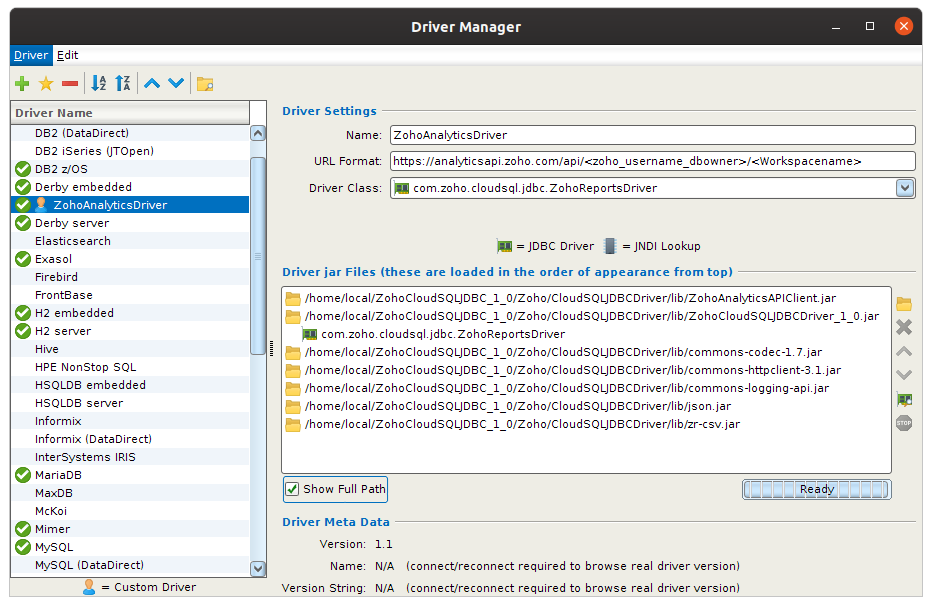
Step 2: Creating New Workspace Connection
- Click Create new Workspace connection icon in Workspaces list window. It will prompt to select Use Wizard or No Wizard.
- Choose Use Wizard option. New Connection Wizard will open.
- Enter the connection alias name for the new Workspace connection and then click Next.
- Select the appropriate Workspace driver (ZohoAnalytics Driver) from the drop down and then click Next button.
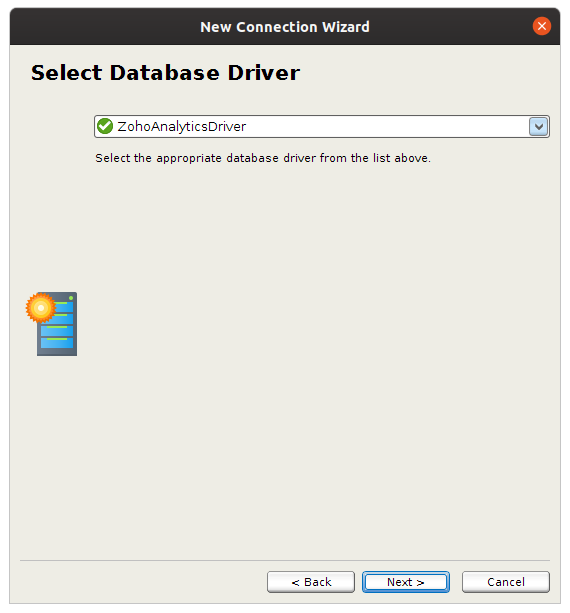
- In the Database URL field, specify the URL of the Workspace to be connected as follow.
Format:https://analyticsapi.zoho.com/api/<zoho_username_dbowner>/<Workspacename>
Example:https://analyticsapi.zoho.com/api/david.s@zoho.com/Sales - Click
Finishto create the new connection. - On Properties > Driver Properties, enter OAuth authentication parameters (CLIENT_ID,CLIENT_SECRET and REFRESH_TOKEN) and click
Apply. - Finally from Connection, click
Connect
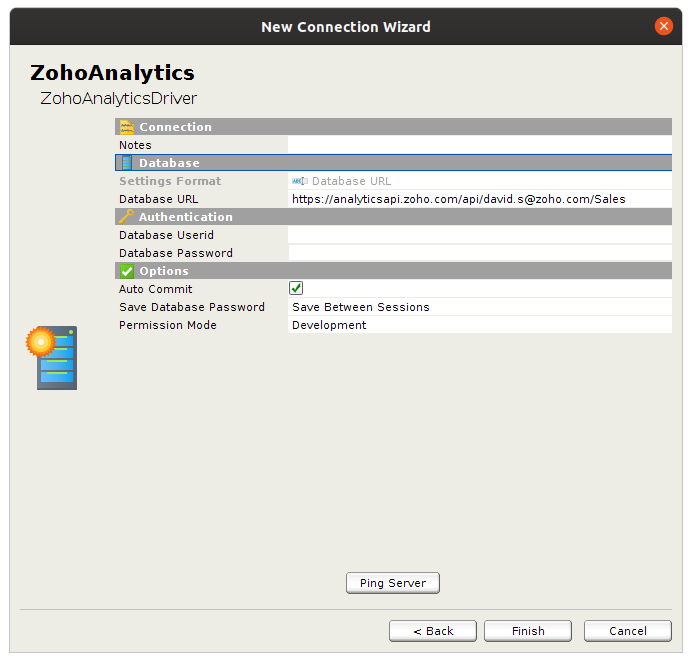
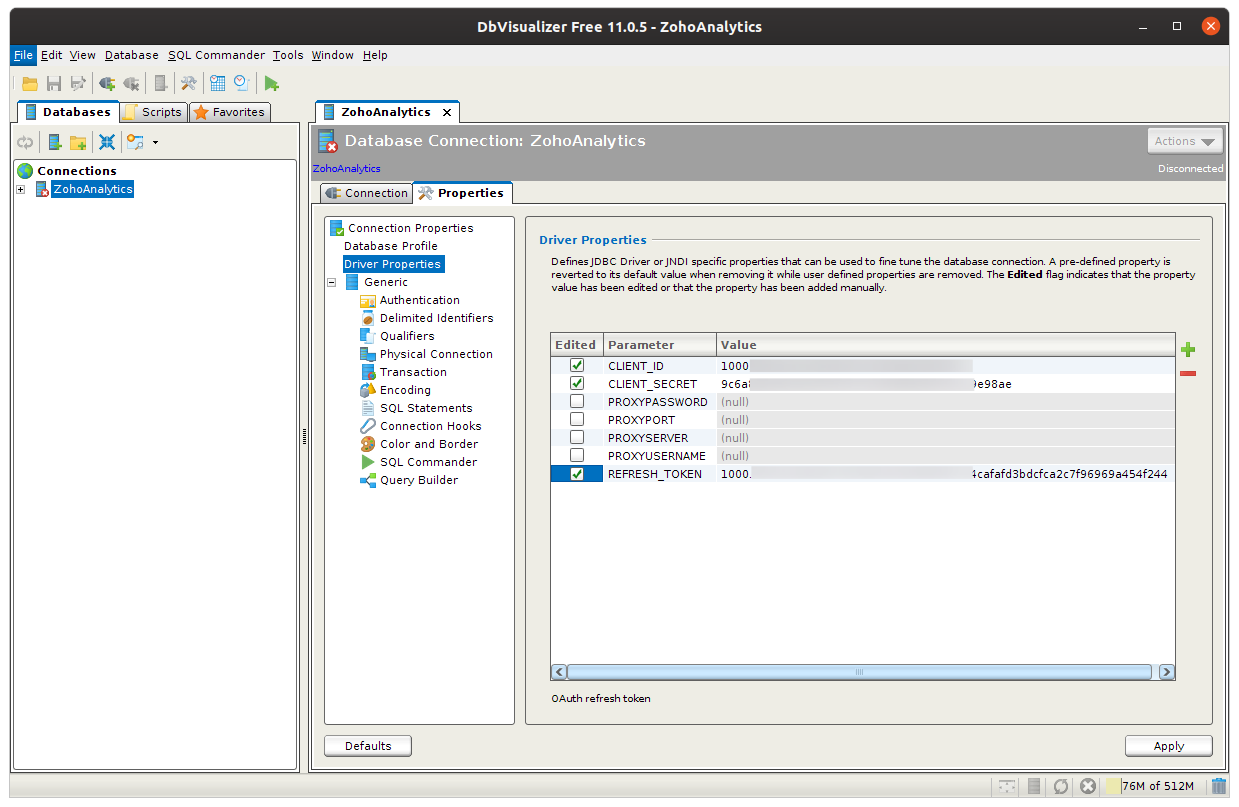
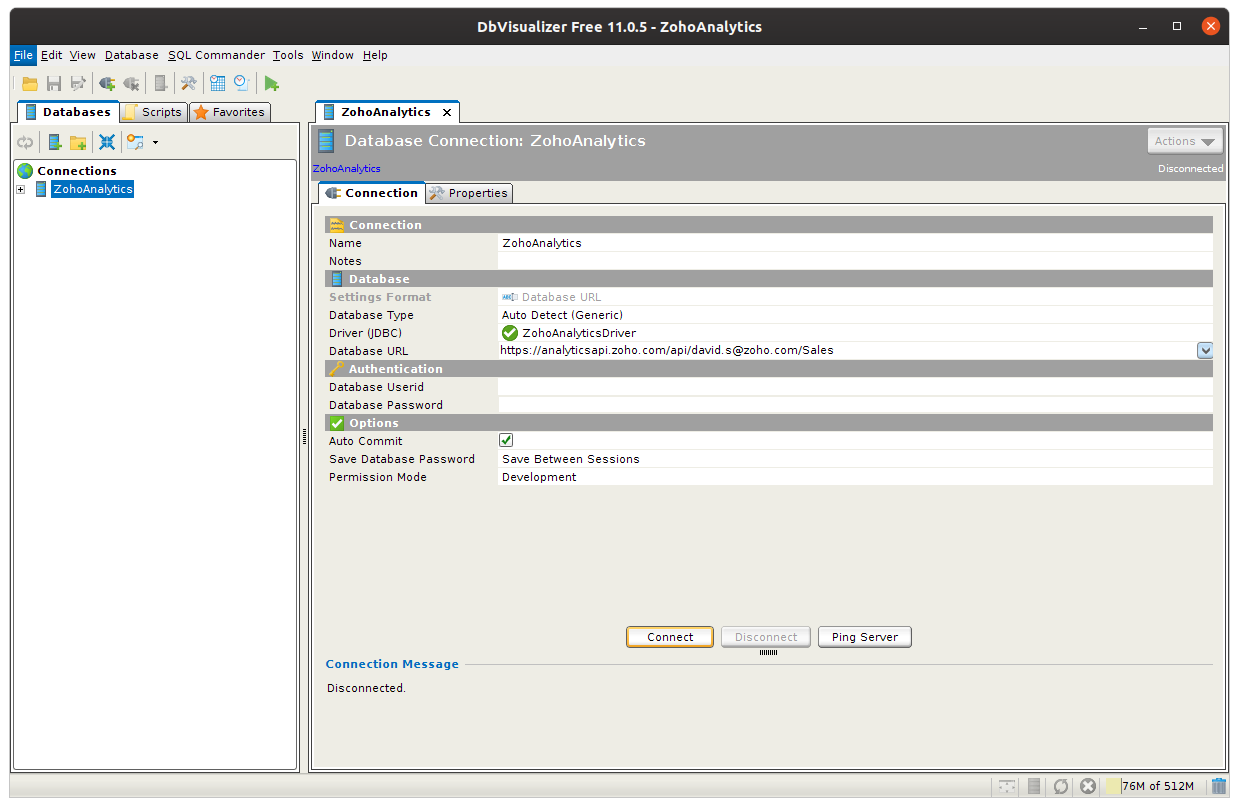
Connections Overview
The Connection Overview will list all the Workspace connections configured in the tool, on selecting the connections object in the Workspaces Objects Tree. To connect to your Zoho Analytics account, double click Zoho Analytics connection. All the Workspaces in your account along with the table will be listed.
Executing a SQL SELECT Query
Follow the below steps to execute a SQL SELECT query in your Zoho Analytics Workspace.
- Click Create a new SQL commander tab icon from the toolbar.
- Choose Workspace name from the Workspace drop down.
- Specify SQL SELECT Query in QUERY area and run the query.
- Only SQL SELECT queries can be used to access Zoho Analytics from the tool.
Squirrel SQL Client
You can also connect to Zoho Analytics from the
Steps for Creating New Driver Definitio
Create a new driver definition to specify the JDBC driver by following the steps below.
- Click Windows > View Drivers from the toolbar menu.
- Click the Create a New Driver (+) icon in the driver List window. The Add Driver wizard will open.
- Specify the Name for the driver in the Name field (say, ZohoAnalyticsDriver).
- In the Example URL field, enter the URL format https://analyticsapi.zoho.com/api/<zoho_username_dbowner>/<Workspacename>
- Open Extra Class Path tab and click Add. You will find option to add JAR files.
- To ensure it is added properly, click the List Drivers button. The class name found in the class path of the Zoho Report’s JDBC driver will be listed in the Class Name drop down.
- Click OK.
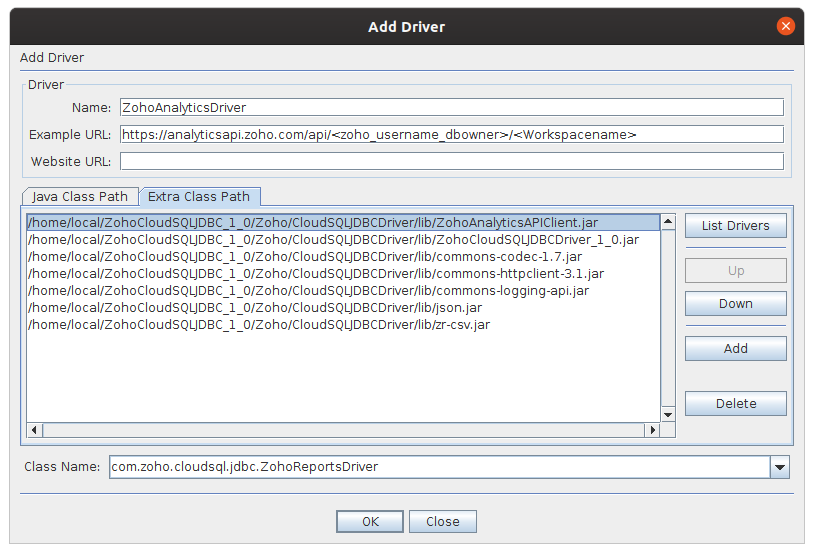
Steps for Adding Alias
Alias holds all configurations to connect to a Workspace. Create new alias for Zoho Analytics to specify the connection parameters by following the steps below.
- Click Aliases from the toolbar menu.
- Click the Create a New Alias (+) icon in the Aliases List window. The Add Alias wizard will open.
- Specify the alias name for the Workspace connection in the Name field.
- Select the driver for this alias from the Driver drop down.
- In the URL field, specify the URL of the Workspace to be connected as follow.
Format:https://analyticsapi.zoho.com/api/<zoho_username_dbowner>/<Workspacename>
Sample:https://analyticsapi.zoho.com/api/david.s@zoho.com/Sales - Select Properties > Driver Properties.
- Select Use Driver Properties checkbox and provide the required OAuth authentication parameters(CLIENT_ID,CLIENT_SECRET and REFRESH_TOKEN) and click OK to save the driver properties.
- Click OK to save the alias definition.
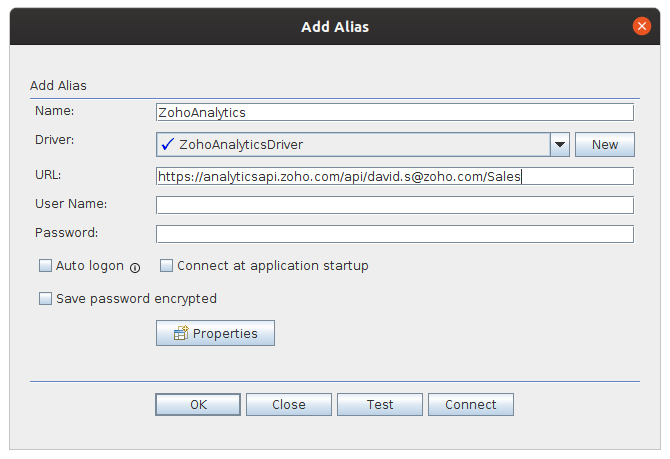
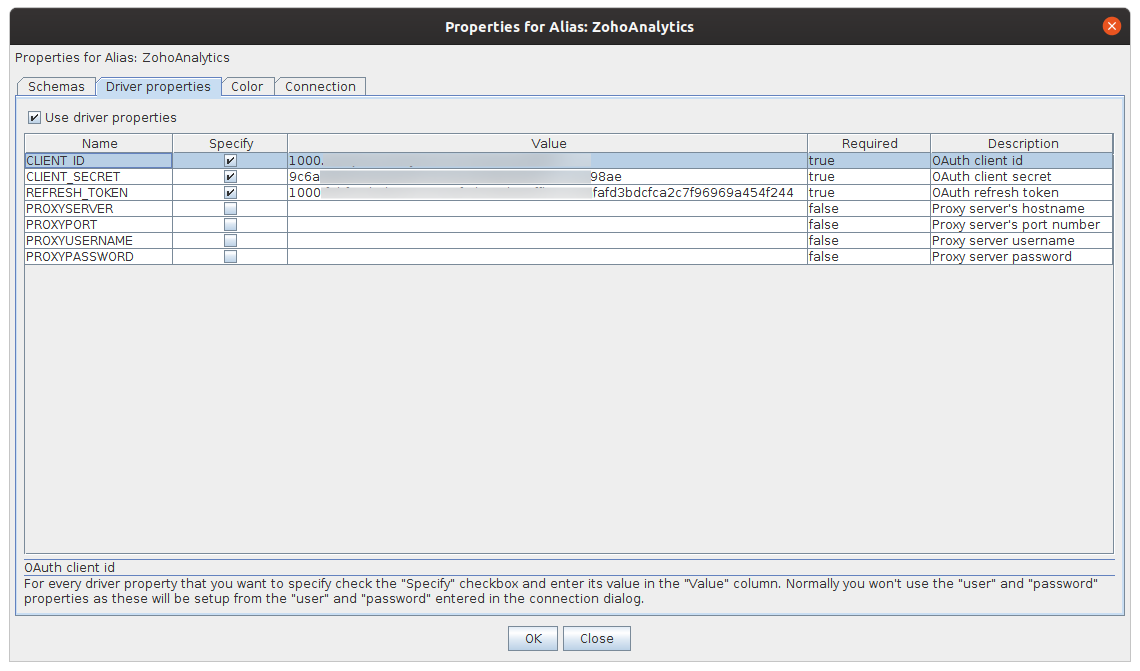
Connecting to Zoho Analytics Workspace
Follow the steps below to connect to a Workspace in Zoho Analytics
- The newly created alias will be listed in the Aliases List Window. Right-click on alias Name and then click Connect.
- The connection will be established to your Zoho Analytics account and the Object Tree will display the structure of the reporting Workspace in Zoho Analytics.
Executing a SQL SELECT Query
SQL SELECT Query can be executed from the SQL tab as said below.
- Open the SQL tab.
- Specify the required SQL SELECT query to execute in your Zoho Analytics Workspace.
- Click Run SQL icon in the session Window toolbar to execute the query.>
- Only SQL SELECT queries can be executed in Zoho Analytics from the tool.
CloudSQL Client Libraries
To enable developers to easily use the Zoho Analytics CloudSQL HTTP API, we have provided Client libraries in the below given programming languages.
- Java Client Library
- Python Client Library
- CSharp Client Library
Java Client Library
Java client library wraps the HTTP API of Zoho Analytics with the easy to use methods in Java language. This could be used if you do not want to use the
Sample code snippet for using CloudSQL with Java client API:
ReportClient rc = Config.getReportClient();rc.login(Config.LOGINNAME,Config.PASSWORD);String uri = rc.getURI(Config.LOGINNAME,Config.DATABASENAME);String sql = "select \"Customer Name \",Sales,Cost, \"Profit (Sales) \" from Sales where Region = 'East'";rc.exportDataUsingSQL(uri,"CSV",new File("Test.csv"),sql,null);
For more details on Java client libraries, view this
Python Client Library
Python Client Library wraps the HTTP API of Zoho Analytics with the easy to use methods in Python language.
Sample code snippet for using CloudSQL with Python client API:
ReportClient rc = ReportClient(Config.APIKEY)rc.login(Config.LOGINNAME,Config.PASSWORD)uri = rc.getDBURI(Config.LOGINNAME,Config.DATABASENAME)sql = "select Region from StoreSales"rc.exportDataUsingSQL(uri,"CSV",sys.stdout,sql,None)
For more details on Python client libraries, kindly view this
C# Client Library
C# Client Library wraps the HTTP API of Zoho Analytics with the easy to use methods in C# .Net programming language.
Sample code snippet for using CloudSQL with C# client API:
IReportClient RepClient = new ReportClient(clientId, clientSecret, refreshToken);string WorkspaceURI = RepClient.GetURI("user@sampledomain.com", "MyWorkspace");RepClient.ExportData(WorkspaceURI, "XML", "Output.xml", "select * from MyTable", null);
For more details on C# client libraries, kindly view this
Supported SQL
User can provide SQL SELECT queries in any of the below given Workspace SQL dialects. Follow the links to know more about the SQL statements and functions, in each given Workspace dialect, supported by Zoho Analytics CloudSQL implementation.
- ANSI SQL
- Oracle
- SQL Server
- MySQL
- DB2
- Sybase
- Informix
- PostgreSQL
Zoho Analytics supports following SELECT query syntax and in-built functions in CloudSQL.
Supported SELECT Query Syntax:
Following are the conventions used in the SELECT syntax definition:
| CONVENTIONS | MEANING | EXAMPLE |
|---|---|---|
| Square Brackets [ ] | Indicates that the enclosed arguments are optional in the syntax | DIGITS [. PRECISION ] |
| Braces followed by plus sign ( )+ | Indicates that the enclosed arguments can occur more than once | ( DIGIT )+ |
| Braces followed by star sign ( )* | Indicates that the enclosed arguments can occur zero or more times | SELECT column_name ( , column_name)* FROM table_name |
| Question Mark ? | Indicates that the Question mark “?” preceded by an argument is optional. Equivalent to Square Brackets[ ] | <INTEGER> ( "." <INTEGER> )? |
| Vectical Line | Vertical Line indicates choices | (DISTINCT |
| UPPER CASE | Uppercase text indicates case-insensitive filenames or directory names, commands, command keywords, initializing parameters, data types. | SELECT column_name FROM table_name |
| lower case | Lowercase text indicates Workspace objects like table name, column names etc. | DELETE FROM table_name WHERE condition |
SELECT Syntax:
SELECT [ DISTINCT | ALL ] ( ( column_clause ( "," column_clause )* ) | "*" ) [ FROM table_expression_clause ][ where_clause ] [ group_by_clause ] [ having_clause ] [ order_by_clause ] [ limit_clause ]
column_clause :( expression | table_name.* | table_name.columnname | table_name.column_name | column_name ) [ [ AS ] alias_name ]
table_expression_clause :( table_name ) [ AS alias_name ] ( "," ( table_name ) [ AS alias_name ])*
where_clause :WHERE (<Left Where Expression>(= | < | > | <= | >= | != | LIKE | NOT LIKE | BETWEEN) <Right Where Expression>) ( (OPERATOR ) (<Left Where Expression> (= | < | > | <= | >= | != | LIKE | NOT LIKE | BETWEEN) <Right Where Expression>)*
OPERATOR includes AND/OR
group_by_clause :GROUP BY expression ( "," expression )*
having_clause :HAVING condition
order_by_clause :ORDER BY (order_item_clause) ( "," order_item_clause )*
limit_clause :LIMIT (value | ALL) [ "," value ]
join_clause :table_name INNER JOIN table_name ON join_condition | <br> table_name {LEFT | RIGHT} [OUTER] JOIN table_name ON join_condition
order_item_clause :(expression | column name) [ ASC | DESC ]
UNION Syntax:
<SELECT Query Statement> (UNION [ALL | DISTINCT] <SELECT Query Statement>)+
Reference:
MySQL STRING FUNCTIONS
The MySQL in-built String functions supported by Zoho Analytics.
ASCII(string_arg):
Purpose:
The ASCII value of the first character of the given argument is returned.
Example:
Select ascii('ant’) returns '97’
Note:
- Returns '0’ if argument is null.
- The first character of the string can be any alphabet, number, symbol or special character.
BIN(numeric_arg):
Purpose:
Returns the binary value of the given argument.
Example:
Select BIN('40’) returns '101000’
Note:
- Returns null if argument is null.
- Returns 0 if argument is any non-numeric character.
BIT_LENGTH(string_arg):
Purpose:
Returns the value of the length of the string argument in bits.
Example:
Select BIT_LENGTH('AA’) returns '16’
Note:
- The argument can consist of any numeric,alphabetic or special character.
- Returns 0 if argument is null.
CHAR(numeric_arg1, numeric_arg2, numeric_arg3,….):
Purpose:
Returns a String of characters formed from the code values of the ASCII code given in the arguments.
Example:
Select CHAR (97.4,97.5) returns 'ab’
Select CHAR ('97’,'X’,'98’) returns 'a b’ // Returns space for each non-numeric character in the argument.
Note:
- Returns null if argument is null.
- If the given ASCII is in decimals, then it returns the value of the closest whole number.
- If the given ASCII is in decimals but is given as a string then the number after the decimal point is ignored and the code value of the number before the decimal alone is returned.
CHAR_LENGTH(string_arg):
Purpose:
Returns the number of characters present in the argument.
Example:
Select CHAR_LENGTH('aa1’) returns '3’
Note:
- The argument can consist of any numeric,alphabetic or special characters.
- Returns 0 if argument is null.
- Multibyte characters are counted as a single character.
CHARACTER_LENGTH(string_arg):
Purpose:
Returns the number of characters present in the argument.
Example:
Select CHARACTER_LENGTH('aa1’) returns '3’
Note:
- The argument can consist of any numeric,alphabetic or special characters.
- Returns 0 if argument is null.
- Multibyte characters are counted as a single character.
CONCAT(string_arg1, string_arg2, string_arg3,…):
Purpose:
Returns the concatenated string of the arguments.
Example:
Select CONCAT('red’,'rose’) returns ’ redrose’
Note:
- The arguments can consist of any number,alphabet or special characters.
- Returns null if all arguments are null.
- Returns the non-null argument string if atleast one argument is not null and the rest of the arguments are null..
CONCAT_WS(char_arg, string_arg1, string_arg2,…):
Purpose:
Returns the concatenated string of the arguments with the first argument acting as the separator between the concatenated strings.
Example:
Select CONCAT_WS (’,’,'red’,'rose’,'is’,'beautiful’) returns 'red,rose,is,beautiful’
Note:
- The arguments can consist of any number,alphabet or special characters.
- Returns null if all arguments are null.
- The separator can be any symbol, letter, string, or number.
- If the first argument is null, Returns the concatenated string of the rest of the arguments .
- If the first argument is non-null and the rest of the arguments are null then the separator is returned concatenated with itself (n-1) times, if 'n’ is the number of arguments.
ELT(numeric_arg, string_arg1, string_arg2,…):
Purpose:
The value of the first argument gives the count of the argument to be returned from the rest of the arguments.
Example:
Select ELT ('2’,'red’,'rose’,'is’,'beautiful’) returns 'rose’
Note:
- The count of the argument to be returned is started from the second argument.
- Returns null if first argument is null or the number of arguments is less than the count.
- If the first argument is a non numeric character, then null is returned.
FIELD(string_arg, string_arg1, string_arg2,…):
Purpose:
The first argument string is checked with all the other arguments and the position of the argument where the first match is found is returned.
Example:
Select FIELD ('as’,'has’,'as’,'have’) returns '2’
Note:
- The position of the arguments starts from the second argument.
- If the first argument or the rest of the arguments are null then '0’ is returned.
- Returns '0’ if no match is found.
FIND_IN_SET(string_arg1, string(element1,element2,…)):
Purpose:
The first argument string is checked with the second argument, which is a set of strings separated by commas, and the position of the first match in the set is returned.
Example:
Select FIND_IN_SET ('10’,'2,5,8,10’) returns '4’
Note:
- If either the first or the second argument is null, then '0’ is returned.
- If both the first and the second argument are null, then 'null’ is returned.
FORMAT(numeric_arg,numeric_arg):
Purpose:
Rounds off the number given in the first argument to the number of decimals given in the second argument.
Example:
SELECT FORMAT (1.0001111,5) returns '1.00011’
Note:
- If the second argument is 0 then there are no decimal value or decimal point in the returned number.
- If the number has no decimals then zeros are appended to the number after the decimal point.
HEX(string_arg):
Purpose:
Returns the corresponding hexadecimal number for each character of the given string.
Example:
Select HEX('255’) returns '323535’
Note:
- If the given argument is null then null is returned.
- If the given argument is given as a number then the hexadecimal number of the number as a whole is returned.
INSTR(string_arg, string_arg):
Purpose:
Returns the position of the first match of second string argument in the first argument.
Example:
Select INSTR ('impossible’,'possible’) returns '3’
Note:
- If both the arguments are null then '1’ is returned.
- If the second argument alone is null then '1’ is returned.
- If the first argument alone is null then '0’ is returned.
- If the second argument does not match with the first string then '0’ is returned
LEFT(string_arg, numeric_arg):
Purpose:
From the first argument string the number of characters as that passed in the second argument is returned.
Example:
Select LEFT ('select’,'3’) returns 'sel’
Note:
- If null, '0’ or any non numeric character is passed in the second argument then null is returned.
- If the value of the second argument exceeds that of the first argument string then only the first argument string is fully returned
LENGTH(string_arg):
Purpose:
Returns the total number of bytes present in the string. The multibyte characters are counted as multiple bytes.
Example:
Select LENGTH ('advent123!$’) returns '11’
Note:
- Returns 0 if the argument is null
LOCATE(string_arg):
Purpose:
Returns the position of the first string argument in the second string argument.
Example:
Select LOCATE ('net’,'adventnet’) returns '7’
Note:
- Returns 0 if the first argument is not present in the second argument.
- Returns '0’ if the second argument is null.
- Returns 1 if the first argument is null.
- Returns 1 if both the arguments are null.
LPAD(string_arg, numeric_arg, string_arg):
Purpose:
The third argument is prepended to the left of the first argument until the length given in the second argument is attained.
Example:
Select LPAD ('brother’,'9’,'hello’) returns 'hebrother’
Note:
- If the total length of the resultant string is more than the length to be attained, then the third string argument is cut off as the required length is attained.
- Returns null if the third argument is null.
- Returns null if the second argument is '0’ or null.
- If the length of the first argument exceeds the given count then the first argument is cut off upto the required result.
- If the total length of the resultant string is less than the length to be attained, then the third string argument is repeated till the required length is attained.
LTRIM(string_arg):
Purpose:
Returns the argument with the blank spaces at the prefix of the string removed.
Example:
Select LTRIM (’ ab cd’) returns 'ab cd’
Note:
- The space between the characters are not affected.
MAKE_SET(numeric_arg, string_arg1, string_arg2,…):
Purpose:
For the given bit in the first argument, the corresponding 'set’ of arguments from the remaining arguments is returned.
Example:
Select MAKE_SET (3,'ab’,'cd’,'ef’) returns 'ab,cd’
Note:
- Returns null if the first argument is null or 0.
ORD(string_arg):
Purpose:
If the first character of the string argument is a multi-byte character, then the code calculated from the below formula is returned.
1st byte code + (2nd byte code * 256) + (3rd byte code * 256 * 256) + …
REPEAT(string_arg, numeric_arg):
Purpose:
The first string argument is returned repeatedly the number of times as that given in the second argument.
Example:
Select Repeat ('AA’,5) returns 'AAAAAAAAAA’
Note:
- Returns null if either or both the first argument and the second argument are null.
REPLACE(string_arg, string_arg, string_arg):
Purpose:
Replaces the string given in the second argument with the string given in the third argument from the first argument string.
Example:
select replace('tention’,'ten’,'celebra’) returns 'celebration’
Note:
- Returns the first argument string if the second argument is null.
- If the third argument is null, Returns the first argument string with the second argument string removed from it.
- If the second and third argument are null then the first argument string is returned.
REVERSE(string_arg):
Purpose:
Returns the string argument in the reversed order of characters.
Example:
select reverse ('main’) returns 'niam’
Note:
- Returns null if the argument is null.
RIGHT(string_arg, numeric arg):
Purpose:
For the count passed in the second argument the first argument’s characters from the right end is returned.
Example:
select RIGHT ('adventnet’,3) returns 'net’
Note:
- Returns null if either or both the first and second arguments are null.
RPAD(string_arg, numeric arg, string_arg):
Purpose:
The third argument is appended to the right of the first argument until the length of the second argument is acheived.
Example:
select RPAD ('abcdef’,10,'ghijkl’) returns 'abcdefghij’
Note:
- If the total length of the resultant string is more than the length to be attained, then the resultant argument string is cut off as soon as the required length is attained.
- Returns null if either the second or the third argument is null.
- If the total length of the resultant string is less than the length to be attained, then the third string argument is repeated till the required length is attained.
- Returns the repeated third argument if the first argument is null.
RTRIM(string_args):
Purpose:
Returns the argument with the blank spaces at the suffix of the string removed.
Example:
Select rtrim ('abcd ’) returns 'abcd’
Note:
- Returns null if the argument is null.
SOUNDEX(string_arg):
Purpose:
Returns the soundex string of the given argument. The soundex string is similar for same sounding strings.
Example:
Both Select soundex ('bye’) and Select soundex ('boy’) return 'b000’
SPACE(numeric_arg):
Purpose:
The argument value is returned as the number of space characters.
Example:
Select space(6) returns ’ ’
Note:
- Returns null for non-numeric and negative arguments.
SUBSTRING(string_arg, numeric_arg):
Purpose:
Returns the substring formed by cutting off the string argument passed according to the needs.
Example:
Select substring ('adventnet’,7) returns 'net’
Select substring ('adventnet’ From 3) returns 'ventnet’
Select substring ('adventnet’, 3,4 ) returns 'vent’
Select substring ('adventnet’, -3) returns 'net’
<> Select substring ('adventnet’, -7,4) returns 'vent’
Note:
- Returns null when the numeric argument exceeds or is less than the length of the string argument.
SUBSTRING_INDEX(string_arg, string_arg, numeric_arg):
Purpose:
The second argument acts as the delimiter and the third argument is the count number. As soon as the match of the delimiter is found for the correct count in the first argument string, the rest of the string is cut off.
Example:
select substring_index ('how.are.you’, ’.’, 2) returns 'how.are’ // for positive count, limitation is done to the right of the delimiter.
select substring_index ('how.are.you’, ’.’, -2) returns 'are.you’ // for negative count, limitation is done to the left of the delimiter
Note:
- If the count is null, zero or any non-numeric character then null is returned.
- If the count is greater than the number of delimiters present in the string then the given string is returned without any change made to it.
TRIM(string_arg):
Purpose:
For the given specifiers the string argument is trimmed accordingly.
Example:
Select TRIM (’ zoho ’) returns 'zoho’ // if no specifier is given, spaces before and after the string are trimmed
Select TRIM (leading ’!’ from ’!!!!zoho!!!!’) returns 'zoho!!!!’ // if leading specifier is given then the prefix part is trimmed
Select TRIM (trailing ’!’ from ’!!!!zoho!!!!’) returns ’!!!!zoho’ // if trailing specifier is given then the suffix part is trimmed.
UNHEX(string_arg):
Purpose:
Returns the corresponding character for each pair of hexadecimal digits.
Example:
Select unhex('21’) returns ’!’
Note:
- Returns null when the argument value is a non hexadecimal number.
UPPER(string_arg):
Purpose:
Returns the argument string with all its alphabetic characters in Upper Case.
Example:
select upper ('AdVeNt’) returns 'ADVENT’
Note:
- The numeric and symbolic characters remain unchanged.
MySQL MATHEMATICAL FUNCTIONS
The MySQL in-built Math functions supported by Zoho Analytics
ABS(numeric_arg):
Purpose:
Returns the numerical value of a number given in the argument without regard of its sign.
Example:
Select ABS (-23) returns '23’
Select ABS (’-23’) returns '23.0’ // If a number is passed as a string then the number is returned in decimal form.
Select ABS (’-23B0011’) returns '23.0’ // As soon as a non numeric character is found in the number string the number is returned in decimal form.
Note:
- Returns '0.0’ for non-numeric string arguments.
- Returns '0.0’ for null arguments.
ACOS(numeric_arg):
Purpose:
Returns the Inverse Cosine value of the argument passed. The argument’s value should be between -1 to 1.
Example:
Select ACOS (0.5) returns '1.0471975511966’
Select ACOS ('0.5A@5’) returns '1.0471975511966’ // As soon as a non numeric character is found in the number string the number value is returned.
Note:
- Returns the value of Acos(0) i.e '1.5707963267949’ for null argument.
- Returns the value of Acos(0) i.e '1.5707963267949’ for non numeric argument.
- Returns null if the numeric argument value is out of range.
ASIN(numeric_arg):
Purpose:
Returns the Inverse Sine value of the argument passed. The argument’s value shuld be between -1 to 1.
Example:
Select ASIN (0.5) returns '0.5235987755983’
Select ASIN ('0.5A@5’) returns '0.5235987755983’ // As soon as a non numeric character is found in the number string the number’s value is returned.
Note:
- Returns '0.0’ for null argument.
- Returns '0.0’ for non numeric argument.
- Returns null if the numeric argument value is out of range.
ATAN(numeric_arg):
Purpose:
Returns the Inverse Tangent value of the argument passed.
Example:
Select ATAN (0.5) returns '0.46364760900081’
Select ATAN ('0.5A@5’) returns '0.46364760900081’ // As soon as a non numeric character is found in the number string the number’s value is returned.
Note:
- Returns '0.0’ for null argument.
- Returns '0.0’ for non numeric argument.
- A negative number’s ATAN value is equal to the ATAN value of its positive number but with a minus sign.
ATAN2(numeric_arg):
Purpose:
Returns the number of characters present in the argument.
Example:
Select ATAN2 (2,4) returns '0.46364760900081’
Select ATAN2 ('0.5A’) returns '0.46364760900081’ // As soon as a non numeric character is found in the number string the number’s value is returned.
Note:
- Returns '0.0’ if one argument is null and the other argument is a non numeric number.
- Returns '0.0’ if both the arguments are null or zero.
- Returns '1.5707963267949’ when the second argument is '0’ and the first argument is any natural number.
- Returns '0.0’ when the second argument is '0’ and the first argument is any non-numeric character and vice versa.
CEIL(numeric_arg):
Purpose:
The smallest integer that is greater than or equal to the value of the argument is returned.
Example:
Select CEIL (1.5) returns '2’
Note:
- Returns '0’ if argument is null or any non-numeric character.
- As soon as a non numeric character is found in the number string argument, the CEILING of the number value is returned and the rest of the argument characters are neglected.
CEILING(numeric_arg):
Purpose:
The smallest integer that is greater than or equal to the value of the argument is returned.
Example:
Select CEILING (1.5) returns '2’
Note:
- Returns '0’ if argument is null or any non-numeric character.
- As soon as a non numeric character is found in the number string argument, the CEILING of the number value is returned and the rest of the argument characters are neglected.
CONV(string_arg, numeric_arg1, numeric_arg2):
Purpose:
Changes the argument number string from the given base to the required base. The first argument is the given number string, the second argument is the original base of the number and the third argument is the base to which the number string is to be converted.
Example:
Select CONV ('F’,16,10) returns '15’
Note:
- Returns null if any of the arguments is null.
- Returns '0’ if the bases given in the second or third arguments are non-compatible with the number.
- The maximum value of the bases is 36 and the minimum value is 2.
COS(numeric_arg):
Purpose:
Returns the COSINE value of the argument passed. The value of the arguments should be in radians.
Example:
Select COS (45) returns '0.52532198881773’
Note:
- Returns '1.0’ if the argument is null, zero or any non-numeric string.
COT(numeric_arg):
Purpose:
Returns the COTANGENT value of the argument passed.
Example:
Select COT() returns “
Note:
- Returns null if the argument is null, zero or any non-numeric string.
CRC32(numeric_arg):
Purpose:
Returns a 32 bit unsigned output after calculating the cyclic redundancy check.
Example:
Select CRC32 ('111’) returns '1298878781’
Note:
- Returns '0’ if the argument is null.
- The argument should be a string. Numbers are also taken as strings
DEGREES(numeric_arg):
Purpose:
The argument’s value is converted from radians to degrees.
Example:
Select DEGREES (3.141593) returns '180’
Note:
- Returns null if the argument is zero, null or a non-numeric string.
EXP(numeric_arg):
Purpose:
The value of 'e’ raised to the power of the given number argument is returned.
Example:
Select EXP (6) returns '403.42879349274’
Note:
- Returns '1.0’ when zero, null or any non-numeric number is passed in the argument.
FLOOR(numeric_arg):
Purpose:
The largest integer that is smaller than or equal to the value of the argument is returned.
Example:
Select FLOOR (1.5) returns '1’
Note:
- Returns '0’ if argument is null or any non-numeric character.
- As soon as a non numeric character is found in the number string argument, the FLOOR of the number value is returned and the rest of the argument characters are neglected.
FORMAT(numeric_arg, numeric_arg):
Purpose:
Rounds off the number given in the first argument to the number of decimals given in the second argument.
Example:
SELECT FORMAT (1.0001111,5) returns '1.00011’
Note:
- If the second argument is 0 then there are no decimal value or decimal point in the returned number.
- If the number has no decimals then zeros are appended to the number after the decimal point.
LN(numeric_arg):
Purpose:
Returns the natural logarithmic value of the given argument.
Example:
Select LN('123’) returns '4.8121843553724’
Note:
- Returns null if the argument is null, negative or any non-numeric character.
- As soon as a non numeric character is found in the number string argument, the LN of the number value is returned and the rest of the argument characters are neglected.
LOG(number1, number2):
Purpose:
Performs the same function as LN for single parameter. For 2 parameters, the first argument is the base and the second argument is the number. The logarithm of the number to the base is returned.
Example:
Select LOG(10,100) returns 2.0
Note:
- Only numbers are accepted. Numbers given as strings are also not accepted.
LOG2(numeric_arg):
Purpose:
The logarithm of the number to the base 2 is returned.
Example:
Select LOG2 (100) returns '6.6438561897747’
Note:
- Returns null if the argument is null, negative or any non-numeric charecter.
- Numbers given as strings are also accepted.
- As soon as a non numeric character is found in the number string argument, the LOG2 of the number is returned and the rest of the argument characters are neglected.
LOG10(numeric_arg):
Purpose:
The logarithm of the number to the base 10 is returned.
Example:
Select LOG10 (100) returns '2.0’
Note:
- Returns null if the argument is null, negative or any non-numeric character.
- Numbers given as strings are also accepted.
- As soon as a non numeric character is found in the number string argument, the LOG10 of the number is returned and the rest of the argument characters are neglected.
MOD(numeric_arg,numeric_arg):
Purpose:
The first argument is the dividend and the second argument is the divisor. The remainder of the division is returned.
Example:
Select MOD (99,8) returns '3’
Select 99 mod 8 returns '3’
Select 99 % 8 returns '3’
Note:
- Returns '0.0’ if the first argument is null and the second argument is any number.
- Returns null if the second argument is null irrespective of the first argument.
OCT(numeric_arg):
Purpose:
Returns the octal value of the number given in the argument.
Example:
Select OCT (12) returns '14’.
Note:
- Returns '0’ if the argument is null or non-numeric character string.
- As soon as a non numeric character is found in the number string argument, the OCT of the number is returned and the rest of the argument characters are neglected.
PI():
Purpose:
The value of ¶ (pi), ie 22 / 7 is returned. Only 6 numbers after the decimal point is returned by default.
Example:
Select PI () returns '3.141593’
POW(numeric_arg, numeric_arg):
Purpose:
The first argument is a number and the second argument is the power to which the given number is to be raised. The value of the number raised to the required power is returned.
Example:
Select POW (3,4) returns '81.0’
Note:
- If the second argument is zero, null or any non-numeric string then irrespective of the value and type of first argument '1.0’ is returned .
RADIANS(numeric_arg):
Purpose:
The argument’s value is converted from degree to radians.
Example:
Select RADIANS ( 180) returns '3.1415926535898’
Note:
- Returns '0.0’ for any non-numeric string argument.
- As soon as a non numeric character is found in the number string argument, the RADIANS of the number is returned and the rest of the argument characters are neglected.
RAND(numeric_arg):
Purpose:
A random value between the range of 0 and 1 is returned for the given argument.
Example:
Select RAND (3) returns '0.90576975597606’
Note:
- Returns '0.15522042769494’ if the argument is zero, null or any non-numeric string.
ROUND(numeric_arg):
Purpose:
Returns the rounded value of the given decimal number.
Example:
Select ROUND (23.248) returns '23’
Select ROUND (23.248, 1) returns '23.4’ // Rounds off the given number’s decimals upto the number given in the second argument.
Select ROUND (23.248,-1) returns '20.0’
Note:
- If the second argument is null or any non-numeric string, then the given number is rounded off assuming the value of second argument as zero.
SIGN(numeric_arg):
Purpose:
Depending on the sign of the argument, -1 is returned for negative number, 0 is returned for zero and 1 is returned for positive number.
Example:
Select SIGN (-200) returns ’-1’
Select SIGN (200) returns '1’
Select SIGN (-0) returns '0’ / returns '0’ irrespective of the sign before 0 .
Note:
- Returns '0’ if the given argument is a non-numeric string.
- If a string has numbers followed by characters then the sign of the number is returned.
SIN(numeric_arg):
Purpose:
Returns the SINE value of the argument passed. The value of the arguments should be in radians
Example:
Select SIN ( 111) returns '0.86455144861061’
Note:
- Returns '0.0’ for null and non-numeric arguments.
- As soon as a non numeric character is found in the number string the number’s SIN value is returned.
SQRT(numeric_arg):
Purpose:
Returns the square root value of the given number.
Example:
Select SQRT ('2’) returns '1.4142135623731’
Note:
- Returns null for non numeric string arguments.
- Returns '0.0’ for negative numbers.
- Returns the SQRT of the number alone when a number is followed by a non-numeric string.
TAN(numeric_arg):
Purpose:
Returns the TAN value of the argument passed. The value of the arguments should be in radians.
Example:
Select TAN ( '111’) returns '1.7203486651304’
Note:
- Returns '0.0’ for non-numeric or null arguments.
- For negative numbers, the TAN of the argument’s absolute value is found and a minus sign is added at the beginning.
TRUNCATE(string_arg):
Purpose:
The first argument is the given decimal number and the second argument is the number that decides upto which the given number’s decimals are to be truncated. The truncated number is returned.
Example:
Select TRUNCATE (234.56789,2) returns '234.56’
Select TRUNCATE (234.56789,’-2’) returns '200.0’
Note:
- Truncates all the decimals if the second argument is null, zero or any non-numeric string.
MySQL DATE FUNCTIONS
The MySQL in-built Date Time functions supported by Zoho Analytics.
ADDDATE(date_arg, numeric_arg):
Purpose:
The first argument is a date value and the second argument is the number of days to be added to it. Returns the new date.
Example:
Select ADDDATE ( ’ 2008-08-03 ’ , 20 )
Note:
- The interval to be added should be in numeric value only and should not be in the form of 'INTERVAL 31 DAYS’.
ADDTIME(time_arg, time_arg):
Purpose:
The addition value of first argument time and second argument time is returned.
Example:
Select ADDTIME ('12:30:15.55555555’, '01:00:44.444445’) returns '13:31:00.000000’
CONVERT_TZ(datetime_arg, time_arg, time_arg):
Purpose:
Converts the given time value to the required time value by adding the time given in the third argument.The resultant time value comes in 12 hour or 24 hour format depending on the second argument.
Example:
Select CONVERT_TZ ( ’ 2008-11-06 03:00:00 ’ , ’ +09:00 ’ , ’ -5:30 ’ ) returns ’ 2008-11-05 12:30:00 ’
Note:
- For the result to be in 12 hour format, the second argument should be '12:00’
- For the result to be in 24 hour format, the second argument should be '00:00’
CURDATE():
Purpose:
The present date is returned in the format of ’ yr:mth:dt ’.
Example:
Select CURDATE () returns '2008-11-06’
Note:
- Depending on the way the function is used the result is returned as a string or a number.
CURRENT_DATE():
Purpose:
Its function is the same as CURDATE()
CURRENT_TIME():
Purpose:
Its function is the same as CURTIME()
CURTIME():
Purpose:
Returns the present time of the system in the form of ’ hr : min : sec ’.
Example:
Select CURTIME() returns ’ 12 : 46 : 21 ’
Select CURTIME()+0 returns ’ 124621.0 ’
Note:
- Depending on its usage the function returns the result as a string or a number.
DATE(date.time_arg):
Purpose:
Returns the date part alone from the date-time argument given in the function.
Example:
Select DATE ( ’ 2008-08-03 03:45:00 ’ ) returns ’ 2008-08-03 ’
Note:
- Returns null if the date part is non-numeric.
- Returns the date part correctly even if the time part is non-numeric.
DATEDIFF(date.time_arg, date.time_arg):
Purpose:
Returns the difference between the 2 dates given in the arguments. For subtraction only the date part of the date-time values of both the argument is taken.
Example:
Select DATEDIFF ( '1986-08-03 03:45:22’,'1986-08-23 18:45:43’) returns ’-20’
Note:
- The time part is not taken in the calculation. Hence even if the time part is non-numeric no difference to the result takes place.
DAYNAME(date_arg):
Purpose:
Returns the day of the week the given date is .
Example:
Select DAYNAME ( ’ 2008-11-03 ’ ) returns ’ Monday ’
Note:
- If the given date’s month and year are wrong then null is returned.
- If the given date’s value exceeds 31 then null is returned.
- The day of a month is returned even if the given date is wrong with respect to the given month. for eg: 31st february 2008 returns 'Sunday’.
- If the given date’s value is '0’ then '0’ is returned.
- This function works for the years ranging from 0 to 9999.
DAYOFMONTH(date_arg):
Purpose:
Returns the day of the month the date given in the argument is.
Example:
Select DAYOFMONTH ( ’ 2008-11-03 ’ ) returns '3’
Note:
- If the given date’s month and year are wrong then null is returned.
- If the given date’s day value exceeds 31 then null is returned.
- The date of a month is returned even if the given date is wrong with respect to the given month. for eg: 31st february returns 31.
- If the given date’s value is '0’ then '0’ is returned.
- This function works for the years ranging from 0 to 9999.
DAYOFYEAR(date_arg):
Purpose:
Returns the given date’s count from the start of the year.
Example:
Select DAYOFYEAR ( ’ 2008-12-25 ’ ) returns '360’
Note:
- Returns null if the given date and month are '0’ .
- The range of the result is between 1 and 366.
DATE_ADD(date_arg, numeric_arg):
Purpose:
Returns the given date after performing the required arithmetic on it. DATE_ADD is currently not supported by Zoho Analytics.
DATE_SUB(date_arg, numeric_arg):
Purpose:
Returns the given date after performing the required arithmetic on it. DATE_SUB is currently not supported by Zoho Analytics.
EXTRACT(command from date.time_arg):
Purpose:
Returns the required part of the date-time value after extraction from the given date-time argument.
Example:
Select EXTRACT ( HOUR_SECOND FROM ’ 2009-07-02 01:02:03 ’ ) returns ’ 10203 ’
FROM_DAYS(numeric_arg):
Purpose:
The count of days is started from the date 01-01-01. The argument value is taken as count and its corresponding date is displayed.
Example:
Select FROM_DAYS ( 733714) returns ’ 2008-11-03 ’
Note:
- The count starts from the number 366 which is the count for the date '0001-01-01’
FROM_UNIXTIME(numerical_arg):
Purpose:
For the given argument the value of the internal timestamp is returned.
Example:
Select FROM_UNIXTIME (1225741235) returns ’ 2008-11-03 19:40:35 ’
Note:
- Returns the result in number value or string value depending on the type of the given input argument.
HOUR(time_arg):
Purpose:
Returns the number of hours present in the given time value. The time is given in the form 'hr : min : sec’
Example:
Select HOUR (’ 220:22:34 ’) returns '220’
Note:
- Returns null if the value of minutes or seconds exceed '59’
- If the time is given in decimal form then '0’ is returned.
LAST_DAY(date.time_arg):
Purpose:
Returns the last date of the given date-time argument’s month.
Example:
Select LAST_DAY ( ’ 2004-02-31 01:02:03 ’ ) returns '29’
Note:
- Returns null if the given day, month or year is wrong or exceeds their range.
LOCALTIMESTAMP():
Purpose:
The present date-time values of the application’s time zone is returned. The result is returned in the form of ’ yr : mth : dt hr : min : sec ’.
Example:
Select LOCALTIMESTAMP () returns '2008-08-23 12:59:41’
Note:
- The result is returned in numeric form or string according to the function’s use in the query.
MAKEDATE(numeric_arg, numeric_arg):
Purpose:
The argument contains the year and the count of the day for that year. The date is returned.
Example:
Select MAKEDATE ( 2008,215 ) returns ’ 2008-08-03 ’
Note:
- Returns null if the count passed is '0’.
- If the count is greater than 366, then the year of the date also changes.
MICROSECOND(date.time_arg):
Purpose:
From the given date-time argument value, the microsecond term alone is returned.
Example:
Select MICROSECOND ( ’ 2008-11-04 17:16:50.123 ’ ) returns '123000’
Note:
- The default number of microsecond digits that is returned is '6’
- Returns '0’ if there is no microsecond term in the argument.
MID(date_arg, numeric_arg):
Purpose:
If the given date of a new year is in the middle of the week of the previous year then the count of the last week of the previous year is returned.
Example:
Select MID ( YEARWEEK ( ’ 2001-01-06 ’ ),5 ) returns ’ 53 ’
MINUTE(time_arg):
Purpose:
Returns the number of minutes present in the given time value. The time is given in the form 'hr : min : sec’
Example:
Select MINUTE (’ 220:22:34 ’) returns '22’
Note:
- Returns null if the value of minutes or seconds exceed '59’
- If the time is given in decimal form then '0’ is returned.
MONTH(date_arg):
Purpose:
This function returns the month of the given date.
Example:
Select MONTH ( ’ 2008-08-03 ’ ) returns '8’
Note:
- Returns '0’ if the given date contains '00’ months.
- The range of the year should be between 0 to 9999.
NOW():
Purpose:
The present date-time values of the application’s time zone is returned. The result is returned in the form of ’ yr : mth : dt hr : min : sec ’. Its function is same as LOCALTIMESTAMP()
Example:
Select NOW () returns '2008-08-23 12:59:41’
Note:
- The result is returned in numeric form or string according to the function’s use in the query.
PERIOD_ADD(numeric_arg, numeric_arg):
Purpose:
The argument contains the date and the number of months to be added to it. The date is passed in the format of period i.e 'yrmth’.
Example:
Select PERIOD_ADD ( 198608,06 ) returns ’ 198702 ’
Note:
- The date that is passed or returned is not a date value, but is a period value.
- If the date is passed in the usual form i.e in the format of 'yr:mth:dt’ then the result value that is returned is wrong.
PERIOD_DIFF(numeric_arg, numeric_arg):
Purpose:
2 dates in the form of period values are passed in the arguments. The number of months present between the 2 values is returned.
Example:
Select PERIOD_DIFF ( 198608, 198606 ) returns ’-10’
Note:
- Both the arguments should be in date-period form.
- Returns the result in positive if the second period is chronologically first.
- Returns the result in negative if the second period is chronologically second.
QUARTER(date_arg):
Purpose:
For the given date, the corresponding quarter of year is returned, ie returns '1’ if the months are 1,2,3; returns 2 if the months are 4,5,6; returns 3 if the months are 7,8 9 and returns 4 if the months are 10,11,12.
Example:
Select QUARTER ( ’ 2008-08-23 ’ ) returns '3’
Note:
- Returns '0’ if the given month is '0’.
- Returns null if the given date’s year, month or day is out of range.
- Returns the corresponding month’s quarter even if the year or day or both are '0’.
SEC_TO_TIME(numeric_arg):
Purpose:
The argument passed is the count of seconds of a day. It’s value in hours, minutes and seconds are returned.
Example:
Select SEC_TO_TIME ( 86399 ) returns ’ 23:59:59 ’
Note:
- At '86400’ the value of 'hr:min:sec’ are resetted to '0’ and the cycle starts again.
- As soon as a non-numeric character is found in the string then the SEC_TO_TIME of the numbers before the character is returned.
- Depending on the given argument format the result is given in the form of number or string.
SLEEP(numeric_arg):
Purpose:
This function is currently not supported by Zoho Analytics.
STR_TO_DATE(numeric_arg, string_arg):
Purpose:
Returns the date-time value after its conversion from the given string. The conversion is done after taking note of the format of the given string . The format is given as second argument.
Example:
Select STR_TO_DATE ( ’ 06/31/2004 ’, ’ %m/%d/%Y ’ ) returns ’ 2004-07-01 ’
Note:
- Returns null if the date, month or year exceeds their respective range.
- Returns the date or time value depending on the respective presence in the string.
SUBDATE(date.time_arg, numeric_arg):
Purpose:
Returns the date-time value after subtracting the number of days passed in the second argument from the date-time value passed in the first argument.
Example:
Select SUBDATE ( ’ 2008-02-19 12:00:00 ’, 31 ) returns ’ 2008 -01-19 12:00:00 ’
Select SUBDATE ( ’ 2008-02-19 ’, INTERVAL 31 DAY ) // This query is currently not supported by Zoho Analytics
Note:
- The range of years for which the function works correctly is '200-9999’. Returns wrong value if year is below '200’ and returns null if it is above '9999’
- Returns null if the month is a number other than 1-12.
- Returns null if the day is a number other than 1-31.
SUBTIME(date.time_arg, time_arg):
Purpose:
The first argument is a date-time value and the second argument is a time value. The subtraction value of second argument from the first argument is returned.
Example:
Select SUBTIME ( ’ 1986-08-03 18:45:00 ’ , ’ 03:45:00 ’ ) returns ’ 1986-08-03 15:00:00 ’
Note:
- Returns null if the date value is passed in the second argument.
- The range of years for which the function works correctly is '200-9999’. Returns wrong value if year is below '200’ and returns null if it is above '9999’.
- Returns null if the month is a number other than 1-12.
- Returns null if the day is a number other than 1-31.
SYSDATE():
Purpose:
The present date-time value of the application’s time zone is returned in the form of ’ yr : mth : dt hr : min : sec ’.
Example:
Select SYSDATE () returns ’ 2008-11-05 05:41:16 ’
Note:
- The result is returned in numeric form or string form according to the function’s use in the query.
TIME(date.time_arg):
Purpose:
From the given date-time value argument, the time value is returned.
Example:
Select TIME ( ’ 2008-11-05 17:34:45 ’ ) returns ’ 17:34:45 ’
Note:
- If the date value alone is passed, then the function assumes the year term as the time and returns it.
- Returns null if the date value is wrong.
TIMEDIFF(time_arg, time_arg):
Purpose:
Returns the difference between the 2 time values passed in the 2 arguments.
Example:
Select TIMEDIFF('20:08:05’,'20:07:34’) returns '00:00:31’
Note:
- The first argument should be greater than the second argument or else the function will not work.
- If date value is passed in the any one argument null is returned.
- If date value is passed in both the arguments then the function will not work.
TIMESTAMP(date.time_arg, time_arg):
Purpose:
The first argument contains both the date and time values. The second argument should contain only the time values. Both the arguments are added and the resultant date-time value is returned.
Example:
Select TIMESTAMP ( ’ 2008-11-05 19:00:00 ’ , ’ 06:00:00 ’ ) returns ’ 2008-11-06 01:00:00 ’
Note:
- Returns the date time values of the first argument alone if only the first argument is passed.
- Returns null if the second argument contains date values.
TIMESTAMPADD():
Purpose:
This function is currently not supported by Zoho Analytics.
TIMESTAMPDIFF():
Purpose:
This function is currently not supported by Zoho Analytics.
TIME_FORMAT(time_arg, string_arg):
Purpose:
The first argument is the time and the second argument is the format string containing format specifiers. The formatted value is returned.
Example:
Select TIME_FORMAT ( ’ 19:30:41.32 ’ , ’ %k %l %i %s %f ’ ) returns ’ 19 7 30 41 320000 ’
Note:
- The format string must contain only the time format specifiers.
- Even if a single non-time specifier is passed then only null value is returned.
TIME_TO_SEC(time_arg):
Purpose:
For the time value passed the total number of seconds is returned after converting the minutes and hours to seconds.
Example:
Select TIME_TO_SEC ( ’ 01:00:00 ’ ) returns ’ 3600 ’
TO_DAYS(date_arg):
Purpose:
Converts the passed date argument to the total number of days passed since the date '0001-01-01’
Example:
Select TO_DAYS ( ’ 2008-11-07 ’ ) returns ’ 733718 ’
Note:
- The range of years for which the function works correctly is '200-9999’. Returns wrong value if year is below '200’ and returns null if it is above '9999’.
- Returns null if the month is a number other than 1-12.
- Returns null if the day is a number other than 1-31.
UNIX_TIMESTAMP(date.time_arg):
Purpose:
Returns the number of seconds completed since the date ’ 1970-01-01 00:00:00 ’
Example:
Select UNIX_TIMESTAMP ( ’ 1970-01-01 00:30:00 ’ ) returns ’ 1800 ’
Note:
- Returns '0’ if a date earlier than the date ’ 1970-01-01 00:00:00 ’ is passed.
UTC_DATE():
Purpose:
The present UTC date is returned.
Example:
Select UTC_TIMESTAMP () returns ’ 2008-11-06 05:40:58 ’
Note:
- Returns the current datetime value as a number or a string value depending on the format of function used.
UTC_TIMESTAMP():
Purpose:
The present UTC date-time value is returned.
Example:
Select UTC_TIMESTAMP () returns ’ 2008-11-06 05:40:58 ’
Note:
- Returns the current datetime value as a number or a string value depending on the format of function used.
WEEK(date_arg):
Purpose:
Returns the week of the year in which the given date is present.
Example:
Select WEEK(’ 2008-01-14 ’) returns '2’
Note:
- By default the week is assumed to be starting on Sunday.
- If we want the week to start from Monday then we should pass a MODE in the second argument.
WEEKDAY(date_arg):
Purpose:
Returns the day of the week the given date is. Returns '0’ if its a Monday, '1’ if its Tuesday,……'6’ if it is Sunday.
Example:
Select WEEKDAY ( ’ 2008-11-06 ’ ) returns '3’ since its a thursday.
Note:
- The given argument can be a date-time value or only a date value.
WEEKOFYEAR(date_arg):
Purpose:
Returns the week of the year in which the given date is present.
Example:
Select WEEKOFYEAR ( ’ 2008-01-14 ’ ) returns '2’
Note:
- Unlike WEEK(), in this function the second argument cannot be used.
YEAR(date_arg):
Purpose:
This function returns the year of the given date.
Example:
Select YEAR ( ’ 2008-11-22 ’ ) returns ’ 2008 ’
Note:
- The range of the year should be between 0 to 9999.
- Returns null if the given date, month or year is wrong.
YEARWEEK(date_arg):
Purpose:
Starting the count of the first week from the date '0000-01-01’ the week of the given date is returned.
Example:
Select YEARWEEK ( ’ 2000-01-02 ’ ) returns ’ 200001 ’
Note:
- Returns null if the month is a number other than 1-12.
- Returns null if the day is a number other than 1-31.
- Returns null if the year is a number above 9999.
MySQL AGGREGATE FUNCTIONS
The MySQL in-built Aggregate functions supported by Zoho Analytics.
AVG(numeric_arg):
Purpose:
Returns the average of the given term’s values.
Example:
Select AVG (col1) from "tab5” returns '3’ // Here 'tab5’ is the table name and 'col1’ is the column name.
Note:
- Returns null if the column does not contain any values.
- Returns '0.0’ if a non-numeric character occurs in the values.
BIT_AND(numeric_arg):
Purpose:
The Bitwise AND calculation is performed on the given table’s values and the result is returned.
Example:
SELECT BIT_AND (numCol) from “ allTypeTest ” returns '33’ // The Bitwise_AND of the values of 'numcol’ rows from the Workspace 'allTypeTest’ is returned.
Note:
- Returns null if the column does not contain any values.
- Returns '0’ if a non-numeric character occurs in the values.
BIT_OR(numeric_arg):
Purpose:
The Bitwise OR calculation is performed on the given table’s values and the result is returned.
Example:
SELECT BIT_OR (numCol) from “ allTypeTest ” returns '127’ // The Bitwise_OR of the values of 'numcol’ rows from the Workspace 'allTypeTest’ is returned.
Note:
- Returns null if the column does not contain any values.
- Returns '0’ if a non-numeric character occurs in the values.
BIT_XOR(numeric_arg):
Purpose:
The Bitwise XOR calculation is performed on the given table’s values and the result is returned.
Example:
SELECT BIT_XOR ( numCol ) from “ allTypeTest ” returns '121’ // The Bitwise_XOR of the values of 'numcol’ rows from the Workspace 'allTypeTest’ is returned.
Select ATAN ('0.5A@5’) returns '0.46364760900081’ // As soon as a non numeric character is found in the number string the number’s value is returned.
Note:
- Returns null if the column does not contain any values.
- Returns '0’ if a non-numeric character occurs in the values.
COUNT(numeric_arg):
Purpose:
Counts the number of rows present in the given table.
Example:
Select COUNT (numCol) from “ allTypeTest ” returns '6’ // since 'numcol’ column from the Workspace 'allTypeTest’ contains 6 rows.
Note:
- Returns '0’ if the column does not contain any values.
- The values can be both numbers and string.
GROUP_CONCAT(numeric_arg):
Purpose:
Concatenates the string values present in the given table.
Example:
Select GROUP_CONCAT ( plainCol ) from “allTypeTest” returns 'Hello,Hlo,Hello,Hlo,Hello,Hlo’
Select GROUP_CONCAT ( DISTINCT plainCol ) from “allTypeTest” returns 'Hello,Hlo’ // Does not repeat the output string.
Note:
- Returns null if the column does not contain any values.
MAX(string_arg, numeric_arg1, numeric_arg2):
Purpose:
The values present in the given columns are compared with each other and the maximum value is returned. The maximum value of both numbers and string are returned.
Example:
Select MAX (col3 ) from “tab2” returns 'sat’
Note:
- Returns null if the column does not contain any values.
MIN(numeric_arg):
Purpose:
The values present in the given columns are compared with each other and the minimum value is returned. The minimum value of both numbers and string are returned.
Example:
Select MIN (col3 ) from “tab2” returns 'chk’
Note:
- Returns null if the column does not contain any values.
STD(number1, number2):
Purpose:
The standard deviation of the given table’s numeric values are calculated and returned.
Example:
Select STD ( col2 ) from “ tab6 ” returns '8.0554’
Note:
- Returns null if the column does not contain any values.
- Returns '0.0’ if the column contains only non-numeric character values.
SUM(numeric_arg):
Purpose:
The sum of the given table’s values are calculated and returned.
Example:
Select SUM ( col2 ) from “ tab6 ” returns '32.0’
Note:
- Returns null if the column does not contain any values.
- Returns '0.0’ if the column contains only non-numeric character values.
VARIANCE(numeric_arg):
Purpose:
The variance of the given table’s values are calculated and returned.The logarithm of the number to the base 10 is returned.
Example:
Select VARIANCE ( col2 ) from “ tab6 ” returns '64.8889’
Note:
- Returns null if the argument is null, negative or any non-numeric character.
- Returns '0.0’ if the column contains only non-numeric character values.
API Usage Limits & Pricing
Zoho Analytics API usage will be measured based on units consumed & frequency of API calls.
The API Units and frequency calculations are described in this section. API units allowed are scoped by each of the
In order to ensure effective resource utilization and service quality, Zoho Analytics controls API Usage based on units of usage and frequency of invocation of API calls. The details of these are described in the document.
API Units
Each Zoho Analytics API method has been associated with a defined quantum of units. The units consumed by your application will be calculated based on how often the different API methods are invoked in your application on a per day basis.
Each Zoho Analytics
Pricing Plans and API Units allowed per Day:
| Plan | API Units per Day |
|---|---|
| Free | 1,000 units |
| Basic | 4,000 units |
| Standard | 10,000 units |
| Premium | 30,000 units |
| Enterprise | 100,000 units |
For example, a user account in Zoho Analytics Standard plan, can only consume a maximum of 10,000 API units per day.
Units Calculation for each API Method/Action
The table below provides how many units will be consumed invoking each of the different types of API methods
| API Description | API Action Name | UNITS |
|---|---|---|
| API Type - BULK | ||
| Import using APPEND option | 10 units per 1000 Rows | |
| Import using TRUCATEADD option | 10 units per 1000 Rows | |
| Import using UPDATEADD option | 15 units per 1000 Rows | |
| Export Chart View in Image or PDF format | 10 units per request | |
| Export any view as PDF | 5 units per 1000 Rows | |
| Export Dashboard in any format | 15 units per request | |
| Export any view as HTML | 15 units per request | |
| All the other Export operations (not comes under the above EXPORT classifications) Examples: 1. Exporting a Table in CSV format 2. Exporting a Pivot View in JSON format etc., | 3 units per 1000 Rows | |
| Copying a Workspace without Data | 25 units per request | |
| Copying a Workspace with Data | 25 units per request + 1 unit per 1000 Rows | |
| API Type - DML | ||
| Adding a Single Row | 0.1 unit per request | |
| Updating Rows | 0.3 unit per request | |
| Deleting Rows | 0.1 unit per request | |
| API Type - METADATA | ||
| Fetching Workspace Metadata | 1 unit per request | |
| Getting View Name | 0.1 unit per request | |
| Getting Workspace Name | 0.1 unit per request | |
| Getting the information of a View | 0.1 unit per request | |
| Deleting a Workspace | 1 unit per request | |
| Getting View URL | 1 unit per request | |
| Getting Embed URL | 1 unit per request | |
| Getting Copy Workspace Key for using it in the other APIs like Copy Workspace, Copy Report, etc. | 1 unit per request | |
| Copying a Report | 5 units per request | |
| Copying a Formula | 2 units per request | |
| Getting all the Sharing Informations | 1 unit per request | |
| Adding Users to the Zoho Analytics Account | 0.1 unit per request | |
| Removing Users from the Zoho Analytics Account | 0.1 unit per request | |
| Activating Users in a Zoho Analytics Account | 0.1 unit per request | |
| Deactivating Users in a Zoho Analytics Account | 0.1 unit per request | |
| Change role of a particular user | 0.1 unit per request | |
| Sharing Views to Users | 5 units per request | |
| Removing View Permissions for the Users | 5 units per request | |
| Adding Workspace Admin for a Workspace | 5 units per request | |
| Removing Workspace Admin in the Workspace | 5 units per request | |
| Getting the Embed URL | 1 unit per request | |
| Adding a Column in the Zoho Analytics Table | 15 units per request | |
| Deleting a Column in the Zoho Analytics Table | 10 units per request | |
| Renaming a Column in the Zoho Analytics Table | 1 unit per request | |
| Creating table in the Zoho Analytics Workspace | 1 unit per request | |
| Renaming a view in the Zoho Analytics Workspace | 0.1 unit per request | |
| Creating lookup column in the Zoho Analytics Table | 1 unit per request | |
| Removing lookup column in the Zoho Analytics Table | 2 unit per request | |
| Getting plan information of the Zoho Analytics Account | 0.1 unit per request | |
| Checking a Workspace in the Zoho Analytics Account | 0.1 unit per request | |
| Generating a report from the Zoho Analytics Table | 1 unit per request | |
| Getting users list in the Zoho Analytics Account | 1 unit per request | |
| Hiding a Column in the Zoho Analytics Table | 0.1 unit per request | |
| Showing a Column in the Zoho Analytics Table | 0.1 unit per request | |
| Enable workspace for whitelabel domain | 0.1 unit per request | |
| Disable workspace for whitelabel domain | 0.1 unit per request | |
| Generate reports for view based on the reference view | 1 unit per request | |
| Getting Workspace Id | 0.1 unit per request | |
| Getting basic information of a view | 0.1 unit per request | |
| Getting the recently modified views | 1 unit per request | |
| Getting owned/shared dashboards from the Zoho Analytics Account | 1 unit per request | |
| Creating a new workspace in Zoho Analytics Account | 0.1 unit per request | |
| Checking a view in particular workspace | 0.1 unit per request | |
| Checking a column in particular table | 0.1 unit per request | |
| Copying a view within the workspace | 3 unit per request | |
| Deleting a view | 2 unit per request | |
| Getting owned workspace list from the Zoho Analytics Account | 1 unit per request | |
| Getting shared workspace list for the Zoho Analytics Account | 1 unit per request | |
| Getting folder list for a workspace | 1 unit per request | |
| Getting view list for a workspace | 1 unit per request | |
| Fetching view Metadata | 1 unit per request | |
| Creating new group in Zoho Analytics Workspace | 3 units per request | |
| Updating group information | 2 units per request | |
| Deleting groups from Zoho Analytics Workspace | 2 units per request | |
| Fetching group information from Zoho Analytics Workspace | 2 units per request | |
| Adding new members into group | 1 unit per request | |
| Removing members from group | 1 unit per request | |
| Creating a new slideshow in Zoho Analytics Workspace | 2 units per request | |
| Updating slideshow information | 2 units per request | |
| Deleting slideshows from Zoho Analytics Workspace | 2 units per request | |
| Fetching slide list from Zoho Analytics Workspace | 1 unit per request | |
| Fetching meta info of a particular slide | 1 unit per request | |
| Fetching url to access a slide | 1 unit per request |
For example, making a “IMPORT” API (Import APPEND Type) call to import 10,000 rows the units consumed will be: (10,000/1,000) * 10 units = 100 units consumed.
Note:When the total API Units consumed per day exceeds the allowed units for the purchased plan, Zoho Analytics will send the error response with code 6043 (or) 6044.
API Frequency
API frequency refers to the number of API requests made per minute. Different API types have different frequency limits. Find below, the frequency limit thresholds for each API type. For example, in a minute, a maximum of 100 requests can only be sent for the DML type API.
API Frequency per minute
| API TYPE | Frequency Limit (per minute) |
|---|---|
| DML | 100 |
| BULK | 40 |
| METADATA | 60 |
| OVERALL * | 100 |
- Irrespective of the API TYPE (DML / BULK / METADATA), a maximum of 100 requests can only be allowed per minute. Further requests within the minute will not be processed.
Note:When the number of API requests triggered per minute exceeds the above mentioned allowed frequency limits, Zoho Analytics will send the error response with code 6045.
API Units Add-on Pricing
In case, the API usage goes beyond the allowed limit of the purchased Zoho Analytics plan, the Administrator of the account can either
| API Units/Day | Amount (Monthly) |
|---|---|
| 10,000 units/day | $15 |
| 25,000 units/day | $25 |
| 50,000 units/day | $40 |
| 100,000 units/day | $60 |
| 200,000 units/day | $80 |